
 WhatsApp: +86 16626708626
 Email:
  Phone: +86 16626708626
Description
Key Technical Specifications
| Parameter | Value |
|---|---|
| Manufacturer | Foxboro / Schneider Electric |
| Model | FBM230 |
| Product Type | Field Device System Integrator Module |
| System | Foxboro I/A Series / Foxboro Evo |
| Serial Ports | 4 |
| Port Configuration | Individually configurable |
| Physical Interfaces | RS-232, RS-422, RS-485 |
| RS-485 Device Capacity | Up to 64 devices |
| Direct RS-232/RS-422 Connections | Up to 4 devices |
| Module Fieldbus | 2 Mbps |
| Input Voltage | 24 VDC +5% / −10% |
| Maximum Power Consumption | 7 W |
| Operating Temperature | −20 to +70 °C |
| Storage Temperature | −40 to +70 °C |
| Relative Humidity | 5–95%, non-condensing |
| Dimensions | 102 × 45 × 104 mm |
| Mass | Approximately 284 g |
| Mounting | Field-mounted |
| Associated Hardware | FCM100ET, FCM100E, FCP270, FCP280 |
The Schneider Electric/Foxboro product specification identifies the FBM230 as a Field Device System Integrator module with four serial ports. Each port can be configured in software for RS-232, RS-422, or RS-485.
The documented FBM230 power requirement is 24 VDC +5%/−10%, with maximum consumption of 7 W. Its operating temperature range is −20 to +70 °C.
Product Introduction & Supply Chain Strategy
The Foxboro FBM230 provides a serial interface between single-ported field devices and the Foxboro Evo/I/A Series control system. Its four ports can independently use RS-232, RS-422, or RS-485, allowing one module to integrate different serial field-device configurations.
For an operating legacy DCS, this is a critical communication spare, not a general-purpose I/O card. A failed FBM230 can isolate field-device data from the control system. New Surplus inventory therefore has a practical TCO advantage when compared with emergency sourcing after a failure. The correct stocking level should be based on installed quantity, device criticality, and lead time variability.
Installation & Configuration Guide
Stage 1: Pre-Installation — Prep & Safety
- Execute the plant’s lock-out/tag-out (LOTO) procedure.
- Identify the affected FBM230 and its associated termination assembly.
- Record the module’s exact part number and revision.
- Photograph all four serial-port connections before removal.
- Record each port’s protocol, baud rate, parity, stop bits, device address, and other communication parameters.
- Back up the Foxboro DCS configuration before making changes.
- Wear a grounded ESD wrist strap when handling the module.
- Confirm that the replacement has the correct hardware configuration.
Stage 2: Removal
- De-energize the applicable module power supply according to the site’s maintenance procedure.
- Confirm that the is no longer powered.
- Label each serial connection if the cables are not permanently identified.
- Disconnect the field wiring at the appropriate termination assembly.
- Release the module’s mounting hardware.
- Remove the without pulling on the circuit board or connector.
- Protect the removed module against ESD.
Stage 3: Installation — Clone & Seat
- Inspect the replacement for physical or connector damage.
- Mount the module in the same position as the original.
- Reconnect the termination assembly and field-device wiring.
- Verify that each serial cable is connected to the correct port.
- Reproduce the original software port configuration.
- Do not assume all four ports use the same electrical interface.
- Verify RS-232, RS-422, or RS-485 selection independently for each port.
- Confirm the fieldbus connection to the associated Foxboro controller/module network.
Stage 4: Power-On & Testing
- Verify the 24 VDC supply before energizing the module.
- Apply power according to the Foxboro system startup procedure.
- Confirm that the establishes communication with the control system.
- Check the module status indicators.
- Verify each configured serial port independently.
- Confirm communication with representative field devices.
- Check that received values are correctly mapped into the DCS database.
- Verify write commands where the application permits outbound communication.
- Monitor the system for communication errors before returning the process to normal operation.
FBM230
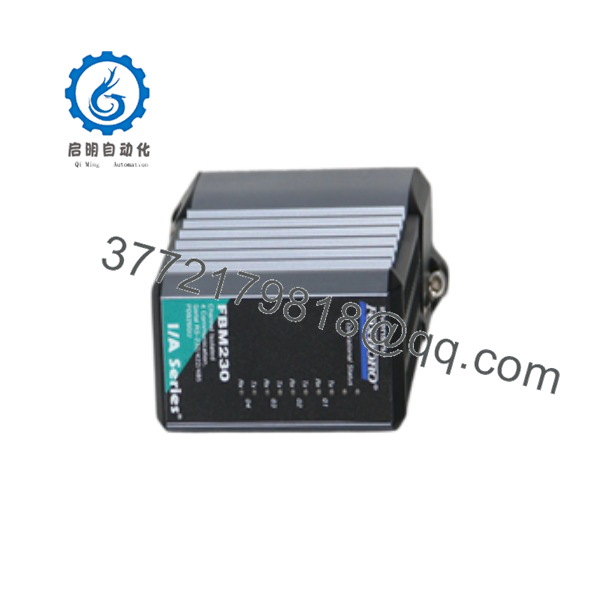
FBM230
FBM230
Firmware/Software Versions & Upgrade Notes
- Module firmware: The available public specification does not establish one universal firmware revision for every .
- Protocol software: The module’s serial interface is configured through the Foxboro system software rather than by treating the four ports as fixed-interface ports.
- Port configuration: The official specification states that each port can individually be configured for RS-232, RS-422, or RS-485.
- Driver configuration: The uses downloadable software drivers for field-device protocols. The applicable driver must match the connected device and DCS configuration.
- Compatibility: The module communicates with associated Foxboro FCM100ET, FCM100E, FCP270, or FCP280 hardware over the module fieldbus.
- Upgrade warning: Do not upgrade firmware or replace the communication driver merely because a newer revision exists. A working legacy DCS configuration should be preserved before making any software change.
- Important: The and FBM231 are not equivalent. FBM231 provides a redundant four-port serial configuration, whereas is the single-module version. Schneider’s product documentation explicitly distinguishes the two.
Frequently Asked Questions (FAQ)
What does the Foxboro do?
The is a Field Device System Integrator (FDSI) module. It provides four configurable serial interfaces for connecting field devices to a Foxboro control system.
Which serial interfaces does support?
Each of the four ports can be configured for RS-232, RS-422, or RS-485. This is one of the main reasons the is useful for mixed legacy field-device installations.
How many field devices can one connect?
The documented configuration supports up to 64 RS-485 devices, while direct RS-232/RS-422 configurations can connect up to four devices. The actual usable capacity depends on the selected protocol, device configuration, scan requirements, and DCS database limitations.
Is the same as FBM231?
No. is the single configuration, while FBM231 is the redundant version. Schneider Electric lists and FBM231 as separate Field Device System Integrator modules.
What is the power requirement?
The documented input requirement is 24 VDC +5%/−10%, with maximum power consumption of 7 W.
Is obsolete?
The answer requires care. Schneider’s current Foxboro Evo documentation still lists an , including the newer PSS 41H-2S230 designation, so the function itself remains represented in the product family. Older variants such as PSS 21H-2Z30 were superseded by later hardware.
For procurement, therefore, do not order solely from “.” Match the complete PSS/part number and hardware revision against the installed DCS.
What stocking level makes sense?
For a production-critical Foxboro installation, I would normally start at Min 1 / Max 1 complete per critical DCS spare pool, rather than one spare for every installed module. If several plants or process units use the same exact revision, cross-site sharing can reduce carrying cost while maintaining coverage against stock-outs and lead time variability. This follows the inventory framework of maintaining buffer stock for critical spares and consolidating inventory where practical.



