
 WhatsApp: +86 16626708626
 Email:
  Phone: +86 16626708626
Description
Key Technical Specifications
| Parameter | Value |
|---|---|
| Manufacturer | Foxboro, formerly Invensys Process Systems; now part of Schneider Electric |
| Module designation | FBM232 |
| Assembly part number | P0926GW |
| Product family | Foxboro I/A Series / EcoStruxure Foxboro DCS |
| Product type | Field Device System Integrator, Ethernet communication module |
| Primary function | Connects Ethernet-based field devices to the Foxboro DCS control database |
| Ethernet interface | One copper Ethernet port |
| Physical Ethernet connection | RJ-45 |
| Supported Ethernet speeds | 10 Mbps or 100 Mbps |
| Network connection | Single Ethernet network interface for single-ported external field devices |
| Field-device capacity | Up to 64 external devices per FBM232 |
| DCI capacity | Up to 2,000 Distributed Control Interface block connections |
| Supported transport | TCP/IP and UDP/IP, subject to loaded protocol driver and device profile |
| I/O driver architecture | Protocol-specific driver downloaded from the available Foxboro FDSI driver library |
| DCS integration | Presents field-device data to the Foxboro DCS control database |
| Module fieldbus connection | Redundant 2 Mbps Foxboro module fieldbus through the modular baseplate |
| Control-station update reference | Up to 500 ms access interval, subject to configuration, driver, device count, and network loading |
| Redundant power input | 24 V DC, +5% / −10% |
| Maximum power consumption | 7 W |
| Maximum heat dissipation | 7 W |
| Operating temperature | −20 to +70 °C (−4 to +158 °F) |
| Storage temperature | −40 to +70 °C (−40 to +158 °F) |
| Relative humidity | 5–95%, noncondensing |
| Environmental classification | ISA S71.04 Class G3 harsh industrial environment |
| Approximate module weight | 284 g (10 oz) |
| Mounting | Foxboro modular baseplate; DIN rail or 19-inch rack mounting arrangement |
| Replacement requirement | Match FBM232/P0926GW, FDSI driver package, DCS software compatibility, IP plan, network topology, and configured device profiles |
The FBM232 P0926GW is a Foxboro Field Device System Integrator module with a single 10/100 Mbps copper Ethernet interface. It can connect the Foxboro DCS to as many as 64 external devices and supports up to 2,000 DCI block connections, subject to the installed protocol driver and control-system configuration.
Product Introduction
The Foxboro FBM232 P0926GW is a Field Device System Integrator, or FDSI, Ethernet module for I/A Series and EcoStruxure Foxboro DCS installations. It bridges one copper Ethernet network to the Foxboro module fieldbus, allowing third-party field I/O devices and Ethernet-capable equipment to appear as DCS database points.
This module is selected when an existing Foxboro system needs device-level Ethernet integration without replacing the DCS architecture. It supports 10 Mbps or 100 Mbps Ethernet and can communicate with up to 64 external devices. The installed FDSI driver, network settings, device profile, and DCS software revision determine whether it will communicate with a specific device.
Troubleshooting Quick Reference
| Symptom | Possible Cause | Relevance to This Part | Quick Check Method | Recommendation |
|---|---|---|---|---|
| FBM232 is absent from the DCS or all external devices show bad quality | Loss of 24 V DC module supply, module fieldbus fault, loose baseplate connection, failed module | ✅ High | Check DCS hardware diagnostics. Measure the redundant 24 V DC supply at the modular baseplate. Inspect module seating and baseplate contacts using the approved maintenance procedure. | Restore power, fieldbus communication, or seating before replacing the . A total device loss can be an upstream DCS hardware issue. |
| Ethernet link LED is off | Cable open, wrong port connection, switch port disabled, speed/duplex incompatibility, failed Ethernet interface | ✅ High | Check the link/activity LED and switch-port status. Replace the patch cable with a known-good tested cable. Confirm the connected switch port is enabled and set for compatible auto-negotiation or fixed speed/duplex settings. | Correct the network layer first. Do not replace the module until a known-good cable and enabled switch port still show no link. |
| Ethernet link is active but no device communications | Wrong IP address, subnet mask, gateway, VLAN, protocol driver, port number, device profile, or firewall/ACL block | ✅ High | From an approved engineering workstation, verify the configured IP address and subnet. Test reachability to the device. Confirm VLAN assignment, TCP/UDP port requirements, and the correct loaded FDSI driver. | Compare the configuration with the device communication manual. A live Ethernet link only proves Layer 1; it does not prove protocol compatibility. |
| One device is offline while others remain healthy | Device power loss, device IP conflict, cable fault, incorrect device profile, remote device fault | ⚠️ Medium | Check the device’s local power and status LEDs. Ping or use the approved device diagnostic tool. Confirm the configured IP address is unique and matches the device profile. | Troubleshoot the affected field device and network drop first. The is less likely to be the cause when other devices are communicating normally. |
| Communication drops intermittently | Duplicate IP address, unstable switch power, poor cable termination, electrical noise, network storms, high device traffic, mismatched duplex | ⚠️ Medium | Review switch logs and port error counters. Check for duplicate IP addresses. Replace suspect patch leads, inspect shield/ground practice, and monitor link flaps. | Correct network faults before replacing the . In industrial cabinets, bad RJ-45 terminations and unmanaged switch issues are common. |
| DCS values are stale or update slowly | Excessive polling load, too many DCI blocks, slow device response, poor network performance, inappropriate scan configuration | ⚠️ Medium | Compare configured scan/update interval with actual device response. Review device count, DCI block usage, packet loss, and switch utilization. | Reduce unnecessary polling and validate capacity. The reference access interval can be as low as 500 ms, but real performance depends on the driver, device mix, and network load. |
| Device communicates but values are wrong | Incorrect register map, data type, byte order, signed/unsigned setting, scaling, protocol driver mapping | ✅ High | Read a known register using the device vendor’s tool. Compare raw value, data type, endian order, scale factor, and engineering units with the FDSI configuration. | Correct the device profile and DCS mapping before replacing hardware. A communications module cannot fix a wrong register map. |
| Module stops communicating after replacement | Missing FDSI configuration backup, incompatible DCS or driver revision, incorrect IP settings, wrong baseplate slot assignment, ESD damage | ✅ High | Export or document the existing FDSI configuration before removal. Compare module labels, installed driver version, IP plan, device list, and DCS configuration after replacement. | Restore the approved configuration and validate one device before releasing all points to operations. |
Field note: An Ethernet link light is not a communication test. I have seen hours wasted on a “bad ” when the real issue was a device moved to a different VLAN after a switch replacement. Check cable link, IP reachability, VLAN, protocol port, driver, and register mapping in that order.
If you need technical review, provide the /P0926GW label photo, module LED states, baseplate location, DCS diagnostic screenshot, FDSI driver version, IP address and subnet details, switch-port status, device list, and a sample of expected versus actual data.
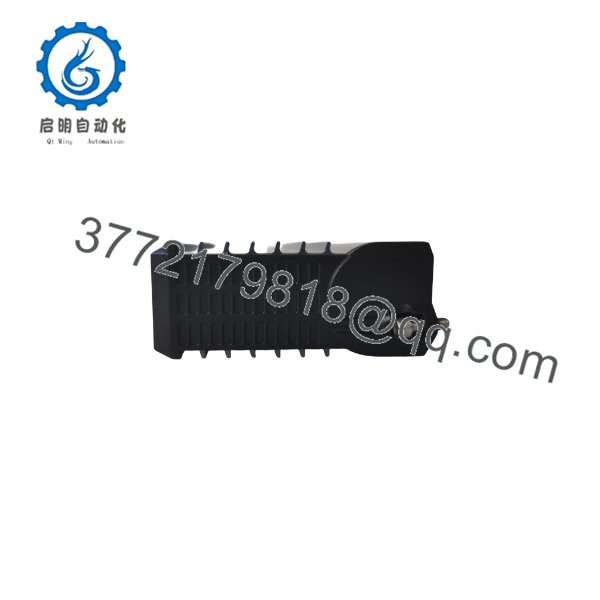
FBM232 P0926GW
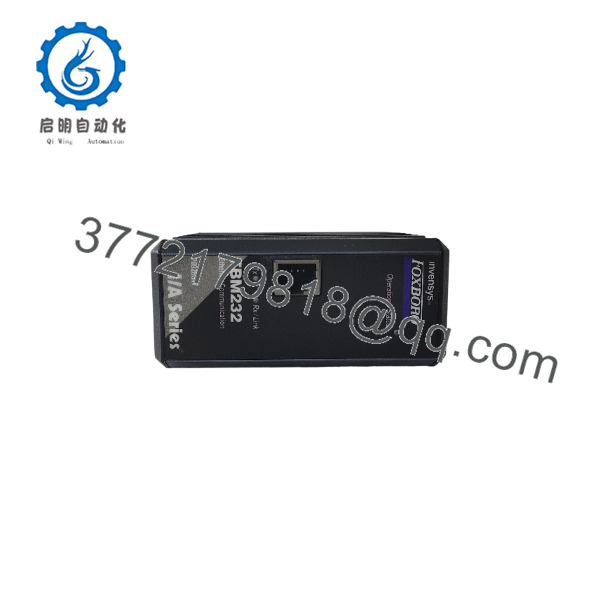
FBM232 P0926GW
Frequently Asked Questions
What does the Foxboro P0926GW do?
The is an Ethernet Field Device System Integrator module. It connects a single 10/100 Mbps copper Ethernet network to the Foxboro I/A Series or EcoStruxure Foxboro DCS, allowing supported external devices to exchange data with the DCS control database.
How many external devices can one support?
The can communicate with up to 64 external field devices and supports up to 2,000 DCI block connections. Actual device capacity depends on the loaded protocol driver, number of points, polling rate, device response time, network design, and DCS processing load. Do not plan a 64-device installation solely from the headline maximum; validate it against the project’s update-time and availability requirements.
Does support Modbus TCP?
The uses downloadable, protocol-specific I/O drivers from the Foxboro FDSI driver library. Whether a particular installation supports Modbus TCP depends on the available driver package, DCS/FDSI software revision, license or project configuration, and device profile. Verify the installed driver documentation before promising compatibility with a particular protocol or third-party device.
Is a FOUNDATION Fieldbus module?
No. The is an Ethernet FDSI communication module, not a FOUNDATION Fieldbus H1 segment interface. Some online listings incorrectly describe it as a FOUNDATION Fieldbus device; that description conflicts with product information identifying the module as a single-port 10/100 Mbps Ethernet interface for external devices. Use the module’s verified Ethernet/FDSI function when specifying or purchasing it.
Can I connect more than one Ethernet device to the single RJ-45 port?
Yes, by connecting the to an Ethernet switch or hub. The module has one Ethernet interface, but the connected network can include up to 64 supported field devices. Use an industrial managed switch where the application needs VLAN control, port diagnostics, traffic monitoring, or a documented redundancy strategy.
Can I hot-swap an ?
Follow the approved Foxboro maintenance procedure and site operating rules. Removing the will interrupt communications to every external device integrated through that module. This can freeze values, set DCS points to bad quality, generate alarms, block permissives, and affect control strategies that depend on those data.
Before replacement, identify every dependent control point, export the FDSI configuration, notify operations, place affected control loops in an approved safe state, document Ethernet settings, confirm the replacement is , and use a grounded ESD wrist strap.
Why is the Ethernet link up but the DCS has no data?
Start with configuration, not hardware. Check the IP address, subnet mask, gateway, VLAN, switch port, device IP address, protocol selection, TCP/UDP port, protocol driver version, device profile, register map, and data format. A lit link LED proves only that the physical Ethernet connection is present.
A practical check: verify the device responds at its configured IP address, then test one known register or data point with the same protocol settings used by the FDSI configuration.
Is this New Surplus or Refurbished?
The condition must be stated clearly on the quote. New Original / New Surplus means unused legacy inventory with identity-label, connector, and storage-condition inspection. Refurbished (tested) means a previously used module that has been inspected, powered, and functionally tested.
For a refurbished , request actual-unit photos, label verification, 24 V DC power-on test, module fieldbus-recognition verification, Ethernet link test at 10 Mbps and 100 Mbps, TCP/IP or UDP/IP communication test, front-panel LED check, connector inspection, and a written test report. Test videos and photos should be available upon request.
What should I verify before ordering an replacement?
- Exact module label: and
- Foxboro DCS version and installed FDSI software/driver revision
- Existing driver and protocol requirements
- Ethernet IP address, subnet mask, gateway, VLAN, and switch-port configuration
- Number of connected devices and approximate DCI block count
- Required scan/update interval and actual device response time
- Device profiles, register maps, data types, byte order, and scaling
- Baseplate location, redundant 24 V DC supply, and module fieldbus health
- Required condition: New Original/New Surplus or Refurbished (tested)
Keep these checks in mind and you will avoid most replacement rework.



