
 WhatsApp: +86 16626708626
 Email:
  Phone: +86 16626708626
Description
Key Technical Specifications
| Parameter | Value |
|---|---|
| Manufacturer | Foxboro (Schneider Electric) |
| Model | P0926HW |
| Product Type | Industrial Automation Module |
| Product Family | Foxboro I/A Series |
| Installation | Rack Mounted |
| Application | Distributed Control System (DCS) |
| System Compatibility | Foxboro I/A Series platform |
| Operating Environment | Industrial control cabinets |
| Operating Temperature | Refer to OEM documentation |
| Storage Temperature | Refer to OEM documentation |
| Condition | New Original / New Surplus |
| Warranty | 12 Months |
Engineering Note: Publicly available technical documentation for P0926HW is limited. Before purchasing or installing, verify the complete part number, hardware revision, firmware revision (if applicable), and compatibility with your existing Foxboro I/A Series system using the plant spare-parts list or OEM documentation.
Product Introduction
The Foxboro P0926HW is an industrial automation module designed for use within the Foxboro I/A Series Distributed Control System (DCS). It supports reliable operation in process industries where high system availability and long equipment life are critical.
Many operating facilities continue maintaining Foxboro I/A Series installations rather than replacing an entire control platform. Keeping the correct spare module on hand can significantly reduce recovery time during planned maintenance or unexpected equipment failures. Before installation, verify the module revision and system compatibility to avoid commissioning delays.
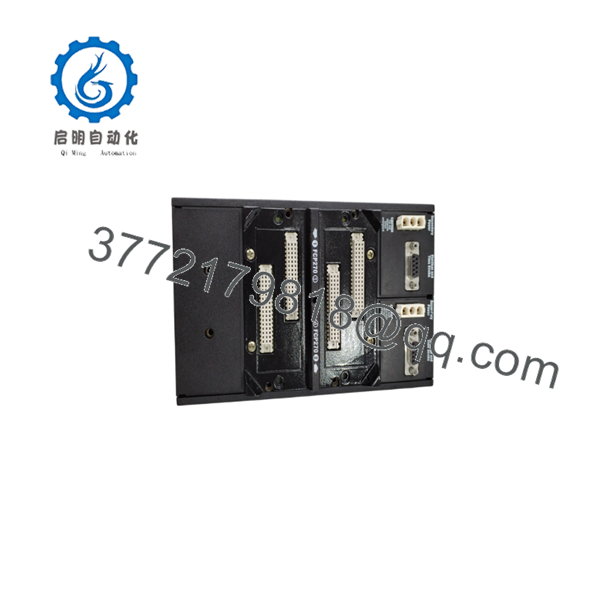
P0926HW
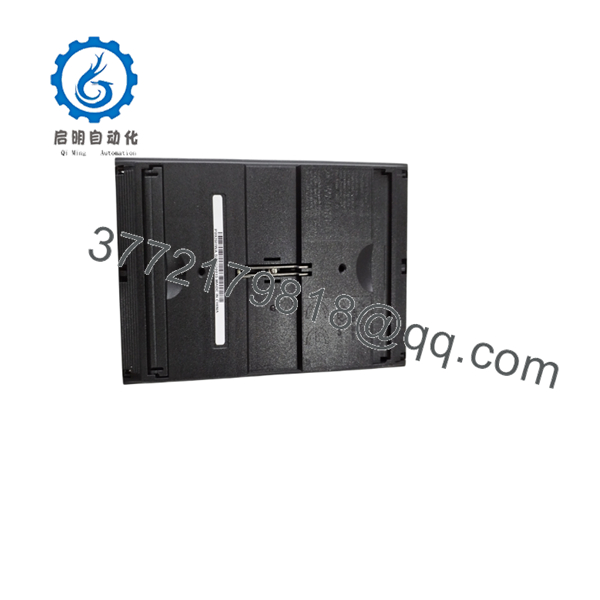
P0926HW
Installation & Configuration Guide
Stage 1 – Pre-Installation Preparation (10 Minutes)
⚠️ Safety First
- Notify operations of the planned maintenance.
- Perform Lock-Out/Tag-Out (LOTO).
- Remove power from the affected cabinet.
- Wait at least five minutes for stored energy to dissipate.
Required Tools
- ESD wrist strap
- Phillips screwdriver
- Digital multimeter
- Wire labels
- Smartphone for documenting wiring
Preparation
- Back up controller or workstation configuration.
- Record the installed module revision.
- Photograph wiring and module placement.
- Verify the replacement module is P0926HW.
Stage 2 – Removing the Existing Module (5 Minutes)
- Label all connectors before disconnecting.
- Remove communication and field wiring.
- Release the retaining mechanism.
- Pull the module straight from the rack.
- Inspect the backplane connector for bent pins or contamination.
⚠️ Keep the original module until the replacement has completed functional testing.
Stage 3 – Installing the New Module (10 Minutes)
- Wear a grounded ESD wrist strap.
- Confirm the model number and hardware revision.
- Insert the module carefully into the rack.
- Ensure it is fully seated before locking it in place.
- Reconnect all cables according to the original documentation.
Installation Checklist
- ☑ Correct model verified
- ☑ Hardware revision confirmed
- ☑ Connectors fully seated
- ☑ Wiring verified
- ☑ Module securely installed
Stage 4 – Power-On & Commissioning (10 Minutes)
- Verify the power supply voltage.
- Restore power to the rack.
- Observe module status LEDs during startup.
- Confirm the engineering workstation detects the module.
- Verify communication with the control network.
- Perform functional testing before returning the process to operation.
⚠️ If communication errors occur immediately after startup, check firmware compatibility and rack configuration before replacing additional hardware.
Frequently Asked Questions (FAQ)
Q1. What is the Foxboro P0926HW used for?
The P0926HW is an industrial automation module intended for use in Foxboro I/A Series Distributed Control Systems, supporting reliable operation in continuous-process industries.
Q2. Is the still available?
The model is generally considered a legacy product. Most inventory available today consists of New Surplus or professionally tested surplus units, depending on market availability.
Q3. Can I hot-swap this module?
Unless your specific Foxboro system documentation explicitly supports online replacement, do not replace the module while the rack is energized. Power down the affected equipment before removal.
Q4. Will replacing this module affect my control strategy?
In most I/A Series architectures, application logic is stored elsewhere in the control system. However, always back up the existing configuration before replacing any module.
Q5. Why should I verify the hardware revision?
Different hardware revisions may introduce compatibility differences with existing firmware or system components. Recording the revision before removal can prevent lengthy troubleshooting during commissioning.
Q6. What should I verify before ordering?
Confirm the following:
- Complete part number ()
- Hardware revision
- Firmware revision (if applicable)
- Compatible Foxboro I/A Series platform
- Rack location
- Required quantity
- Planned maintenance schedule
Taking the time to verify these details before procurement helps reduce installation risks and minimizes process downtime.



