
 WhatsApp: +86 16626708626
 Email:
  Phone: +86 16626708626
Description
Key Technical Specifications
Note: Foxboro has released limited public documentation for the P0960AW. Verify exact hardware revision and compatibility against the OEM documentation before installation.
| Parameter | Value |
|---|---|
| Model | P0960AW |
| Manufacturer | Foxboro (Schneider Electric) |
| Product Type | Industrial Control Module |
| System Compatibility | Foxboro I/A Series DCS |
| Mounting | System rack installation |
| Communication | Via I/A Series backplane |
| Operating Temperature | Refer to OEM specifications |
| Supply Power | Backplane powered |
| Firmware | Hardware revision dependent |
| Status Indicators | Integrated LED diagnostics |
| Industrial Application | Process automation and control |
| Condition | New Original / Tested Refurbished (depending on supply) |
Product Introduction
The Foxboro P0960AW is an industrial automation module designed for the Foxboro I/A Series Distributed Control System (DCS). It supports reliable communication and control functions within process automation environments commonly found in oil and gas, chemical processing, power generation, pharmaceutical manufacturing, and other continuous-process industries.
Plants continue using the P0960AW because it integrates directly with existing I/A Series architectures, minimizing engineering changes during maintenance. Before replacing the module, verify the hardware revision, firmware compatibility, and system configuration to avoid unnecessary commissioning delays.
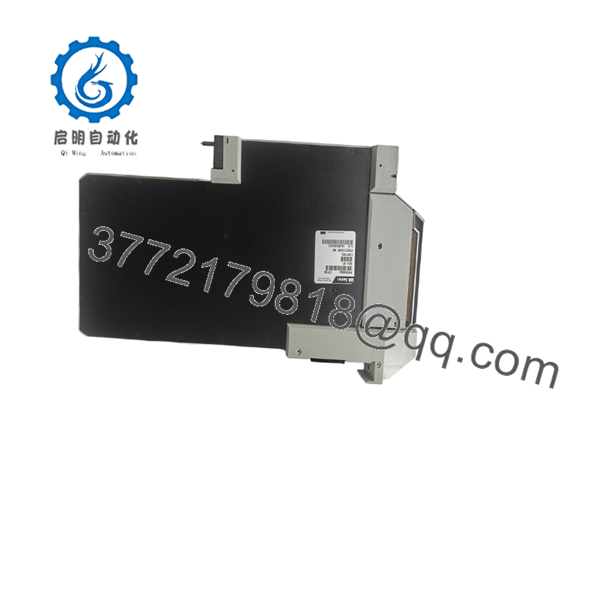
P0960AW
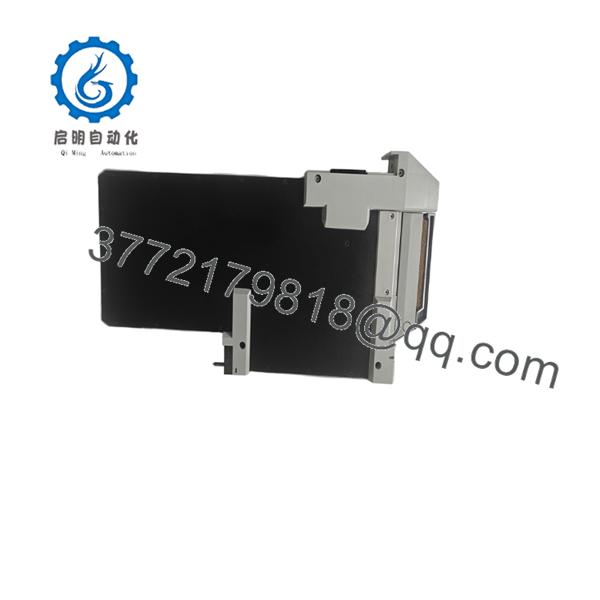
P0960AW
Installation & Configuration Guide
Stage 1 – Pre-Installation Preparation (Approx. 10 Minutes)
⚠️ Safety First
- Notify plant operations of the scheduled maintenance.
- Place the process in a safe operating state.
- Perform Lock-Out/Tag-Out (LOTO).
- Remove system power and wait at least 5 minutes for stored energy to discharge.
Required Tools
- ESD wrist strap
- PH1 screwdriver
- Digital multimeter
- Wire labels
- Smartphone for documentation
Backup Tasks
- Export the current controller configuration.
- Record firmware revisions.
- Photograph module location and wiring.
- Document node addresses if applicable.
Stage 2 – Removing the Existing Module (Approx. 5 Minutes)
- Remove the cabinet cover if required.
- Label every cable before disconnecting.
- Carefully disconnect connectors without excessive force.
- Release the retaining mechanism.
- Pull the module straight out to prevent backplane damage.
- Inspect the rack connector for bent pins, dust, or corrosion.
⚠️ Do not discard the old module until the replacement has been fully commissioned.
Stage 3 – Installing the New P0960AW (Approx. 10 Minutes)
- Wear an ESD wrist strap.
- Verify the replacement model number is P0960AW.
- Confirm hardware revision compatibility.
- Insert the module evenly until fully seated.
- Secure the retaining mechanism.
- Reconnect all wiring exactly as documented.
Installation Checklist
- ☑ Correct model verified
- ☑ Module fully seated
- ☑ Connectors secured
- ☑ Wiring confirmed
- ☑ Cabinet closed
Stage 4 – Power-On & Commissioning (Approx. 10 Minutes)
Before energizing:
- Measure the supply voltage using a multimeter.
- Check for short circuits.
Power-up procedure:
- Energize the rack.
- Observe the LED indicators.
- Verify module recognition within the engineering workstation.
- Confirm communication with the DCS.
- Perform functional I/O testing.
- Return the process to service after successful verification.
⚠️ If communication fails immediately after installation, verify hardware revision compatibility and inspect the backplane connector before replacing additional modules.
Frequently Asked Questions (FAQ)
Q1. Can the Foxboro be hot-swapped?
No. Unless the specific system documentation explicitly supports online replacement, always remove power before replacing the module. Replacing it under power may damage the backplane or interrupt the running process.
Q2. Is the still available?
The is generally considered a legacy automation component. New surplus inventory is available through selected suppliers, while refurbished units are more common as production decreases.
Q3. Will replacing this module erase my control strategy?
No. In most Foxboro I/A Series installations, the control database resides within the system architecture rather than the module itself. However, always create a complete system backup before maintenance.
Q4. What should I verify before ordering?
Confirm:
- Complete model number ()
- Hardware revision
- Existing system configuration
- Firmware compatibility
- Plant DCS version
These details help prevent installation delays.
Q5. Why are New Surplus units often less expensive than buying directly from the OEM?
Many New Surplus modules originate from unused project inventory or excess industrial stock. They are genuine OEM products but may no longer be supplied through standard factory distribution channels, resulting in lower market pricing.
Q6. What inspections should a quality supplier perform before shipment?
A reputable supplier should provide:
- Serial number verification
- Visual inspection for damage
- Functional testing on a compatible Foxboro test platform
- Communication verification
- ESD-safe packaging
- Test reports or inspection photos upon request
This documentation provides greater confidence before installing the module in a production system.



