
 WhatsApp: +86 16626708626
 Email:
  Phone: +86 16626708626
Description
Key Technical Specifications
⚠️ Verification notice: Public OEM documentation for the exact P0971WV-DNBT suffix is limited, and several aftermarket listings contain conflicting or clearly fabricated specifications. The consistent marketplace identification is a Foxboro I/A Series Dual Nodebus Module (DNBT). Do not rely on unverified claims of Ethernet ports, IP65 enclosure rating, memory capacity, or specific power consumption without confirming them from the unit nameplate and Foxboro system documentation.
| Parameter | Value |
|---|---|
| Catalog number | P0971WV-DNBT |
| Base part number | P0971WV |
| Function designation | DNBT — Dual Nodebus Module |
| Brand | Foxboro / Invensys |
| System platform | Foxboro I/A Series distributed control system |
| Product type | Dual Nodebus communication/interface module |
| Primary function | Provides dual-node Nodebus interfacing within the I/A Series architecture |
| Reported revisions | REV. 0C and REV. 0F units appear in market listings; verify installed revision before replacement |
| Network role | Interfaces I/A system nodes and supports the I/A Nodebus communication architecture |
| Installation | Foxboro I/A Series cabinet/module mounting arrangement |
| Status indication | Module/network status LEDs; verify exact LED legend from the installed unit |
| Power connection | Foxboro I/A system power distribution; verify voltage and current from the nameplate and system drawing |
| Compatibility caution | Match hardware revision, Nodebus configuration, firmware, and system software before substitution |
| Condition note | Inspect connectors, PCB condition, revision label, and communication LEDs before installation |
| Documentation source | Foxboro/Schneider Electric I/A Series documentation and system configuration records |
The P0971WV-DNBT is identified in marketplace and supplier records as a Foxboro I/A Series Dual Nodebus Module. It is a communication/interface module, not a pressure transmitter, controller, or field I/O module; some online descriptions incorrectly assign it unrelated instrument functions.
Product Introduction
The Foxboro P0971WV-DNBT is a Dual Nodebus Module for the Foxboro I/A Series distributed control system. It provides the DNBT dual-node Nodebus interface used to maintain communication between I/A system nodes and associated control/fieldbus equipment.
This module is selected for like-for-like repair of an existing Foxboro I/A network. The critical replacement checks are the P0971WV base number, DNBT designation, hardware revision, firmware compatibility, and Nodebus configuration; mismatched revisions can complicate commissioning in redundant or multi-node installations.
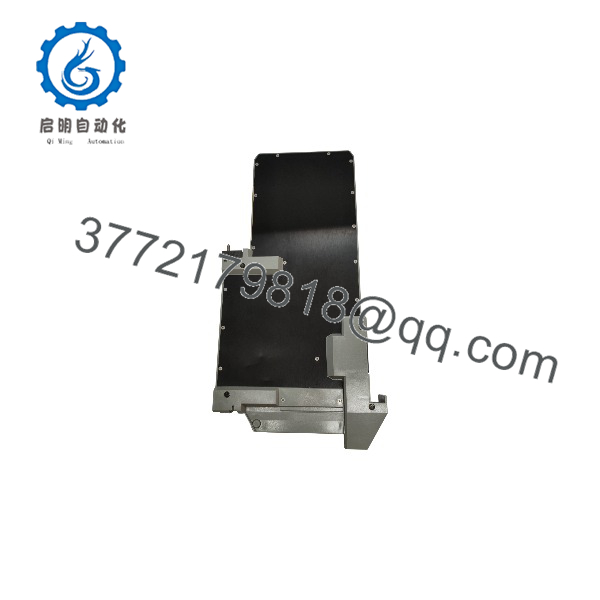
P0971WV-DNBT
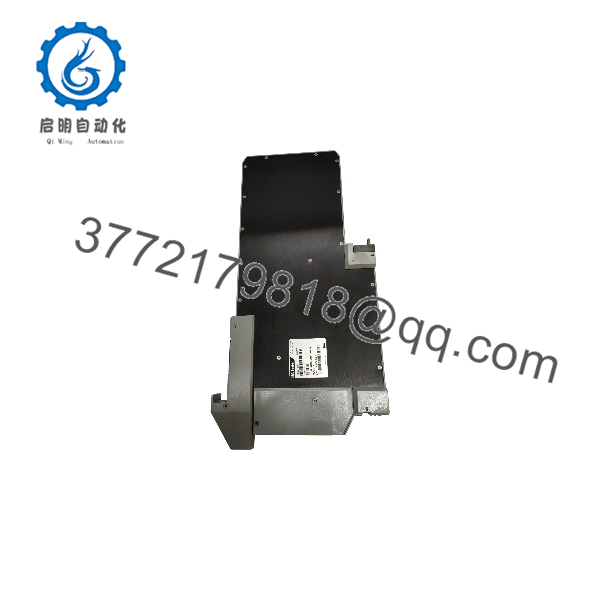
P0971WV-DNBT
Installation & Configuration Guide
Stage 1: Pre-Installation Preparation
Estimated time: 30–45 minutes.
- ⚠️ Obtain an outage or approved online-maintenance authorization for the affected Foxboro I/A Nodebus segment.
- Identify the affected node, cabinet, module slot, and connected Nodebus devices.
- Apply lockout/tagout to the I/A system power feeds associated with the module, following the site’s electrical safety procedure.
- Wait at least 5 minutes for internal capacitors and power supplies to discharge.
- Prepare an ESD wrist strap, insulated screwdrivers, multimeter, cable labels, camera, and Foxboro I/A configuration records.
- Back up the I/A system configuration and record the Nodebus addresses, connected devices, firmware versions, and alarm history.
- Photograph the module faceplate, revision label, connector positions, cable routing, and termination arrangement.
⚠️ Confirm both the base number and the DNBT designation. Do not substitute another Foxboro network module based on physical appearance alone.
Stage 2: Removing the Old Module
Estimated time: 15–30 minutes.
- Confirm the affected Nodebus segment is safe to isolate or that replacement is permitted under the site’s controlled maintenance procedure.
- De-energize the module power feed and verify 0 V with a rated multimeter.
- Label all Nodebus cables, power connections, and shield/ground terminations.
- Disconnect cables by their connector bodies; do not pull on the cable jacket.
- Release the module retaining hardware or locking mechanism.
- Withdraw the P0971WV-DNBT straight from its mounting position to avoid bending connectors or damaging the backplane.
- Inspect the module connectors, cabinet guides, cable shields, and termination hardware for damage or contamination.
⚠️ Keep the removed DNBT module until the replacement has passed communication, node-recognition, and redundancy checks.
Stage 3: Installing the New Module
Estimated time: 15–30 minutes.
- Verify the replacement is Foxboro -DNBT, with a compatible hardware revision.
- Put on an ESD wrist strap before handling the module or Nodebus connectors.
- Install the module in the same slot and orientation as the original.
- Reconnect labeled Nodebus cables, power connections, and shield/ground terminations.
- Confirm that all connectors fully seat and that locking hardware engages.
- Restore cable strain relief and maintain separation from AC power and high-energy wiring.
- Verify that the replacement module’s revision and firmware are compatible with the installed I/A system configuration.
Self-checklist:
- Correct P0971WV-DNBT model confirmed
- Hardware revision compatibility verified
- Nodebus cables labeled and connected
- Power and ground terminations restored
- Connectors fully seated and secured
- I/A configuration backup available
Stage 4: Power-On & Testing
Estimated time: 30–60 minutes.
- ⚠️ Before energizing, check power wiring for shorts and verify correct voltage class and polarity.
- Restore I/A system power according to the approved startup sequence.
- Observe module power, Nodebus, and fault/status LEDs.
- Confirm that the I/A system recognizes the DNBT module and its assigned node.
- Verify Nodebus communication to all connected devices and controllers.
- Check for communication errors, duplicate-node conditions, or intermittent offline status.
- If the installation uses redundant Nodebus paths, test failover behavior under controlled conditions.
- Monitor the communication segment for at least 30 minutes before returning the system to normal service.
⚠️ If the module fails to communicate, check Nodebus cable termination, shield grounding, node address configuration, firmware/revision compatibility, and the upstream I/A communication equipment before replacing the DNBT again.
Frequently Asked Questions (FAQ)
Is the Foxboro P0971WV-DNBT a pressure transmitter?
No. It is a Foxboro I/A Series Dual Nodebus Module (DNBT). Some aftermarket pages incorrectly describe it as a pressure transmitter; those descriptions conflict with the consistent DNBT/Dual Nodebus module identification.
What does DNBT mean?
DNBT identifies the module’s Dual Nodebus function within the Foxboro I/A Series architecture. It is a communication/interface module, not a field I/O or process-instrument module.
the obsolete?
Yes. It is legacy Foxboro I/A Series hardware, and availability is generally limited to surplus, refurbished, or exchange inventory.
Can I mix REV. 0C and REV. 0F modules?
Do not assume compatibility. Market listings show both revisions, but revision and firmware compatibility must be verified against the installed I/A system configuration before mixing or replacing modules.
Will replacing the module erase the DCS configuration?
No. The I/A system configuration resides in the control-system nodes and associated storage, not in the DNBT module. Still, back up the configuration before maintenance.
Can I h the ?
Do not assume so. Foxboro I/A maintenance procedures vary by node architecture and redundancy design. Treat the DNBT as critical communication hardware and follow the approved outage or online-replacement procedure.
Why do prices vary widely for this module?
Condition, revision, testing depth, warranty, and included cables/accessories drive the price. A tested unit with documented Nodebus communication and revision verification is worth more than an untested surplus module.



