
 WhatsApp: +86 16626708626
 Email:
  Phone: +86 16626708626
Description
Key Technical Specifications
| Parameter | Value / Specification |
| Manufacturer | Foxboro / Invensys (Schneider Electric) |
| Part Number | RH926JF |
| Module Type | Fieldbus Communication Expansion Module |
| Input Voltage | 24 V DC (Supplied via baseplate backplane) |
| Power Dissipation | 5.2 W maximum |
| Communication Protocol | Foxboro Fieldbus Protocol (HDLC Based) |
| I/O Channel Support | Connects up to 32 Fieldbus Modules per expansion segment |
| Isolation Rating | 500 V DC channel-to-bus galvanic isolation |
| Operating Temperature | 0 to 60°C (32 to 140°F) |
| Storage Temperature | −40 to +85°C (−40 to +185°F) |
| Relative Humidity | 5% to 95% non-condensing |
| Conformal Coating | Class G3 harsh environment protection |
Product Introduction & Supply Chain Strategy
The Foxboro RH926JF is a fieldbus expansion interface module engineered for Foxboro I/A Series Distributed Control Systems (DCS). It extends fieldbus communication links across distributed I/O racks, allowing Field Control Processors (such as the FCP280/RH924UQ) to interface with distant Fieldbus Modules (FBMs) without latency or signal degradation.
Maintaining a New Surplus RH926JF in your facility’s critical spares inventory prevents unexpected system downtime caused by fieldbus segment isolates. Sourcing factory-clean original inventory protects your control network from the signal timing shifts and intermittent transceiver faults commonly found in refurbished modules, ensuring full 24/7 process availability.
Installation & Configuration Guide
1.Pre-Installation (Prep & Safety):Perform safety isolation and put on grounding protection.
Verify that the target baseplate slot is powered down or isolated following lock-out/tag-out (LOTO) procedures. Put on a grounded ESD wrist strap connected to the enclosure ground terminal. Document existing fieldbus cable routing and record all DIP switch configurations on the module being replaced.
2.Removal of Legacy Hardware:Disconnect fieldbus lines and release module latches.
Carefully unlock and disconnect the fieldbus communication connectors from the front or baseplate terminals. Disengage the top and bottom retaining screws or spring latches on the housing. Pull the RH926JF straight out along the guide tracks to prevent damaging rear backplane pins.
3.Installation & Address Matching:Set hardware switches and seat into baseplate.
Set the hardware address DIP switches and option jumpers on the new RH926JF to match the original unit exactly. Slide the module into the baseplate slot until the rear connectors engage firmly with the backplane bus. Tighten the retaining screws to 0.6 Nm (5.3 in-lbs).
4.Power-On & Network Initialization:Check diagnostic LEDs and verify channel handshake.
Reapply 24 V DC power to the baseplate. Verify that the power LED glows solid green and that the fieldbus communication LEDs (A/B) flash in active sequence during network polling. Check the system management workstation to confirm the expansion node reports ONLINE without framing errors.
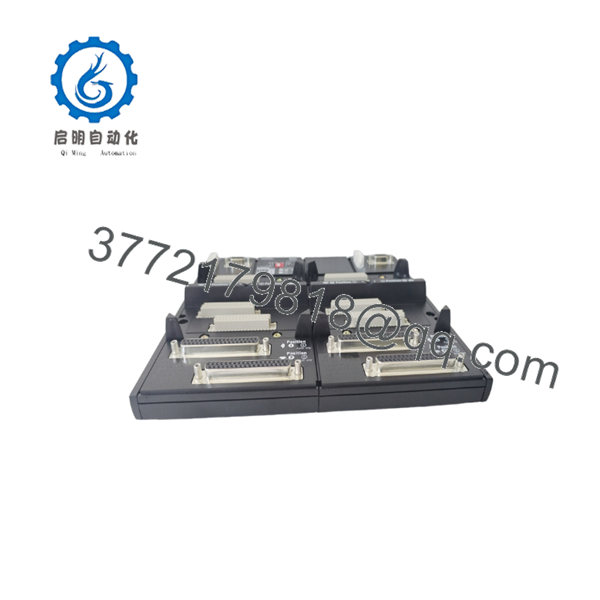
RH926JF
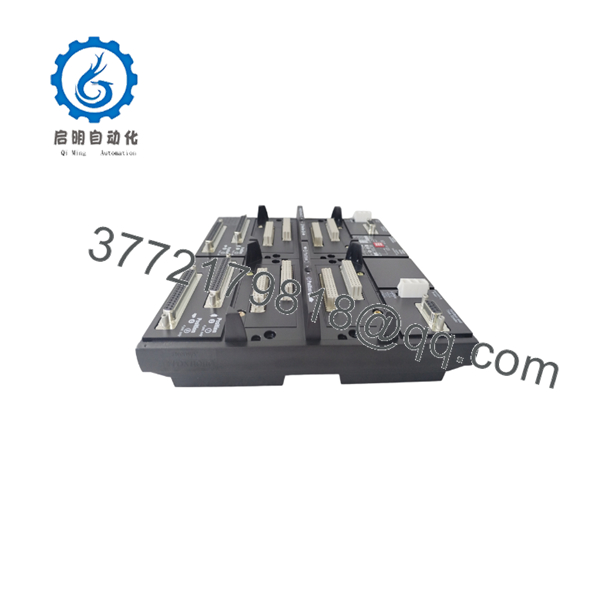
RH926JF
Firmware/Software Versions & Upgrade Notes
- System Compatibility: Fully compatible with Foxboro I/A Series System Software Release 7.x/8.x and EcoStruxure Foxboro DCS platforms.
- Redundancy Tracking: When installed in a redundant fieldbus pair, both expansion modules must share identical hardware revision levels to ensure balanced signal timing and seamless failover.
- Firmware Mismatch Warning: Attempting to run mismatched expansion hardware revisions can cause packet collisions or false channel failover alarms on the host controller. Always verify baseline revisions prior to hot-swapping.
Frequently Asked Questions (FAQ)
Is this Foxboro RH926JF module strictly New Surplus?
Yes. This unit is guaranteed to be New Original / New Surplus stock. It has never seen field service, ensuring zero operational wear on internal semiconductors and pristine gold-plated backplane pins.
Why should I avoid purchasing a refurbished for critical control loops?
Refurbished communication modules often suffer from degraded line driver components and thermal stress on timing chips. These defects lead to random packet drops and fieldbus communication dropouts that can disrupt multiple downstream I/O modules simultaneously.
Can the be hot-swapped while the rest of the node is running?
Yes, provided the expansion module is installed in a redundant fieldbus baseplate configuration where the secondary channel is healthy and active. Always verify channel status on the control station before extracting the card.
Do I need to program the prior to installation?
No software flashing is required on the card itself. The functions as an interface processor; its communication parameters and node addressing are set via physical DIP switches and managed by the upstream Field Control Processor.
What documentation and packaging come with this unit?
Each module is shipped in anti-static ESD shielding packaging accompanied by an OEM serial number tracking report and a comprehensive QC inspection sign-off.
What warranty applies to this New Surplus module?
We support this Foxboro module with a full 1-year replacement warranty, giving you complete operational security and supply chain confidence.



