
 WhatsApp: +86 16626708626
 Email:
  Phone: +86 16626708626
Description
Key Technical Specifications
| Parameter | Value |
|---|---|
| Model | DMC-9940 |
| Manufacturer | Galil Motion Control |
| Product Type | PCI motion control card |
| Controlled Axes | 1–4 |
| Host Interface | PCI |
| Control Type | Open-loop |
| Stepper Output Frequency | 3 MHz |
| Encoder Feedback Frequency | 12 MHz |
| General-Purpose I/O | 8 inputs / 8 outputs |
| Expansion Digital I/O | 64 channels, optional |
| Analog Inputs | 8 channels, optional |
| User Program Storage | 1,000 × 80-bit |
| User Variables | 254 |
| Array Space | 8,000 elements |
| External Interface | 100-pin high-density connector |
| Compatible Interface Hardware | ICM-1900 family |
| Operating Architecture | On-board CPU / real-time operating system |
The DMC-9940 is a 1–4 axis PCI motion-control card intended primarily for open-loop stepper applications. Published Galil product comparison data lists a 3 MHz stepper output rate, 12 MHz encoder input capability, 8/8 general-purpose I/O, optional 64-point expansion I/O, 1,000 × 80-bit program storage, 254 variables, and 8,000 array elements.
The card uses an on-board CPU and real-time operating system, allowing motion programs and parameters to be stored on the controller rather than requiring the host PC to execute the complete motion-control loop. The external system connects through a 100-pin interface and compatible ICM-1900-series interface hardware.
Product Introduction
The GALIL DMC-9940 is a four-axis PCI motion controller for PC-based stepper applications. It supports up to four axes, 3 MHz stepper pulse output, 8 digital inputs, 8 digital outputs, and optional analog inputs and expansion I/O. The controller uses an on-board processor and real-time operating system for executing stored motion programs.
Unlike Galil PCI controllers intended for closed-loop servo control, the DMC-9940 is specified as an open-loop controller. This distinction matters when replacing a DMC-18×2 or DMC-18×6: the DMC-9940 should not be treated as a drop-in equivalent where closed-loop servo feedback is part of the original machine architecture.
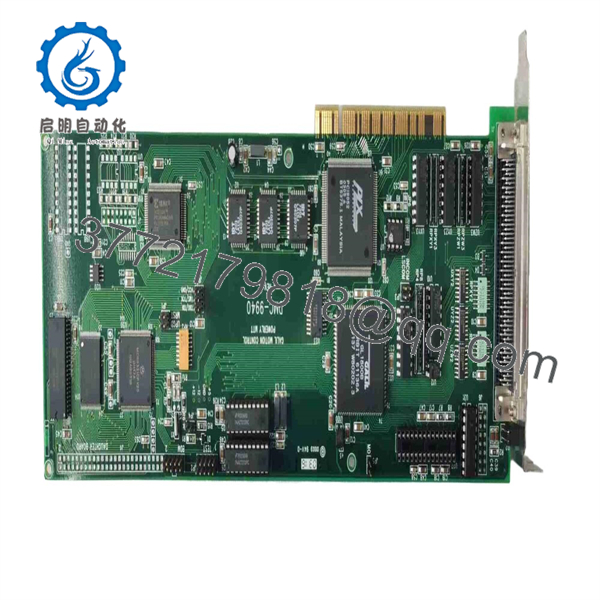
DMC-9940
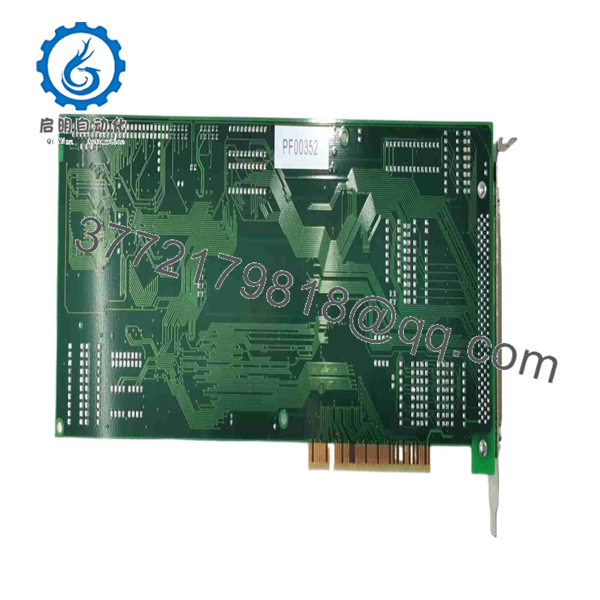
DMC-9940
Installation & Configuration Guide
Stage 1 — Pre-Installation Preparation
- Confirm the exact controller designation: DMC-9940.
- Verify that the host computer provides a compatible PCI slot; do not assume PCI and PCIe are electrically interchangeable.
- Back up the Galil motion program, variables, arrays, I/O configuration, and machine parameters.
- Record all axis assignments and step/direction wiring before removing the existing card.
- Document limit switches, home inputs, emergency-stop/abort signals, and output assignments.
- Prepare an ESD wrist strap, multimeter, appropriate PCI installation tools, and the correct 100-pin interface cable.
- Verify whether the existing system uses an ICM-1900-series interface board or another compatible Galil interface assembly.
Stage 2 — Removing the Old Controller
- Shut down the host PC and disconnect AC power.
- Follow the computer manufacturer’s discharge and ESD procedures.
- Record the original PCI slot location and connector orientation.
- Disconnect the 100-pin interface cable carefully.
- Label all external connections if more than one axis or I/O assembly is involved.
- Remove the PCI retaining screw and withdraw the controller vertically from the slot.
- Inspect the PCI connector, cable, interface board, and mounting hardware for contamination or physical damage.
Stage 3 — Installing the
- Verify the replacement board’s model and revision before installation.
- Insert the fully into the compatible PCI slot.
- Secure the board to the chassis.
- Reconnect the 100-pin cable using the correct orientation.
- Verify that X, Y, Z, and W axis wiring corresponds to the intended machine axes.
- Reconnect stepper pulse/direction signals and general-purpose I/O.
- Reconnect the ICM-1900-series interface hardware where applicable.
- Restore the backed-up Galil program and parameters only after establishing communication with the replacement controller.
- Verify the actual machine’s power-stage interface before enabling any motor.
Stage 4 — Power-On & Testing
- Power the PC and verify that the PCI controller is recognized.
- Establish communication with the using the applicable Galil software or host interface.
- Verify controller identity and stored program information.
- Check all limit, home, abort, and interlock inputs before commanding movement.
- Test each axis at low speed with the machine unloaded or in a controlled maintenance state.
- Confirm stepper direction against the machine coordinate system.
- Verify pulse scaling, acceleration, deceleration, travel limits, and commanded position.
- Test digital inputs and outputs individually.
- If optional analog I/O is installed, verify the channel assignments and scaling.
- Run a controlled dry cycle before returning the machine to automatic production.
Important: The is documented as an open-loop controller. If the original machine depends on encoder-based closed-loop correction, replacing its existing controller with a requires an architecture review rather than a simple board substitution.
Frequently Asked Questions
Q1. What is the GALIL used for?
The is a PCI-based motion controller designed for controlling up to four axes, particularly stepper-motor applications. It is used in PC-based automation equipment, positioning systems, machine tools, inspection equipment, and other multi-axis machinery.
Q2. How many axes does the control?
It supports 1–4 axes. Published specifications identify it as a four-axis PCI controller, with the actual number of controlled axes depending on the application configuration.
Q3. Is the a closed-loop servo controller?
No. Available Galil product comparison data identifies the as open-loop, unlike the DMC-18×2 and DMC-18×6 families, which support closed-loop operation.
Q4. What is the maximum stepper output frequency?
The published specification is 3 MHz. This is the stepper pulse-output capability and should not be confused with the 12 MHz encoder-input specification listed for the controller family.
Q5. Does the have built-in I/O?
Yes. Published specifications list 8 digital inputs and 8 digital outputs. Expansion hardware can provide up to 64 additional digital I/O, and 8 analog inputs are available as an option.
Q6. Is the still available as a new OEM product?
Current market evidence is dominated by secondary-market and used units. For example, a current eBay listing identifies a as used, while other industrial suppliers continue to list the model for repair, resale, or surplus supply. Therefore, condition should be verified on the individual unit rather than assumed from the model number.
Q7. Can a directly replace a DMC-18×2?
Not automatically. Both are PCI-based Galil controllers, but the DMC-18×2 supports closed-loop operation while the is specified as open-loop. Program compatibility, I/O assignments, feedback requirements, interface hardware, and machine-control architecture must be checked before substitution.



