
 WhatsApp: +86 16626708626
 Email:
  Phone: +86 16626708626
Description
Key Technical Specifications
| Parameter | Value |
|---|---|
| Manufacturer | GE (General Electric) |
| Model Number | DS200DC |
| Product Family | Mark V Speedtronic |
| Board Type | DC Power Supply / Control Board |
| Application | Gas turbine and industrial control systems |
| System Platform | GE Mark V |
| Function | DC voltage regulation and distribution |
| Installation | GE control cabinet rack |
| Input Power | DC supply input (system dependent) |
| Output Function | Regulated DC power distribution |
| Diagnostics | Board-level status monitoring |
| Compatible Equipment | GE turbine control systems |
| Replacement Category | Legacy automation spare |
Product Introduction & Supply Chain Strategy
The GE DS200DC is a Mark V Speedtronic control system board used for DC power supply and distribution functions inside GE turbine control architectures. It supports critical control hardware where stable DC power availability is required for reliable turbine monitoring and operation.
For facilities operating GE Mark V systems, maintaining DS200DC as New Original / New Surplus inventory is a practical lifecycle strategy. These legacy boards can become difficult to source during unexpected failures. Holding controlled buffer stock reduces outage exposure, avoids emergency procurement costs, and improves Total Cost of Ownership (TCO) by extending existing control assets.
Installation & Configuration Guide
Stage 1: Pre-Installation (Prep & Safety)
- Apply turbine control cabinet lock-out/tag-out procedures.
- Confirm all cabinet power sources are isolated.
- Verify DC bus voltage has discharged before handling the board.
- Wear a grounded ESD wrist strap.
- Document the existing DS200DC installation:
- Board location
- Rack position
- Board revision
- Cable connections
- LED status
- Existing alarms
- Photograph:
- Connector locations
- Terminal wiring
- Jumper settings
- Board identification labels
Required tools:
- ESD wrist strap
- Digital multimeter
- Insulated screwdriver
- GE Mark V documentation
Stage 2: Removal
- Verify the cabinet is electrically safe.
- Label all connectors before removal.
- Disconnect cables carefully.
- Release board retaining hardware.
- Remove the DS200DC board straight from the rack.
Avoid bending board edges or applying force to connectors. Backplane damage can create intermittent control faults.
Stage 3: Installation (Clone & Seat)
- Confirm replacement board details:
- GE DS200DC model
- Hardware revision
- Application compatibility
- Install the replacement board into the original rack position.
- Secure mounting hardware.
- Reconnect all cables according to documentation and photographs.
- Verify jumper and hardware settings match the removed board.
Do not change board configuration during emergency replacement unless engineering review is completed.
Stage 4: Power-On & Testing
- Verify supply voltage before energizing.
- Check DC rails for correct voltage levels.
- Restore cabinet power.
- Observe board diagnostic indicators.
- Verify:
- DC output stability
- Control system communication
- Alarm status
- Mark V controller operation
- Perform controlled system testing before returning equipment to service.
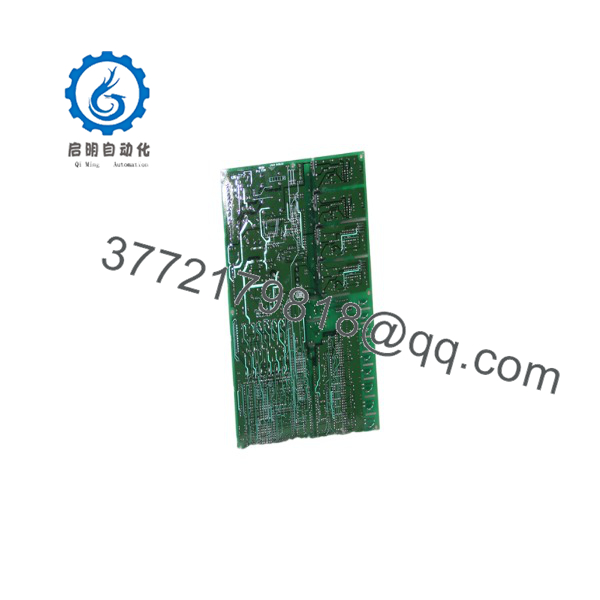
DS200DC
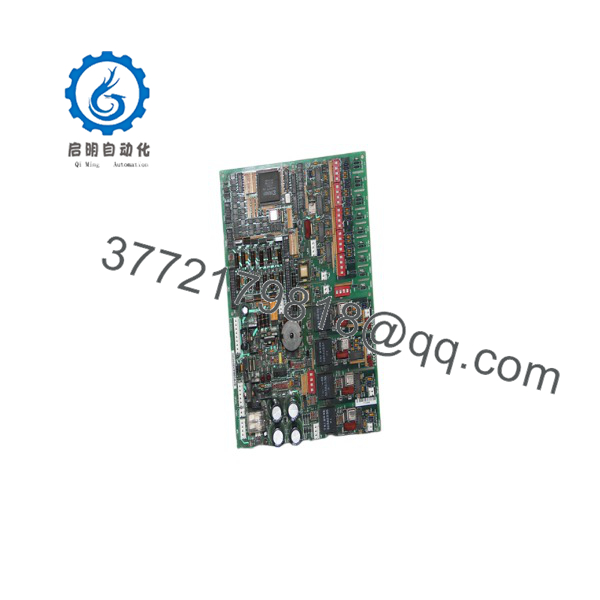
DS200DC
Firmware/Software Versions & Upgrade Notes
- Recommended Firmware: Match the hardware revision and Mark V system configuration currently installed.
- Firmware Availability: Board-level firmware compatibility depends on the exact revision and Mark V cabinet configuration.
- Configuration Requirement: Record existing board revision and system documentation before replacement.
- Compatibility Risk: Different DS200 board revisions may contain hardware changes affecting compatibility.
- Upgrade Warning: Avoid mixing hardware revisions without confirming GE documentation. A board replacement is not the correct time to introduce unrelated control system changes.
Required records:
- Existing board revision
- Mark V software version
- Control cabinet drawing
- Connector mapping
- Alarm history
Frequently Asked Questions (FAQ)
Q1: Is the GE supplied as a new board?
Yes. The supplied is a Brand New Surplus unit. It is not pulled from decommissioned equipment and not refurbished. Each board is checked for authenticity, identification labels, storage condition, and packaging quality.
Q2: Why is New Surplus pricing different from GE factory supply?
The belongs to a legacy GE Mark V platform. New Surplus inventory provides access to original production hardware from global industrial stock sources when standard procurement channels have limited availability.
Q3: Why should plants keep spare boards?
GE Mark V turbine control systems often support critical assets where downtime costs are high. Maintaining 1–2 units as insurance stock helps reduce outage duration caused by unexpected board failures.
Q4: Can be replaced while the turbine control system is operating?
No assumption should be made about live replacement. Follow GE turbine control maintenance procedures and ensure the system is placed in a safe maintenance state before board removal.
Q5: Does replacing require software changes?
The board replacement typically requires hardware verification rather than application programming. However, confirm board revision compatibility with the existing Mark V configuration before commissioning.
Q6: What quality checks are performed before shipment?
Quality checks include GE part number verification, board identification review, connector inspection, visual condition assessment, ESD-safe handling, and protective packaging.
Q7: How should inventory be managed?
Classify as a critical spare if it supports turbine control availability. Maintain defined Min/Max levels based on installed quantity, failure history, lead time variability, and plant outage risk. Use Last-time-buy planning and vendor consolidation strategies to control lifecycle exposure.



