
 WhatsApp: +86 16626708626
 Email:
  Phone: +86 16626708626
Description
3. Key Technical Specifications
| Parameter | Value |
| Part Number | DS200SLCCG3AGH |
| Manufacturer | General Electric (GE) |
| Communication | DLAN (Drive Local Area Network) |
| Processor Type | Dual On-board Microprocessors |
| Interface | ARCNET and Serial Port Support |
| Firmware Socket | EPROM Sockets (U6 & U7 typical) |
| Configuration | DIP Switch & Jumper Selectable |
| Operating Temp | 0 to 55 °C (32 to 131 °F) |
| Mounting | Stacked mount on SDCC/LDCC boards |
4. Product Introduction & Supply Chain Strategy
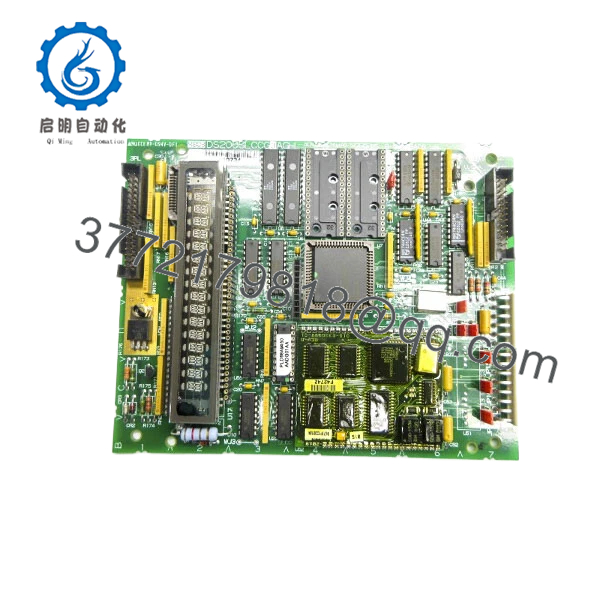
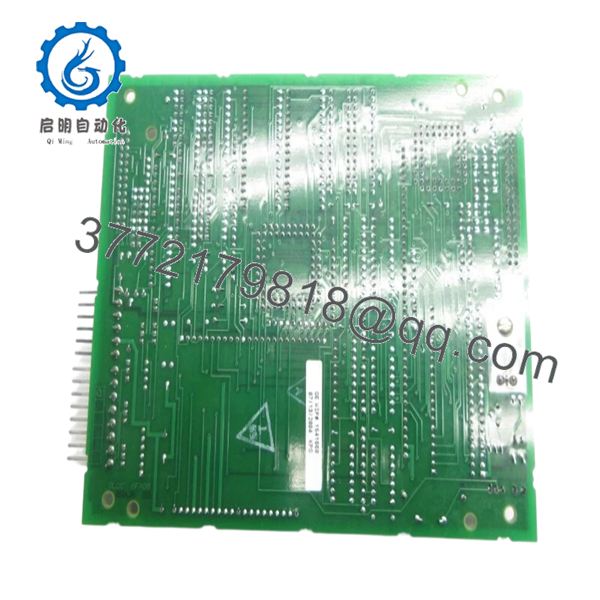
The GE DS200SLCCG3AGH is a sophisticated LAN communications card utilized in GE’s Mark V Speedtronic and legacy industrial drive systems. It handles the critical high-speed data exchange between the drive’s internal control boards and the external control network, managing both DLAN and ARCNET protocols.
From a supply chain perspective, the SLCC card is a “Single Point of Failure” component. If this board fails, the drive loses its ability to communicate with the master control system, leading to an immediate shutdown. Choosing New Surplus over refurbished hardware is vital here; the dual-processor architecture and communication chipsets are sensitive to the thermal aging found in used boards. Our New Surplus inventory ensures that you are installing a “zero-hour” board, significantly reducing the risk of intermittent “Bus Off” errors and maximizing system uptime.
5. Installation & Configuration Guide
Stage 1: Pre-Installation (Prep & Safety)
Power down the drive and wait for the DC bus capacitors to discharge (approx. 5-10 minutes). Wear an ESD wrist strap. Document the positions of all DIP switches and jumpers on the existing board. Crucial: Identify if your old board has custom firmware chips in sockets U6 and U7; these may need to be migrated or verified.
Stage 2: Removal
The SLCC board is often mounted as a “daughterboard” on top of a larger control card. Carefully disconnect the ribbon cables and any serial port connectors. Remove the mounting screws or standoffs. Pull the board straight up to avoid bending the multi-pin headers that connect it to the baseboard.
Stage 3: Installation (Clone & Seat)
Set the DIP switches on the New Surplus DS200SLCCG3AGH to match the original board’s node address and baud rate. If your application requires specific firmware, ensure the EPROMs are properly seated. Align the board with the headers and press firmly. Secure all mounting hardware and reattach the communication cables.
Stage 4: Power-On & Testing
Apply power to the control circuit. Observe the alphanumeric display or LED status indicators. Verify that the “LAN Active” or “Status OK” lights are lit. Use the drive’s diagnostic software or the Mark V HMI to confirm that the node is visible on the network and responding to commands.

- DS200SLCCG3AGH
- DS200SLCCG3AGH
6. Firmware/Software Versions & Upgrade Notes
- Version G3AGH: This specific revision includes specific hardware enhancements for noise immunity. Ensure your system’s configuration file (e.g., CONFIG64) supports the G3 hardware revision.
- Firmware Migration: In many cases, the DS200SLCCG3AGH is shipped without the application-specific EPROMs. You must move the chips from your old board to the new one, ensuring the “notch” on the chip matches the socket orientation.
- Warning: Never attempt to pull or seat EPROMs while the board is powered. Static discharge during chip migration is the number one cause of SLCC failure during replacement.
7. Frequently Asked Questions (FAQ)
Q: Does this board come with the firmware chips installed?
A: Most New Surplus SLCC boards come with factory-default firmware or empty sockets. Because these boards are used in diverse applications, you usually need to transfer your existing EPROMs to the new board to maintain your specific drive parameters.
Q: Can I use a DS200SLCCG3 board to replace a DS200SLCCG1?
A: Generally, yes. The G3 is a later, more advanced revision and is designed to be backward compatible. However, always verify that your drive’s firmware version is compatible with the G3 hardware architecture.
Q: What is the most common cause of failure for this board?
A: Communication port failure due to lightning strikes or ground loops is common. Additionally, on older used boards, the microprocessors can fail due to years of operating in high-heat environments—which is why we only recommend New Surplus replacements.
Q: Is “New Surplus” the same as “New from GE”?
A: It is “New Original” hardware. While it may not have been manufactured this calendar year, it has never been used, remained in its original packaging, and meets all OEM specifications. It provides the same reliability as a factory-fresh unit but at a lower cost and better availability for EOL systems.
Q: How do I know if my LAN chip is bad or if the board is dead?
A: If the drive operates locally but won’t talk to the network, and your cables test okay, the LAN controller on the SLCC is the likely culprit. Replacing the entire board is the most efficient way to restore communication.



