
 WhatsApp: +86 16626708626
 Email:
  Phone: +86 16626708626
Description
3. Key Technical Specifications
| Parameter | Value |
|---|---|
| Model | DS200TCPSG1AKE |
| Brand | GE (General Electric) |
| Series | Mark VIe Speedtronic |
| Product Type | UCSC (Universal Control and Safety Controller) |
| Processor | AMD G-Series dual-core, 1.6 GHz |
| Memory | 2 GB DDR3-1066 SDRAM |
| Storage | 128 GB Flash |
| Operating System | QNX Neutrino RTOS (real-time) |
| Safety Rating | SIL 2 / SIL 3 capable per IEC 61508 |
| Redundancy Modes | Simplex, Duplex, TMR (Triple Modular Redundancy) |
| Power Supply | 24V DC nominal (18-32V DC range) |
| Power Consumption | 8.5W typical |
| Communication | IONet, UDH Ethernet (EGD protocol), Modbus TCP, OPC UA |
| Mounting | DIN rail or base mounting |
| Dimensions (H x W x D) | 168 x 150 x 55 mm (6.6 x 5.9 x 2.2 inches) approx |
| Weight | 1.33 kg (2.93 lbs) approx |
| Operating Temp | -40°C to +70°C (-40°F to 158°F) |
| Storage Temp | -40°C to +85°C (-40°F to 185°F) |
| Humidity | 5% to 95% non-condensing |
| MTBF | 414,248 hours |
| Software Compatibility | Control ST V07.02 and higher |
| Lifecycle Phase | In-service |
4. Product Introduction
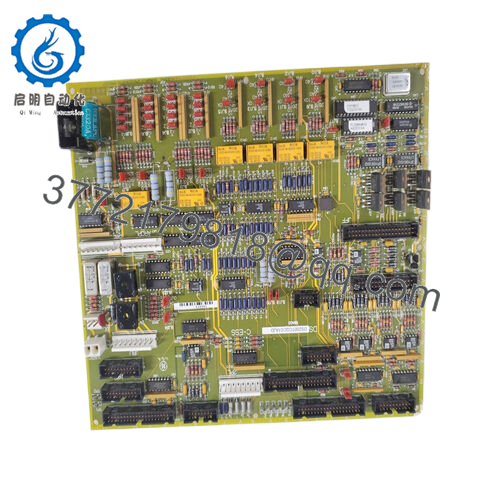
The GE DS200TCPSG1AKE is a UCSC (Universal Control and Safety Controller) for the Mark VIe distributed control system (DCS). This module handles both standard control logic and safety instrumented functions (SIF) for gas and steam turbines, compressors, and other rotating machinery in power generation and oil & gas applications.
The DS200TCPSG1AKE runs the QNX Neutrino real-time operating system on a 1.6GHz AMD G-series dual-core processor. It supports simplex, duplex (redundant), and TMR (triple modular redundant) configurations -1-4. The controller is SIL 2 capable and can be deployed in SIL 3 loops per IEC 61508 . Communication with I/O modules occurs over the IONet interface. The UDH Ethernet port supports EGD (Ethernet Global Data), Modbus TCP, and OPC UA for plant-wide integration. If your Mark VIe system is reporting controller faults or you need to expand a legacy installation, this is your direct replacement.

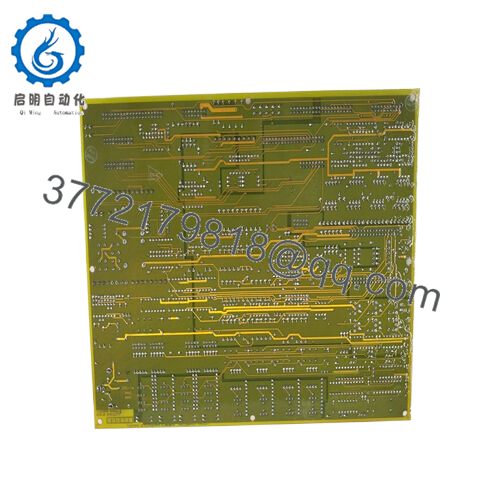
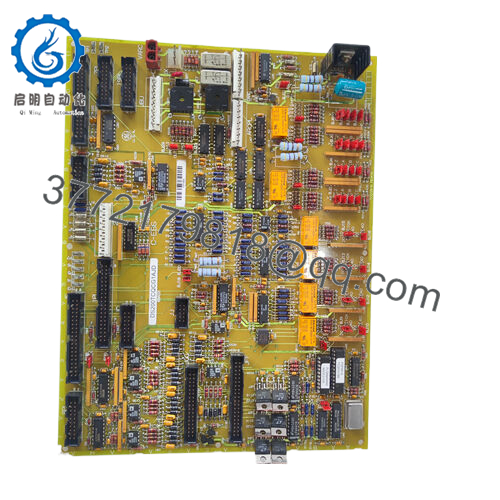
- DS200TCPSG1AKE
5. Installation & Configuration Guide
Estimated time for replacement by a qualified technician: 45 minutes
Stage 1: Pre-Installation Preparation (10 minutes)
⚠️ Safety First: Notify operations of turbine shutdown. Verify the turbine is offline and control power (24V DC) is locked out. Wait 5 minutes for capacitors to discharge.
Tools Required:
- ESD wrist strap (grounded to earth)
- Small flathead screwdriver (for terminal connections)
- Laptop with ToolboxST (version V07.02 or higher)
- Ethernet cable (for connection to UDH port)
- Smartphone for photos
- 4GB or larger USB flash drive (for configuration backup/restore)
Data Backup:
- Connect to the existing controller via ToolboxST.
- Upload the current configuration and control logic. Save the project file (.stp or similar).
- Document the controller’s IP address and any custom network settings.
- Photograph the controller’s mounting base and any label information (revision, MAC address).
Stage 2: Removing the Old Module (10 minutes)
Step 1: Identify the DS200TCPSG1AKE in the Mark VIe rack. It mounts on a dedicated base (not directly on DIN rail).
Step 2: Disconnect all cables:
- Ethernet cables (IONet, UDH)
- Power connections (24V DC)
- Any I/O or communication cables
Step 3: Release the locking mechanism on the base (usually top and bottom clips or ejectors).
Step 4: Pull the controller straight up and off the base. Do not rock it side to side — this bends the connector pins on the base.
Step 5: Inspect the base connector for bent pins, corrosion, or debris. Replace the base if damaged.
Step 6: Keep the old controller on an ESD mat. Do not dispose of it until the new unit is fully operational and the configuration is verified.
Stage 3: Installing the New Module (15 minutes)
Step 1 (ESD): Ground your wrist strap. Unpack the new DS200TCPSG1AKE on an ESD mat.
Step 2 (Verify Model): Confirm the new board label reads DS200TCPSG1AKE exactly. Different suffixes may have different memory configurations or safety ratings.
Step 3 (Mounting):
- Align the controller with the mounting base.
- Press down firmly until the locking mechanism engages. Listen for the click.
- Do not force. If it doesn’t seat easily, check alignment.
Step 4 (Connections):
- Reconnect 24V DC power (observe polarity).
- Reconnect IONet cables to the correct ports.
- Reconnect UDH Ethernet cable for plant communication.
Step 5 (USB Configuration — if needed):
- If you have a pre-configured USB flash drive (per GEH-6855), insert it now
- The controller will auto-load the configuration on power-up.
Self-Checklist:
- Controller fully seated on base (clips locked)
- 24V DC power connected (polarity correct)
- IONet cables secured
- USB drive inserted (if used for auto-config)
Stage 4: Power-On & Testing (10 minutes)
Pre-Power Check:
Verify no tools or debris remain in the cabinet. Double-check 24V DC polarity — reverse polarity can damage the controller.
Power-On Steps:
- Apply 24V DC power to the rack.
- Observe the status LEDs on the controller:
- Power LED (green): Should illuminate immediately.
- Run/Status LED: Should begin blinking or remain steady depending on configuration.
- Fault LED (red): Should be off. A flashing fault LED indicates configuration mismatch or missing I/O.
- Connect your laptop to the UDH Ethernet port using ToolboxST.
- Upload the configuration backup (if not auto-loaded from USB):
- Open ToolboxST.
- Select “Download to Controller”.
- Load your saved project file (.stp).
- Verify the controller’s IP address matches the original (or update network settings).
- Check I/O communication:
- Navigate to the I/O status screen in ToolboxST.
- Verify all I/O modules are communicating over IONet.
- Check for any “Module Fault” or “Comm Loss” alarms.
- Perform a dry-run test of critical control logic (simulated inputs only).
⚠️ Troubleshooting:
| Symptom | Likely Cause | Action |
|---|---|---|
| Power LED off | 24V DC missing or polarity reversed | Measure voltage at base terminals. Check upstream breaker. |
| Fault LED on steady | Hardware failure or configuration corruption | Cycle power. If fault persists, replace controller. |
| Fault LED flashing | Configuration mismatch or missing I/O | Download correct configuration file. Verify I/O modules are present and powered. |
| No I/O communication | IONet cable disconnected or wrong port | Check Ethernet cables. Verify I/O modules have power. |
| Controller not visible on network | IP address mismatch or network settings wrong | Use ToolboxST to discover controllers on local subnet. Reconfigure IP address. |
| SIL/Safety loop fault | Safety parameters not configured | Verify safety logic and parameters per the original configuration. Re-download safety application. |
6. Frequently Asked Questions (FAQ)
Q: Is the DS200TCPSG1AKE a direct replacement for older Mark VIe controllers like IS420UCSCH1A?
A: Yes, with verification of I/O compatibility. The DS200TCPSG1AKE is a UCSC (Universal Control and Safety Controller) and can replace older UCSx controllers in most Mark VIe applications However, verify that your I/O modules (e.g., IONet-connected) are compatible. The DS200TCPSG1AKE requires Control ST V07.02 or higher. If your system runs older firmware, you may need to upgrade the entire rack. We can verify compatibility from your existing controller’s firmware version.
Q: Can I use this controller in a TMR (triple modular redundant) safety application?
A: Yes. The DS200TCPSG1AKE supports TMR configuration for SIL 3 applications per IEC 61508 . You will need three controllers voting on the same I/O and a TMR-capable I/O termination board (e.g., TBTC series). The redundancy is configured in ToolboxST. Note that simplex (single) controllers are SIL 2 capable; TMR is required for SIL 3.
Q: What happens if I lose power while the controller is writing to flash memory?
A: The DS200TCPSG1AKE uses a QNX file system designed for power-loss tolerance. However, repeated power interruptions during write cycles can corrupt the configuration. Always perform a controlled shutdown when possible (remove power only after the controller has finished saving parameters). If corruption occurs, reload the configuration from backup.
Q: Can I hot-swap the DS200TCPSG1AKE while the turbine is running?
A: No. The Mark VIe backplane has live power and communication signals. Hot-swapping can damage the connector pins and cause voltage spikes. Procedure: Shut down the turbine, lock out control power (24V DC), wait 30 seconds, then swap. After replacement, reload the configuration and verify all I/O before restarting. In a redundant pair, you can remove one controller while the other runs, but the system will be degraded. Follow GE’s redundancy swap procedure.
Q: How do I back up the configuration from an existing DS200TCPSG1AKE?
A: Use ToolboxST (version V07.02 or higher) connected to the UDH Ethernet port. Procedure:
- Launch ToolboxST and discover the controller.
- Select “Upload from Controller”.
- Save the project file (.stp) to your laptop.
- Also export the safety application separately (if used).
We can perform this backup for you if you ship us your existing controller.
Q: What’s the difference between DS200TCPSG1AKE and other Mark VIe controllers like IS420UCSCS2A?
A: Quick reference:
- DS200TCPSG1AKE: UCSC controller, 1.6GHz dual-core, 2GB RAM, SIL2/SIL3 capable. Standard for most turbine applications.
- IS420UCSCS2A: Similar UCSC, may have different memory configuration or IONet version.
- IS420UCSBH1A: Non-safety UCS controller (control only, no SIL rating).
- IS420UCSCH1A: Earlier UCS controller (discontinued).
The DS200TCPSG1AKE is the current recommended replacement for most Mark VIe safety applications. It is in the “in-service” lifecycle phase, meaning GE still supports it
Q: What is the IONet interface, and why does it matter?
A: IONet is GE’s proprietary Ethernet-based I/O network for Mark VIe. It connects the controller to distributed I/O modules (e.g., VTCC, RTCC, HXPD, etc.). The DS200TCPSG1AKE has dedicated IONet ports. Do not connect these to your plant network — they are for I/O communication only. The UDH (Universal Data Highway) Ethernet port connects to the plant network for Modbus TCP, EGD, or OPC UA
Q: My DS200TCPSG1AKE shows a “Safety Fault” but the control logic runs fine. What’s wrong?
A: The controller may have a safety loop configuration mismatch or a failed safety I/O module. Check in ToolboxST:
- Navigate to the Safety Application view.
- Look for any red “Fault” indicators on safety I/O channels.
- Verify the safety parameters (e.g., watchdog timer, cross-checking settings) match the original configuration.
- If safety I/O is not used, ensure the safety application is disabled or configured as “non-safety” in the project.
Q: What’s your testing process for this controller?
A: We test every DS200TCPSG1AKE on a live Mark VIe test rack with a known-good I/O configuration. Test sequence:
- Visual inspection (connector pins, PCB condition, label verification)
- Power-on test (24V DC, LED sequence, current draw)
- Configuration load (upload our standard test configuration)
- IONet communication test (verify with simulated I/O modules)
- Ethernet communication test (UDH port, Modbus TCP polling)
- Safety loop test (simulate safety inputs, verify outputs)
- Redundancy test (if ordered as a pair)
- 48-hour burn-in with continuous Modbus polling and thermal monitoring
Test report with firmware version, MAC address, and I/O scan times available upon request.
Q: What’s the warranty on this controller?
A: 1-year replacement warranty. Covers failure under normal operating conditions (-40°C to +70°C, 24V DC ±20%). Does NOT cover damage from incorrect wiring (e.g., applying 120V AC to power terminals), ESD, water ingress, lightning strikes, or physical damage to connectors. We cross-ship replacements within 24 hours for confirmed defects. We also offer a 30-day configuration guarantee — we will pre-load your configuration file onto the controller before shipping (you must provide the .stp file).



