
 WhatsApp: +86 16626708626
 Email:
  Phone: +86 16626708626
Description
Key Technical Specifications
- Part Number: DS3800HLNC1A1A
- Manufacturer: GE
- Series: Speedtronic Mark IV
- Product Type: Network control board
- Function: Manages communication and control functions in the drive system
- Connector Style: Modular connector on one end
- Installation Note: Designed for quick installation in the drive
- EEPROM Note: Replacement boards may ship with an empty EEPROM slot
- Compatibility Note: Transfer modules from the failed board if required by the site
- Application: GE industrial drive and turbine control systems
- Condition: Legacy replacement part
- Obsolescence: Mark IV platform, limited availability
Product Introduction
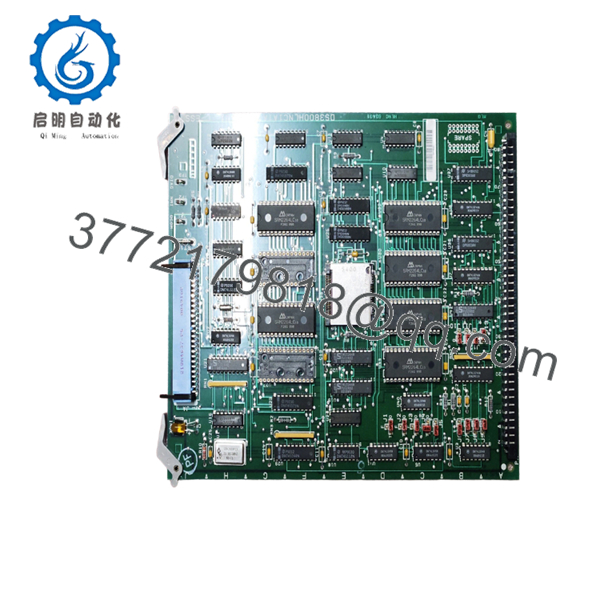
GE DS3800HLNC1A1A is a Mark IV network control board used in GE industrial drive and turbine control systems. It handles communication and control functions in the drive rack and is a common exact-match replacement part for legacy Mark IV installations.
This board is suffix-sensitive, and replacement units may arrive without the EEPROM module installed. Before swapping it in, confirm the exact board label, move any required modules from the failed unit, and verify the site configuration.
Troubleshooting Quick Reference
| Symptom | Possible Cause | Relevance to this Part | Quick Check Method | Recommendation |
|---|---|---|---|---|
| Drive communication drops out | Failed network board, loose connector, or missing EEPROM data | ✅ High | Inspect connector fit and verify EEPROM/module transfer from the old board | Check hardware seating and configuration before replacement |
| Board boots but system does not recognize it | EEPROM slot empty or wrong configuration module installed | ✅ High | Compare the replacement board to the failed board and inspect the EEPROM area | Move the original module if the OEM layout requires it |
| Intermittent control faults | Loose connector, contamination, or aging board electronics | ✅ High | Reseat the board and inspect for corrosion or bent pins | Clean contacts and verify rack alignment |
| No response after installation | Wrong suffix, rack mismatch, or upstream power issue | ✅ High | Confirm exact part number and check rack supply rails | Verify the full model string before condemning the part |
| System alarms point to communication loss | Network path issue, not necessarily board failure | ✅ Medium | Trace the communication path and test adjacent modules | Check cabling and controller state first |
Contact technical support with photos of the board, EEPROM area, wiring, and diagnostic logs if the issue still does not clear.

- DS3800HLNC1A1A
Frequently Asked Questions
Q: Is DS3800HLNC1A1A a direct replacement for other HLNC variants?
A: Not automatically. On Mark IV hardware, the suffix matters, so the safest replacement is an exact part-number match.
Q: What does this board do?
A: It is a network control board for GE Mark IV systems. In practical terms, it manages communication and control functions inside the drive rack.
Q: Why do replacement boards sometimes arrive with an empty EEPROM slot?
A: That is expected on some surplus units. The operating module is often moved from the failed board to the replacement board before startup.
Q: Can I install it live?
A: No. Power down first. Live swapping a legacy control board is how you turn a small problem into a rack-level fault.
Q: Is this part usually new or refurbished?
A: It is commonly sold as New Surplus or tested used stock because Mark IV is obsolete. Ask for condition details and photos before you buy.
Q: What usually causes a failed swap that looks like a bad board?
A: Most of the time it is a missing EEPROM module, wrong suffix, or a connector issue rather than the board itself. I have seen plenty of “bad boards” come back to life after the original module was transferred correctly.
Q: What should I verify before ordering?
A: Confirm the full part number, take a photo of the old board, and check whether your site expects the EEPROM module to be moved over. That prevents the most common replacement mistakes.



