
 WhatsApp: +86 16626708626
 Email:
  Phone: +86 16626708626
Description
3. Key Technical Specifications
| Parameter | Value |
|---|---|
| Model Number | DS3800NMEA1P1J |
| Manufacturer | General Electric |
| Product Family | Speedtronic Mark IV DS3800 |
| Functional Acronym | NMEA |
| Product Type | Motor Excitation Board |
| Application | Turbine excitation control system |
| Installation Type | Rack-mounted PCB |
| System Architecture | Mark IV backplane integration |
| Operating Temperature | Typically 0 °C to 60 °C* |
| Storage Temperature | −40 °C to +85 °C* |
| ESD Handling Requirement | Mandatory |
| Board Revision | 1P1J |
| Communication Path | System backplane interface |
| Condition | New Original / New Surplus |
| Warranty | 12 months |
*GE documentation for legacy Mark IV hardware differs by production revision and retrofit history. Confirm exact ratings before installation. Public references identify DS3800NMEA-series boards as Mark IV motor excitation hardware.
4. Product Introduction
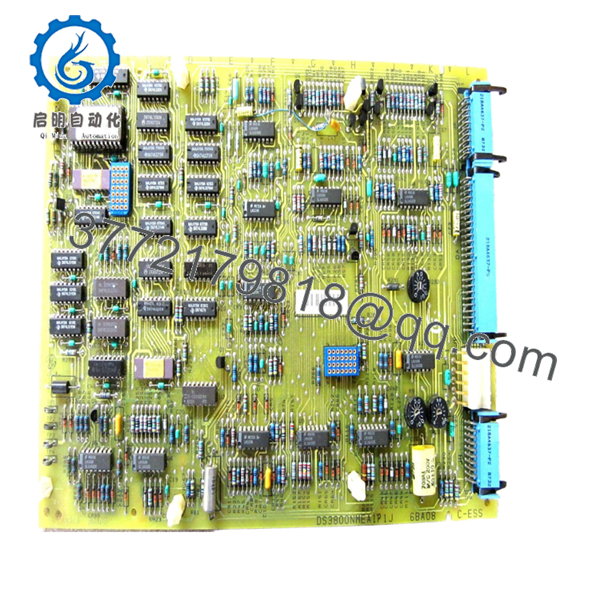
The GE DS3800NMEA1P1J is a motor excitation board used within GE Speedtronic Mark IV turbine control systems. It supports excitation and control functions that help maintain proper turbine operation within industrial gas and steam applications. Public references classify the NMEA series as a motor excitation board used in the DS3800 Mark IV family.
In field deployments of Mark IV systems, maintaining exact board revision matching matters more than most engineers initially expect. GE produced multiple NMEA variants, and small revision differences can affect connector arrangements and operating behavior. Similar NMEA family hardware shows these revision dependencies across DS3800 releases.

- DS3800NMEA1P1J
5. Installation & Configuration Guide
Stage 1: Pre-Installation Preparation (Estimated Time: 10 minutes)
⚠️ Safety First: Notify operations of downtime. Verify process safe state. Apply lockout/tagout procedures. Remove cabinet power. Wait 5 minutes for capacitor discharge.
Tools Required
- ESD wrist strap
- PH1 screwdriver
- Fluke 115 multimeter
- Wire labels
- Smartphone for photos
- ESD mat
Data Backup
- Export available configuration and logic backups.
- Record cabinet slot location.
- Photograph all wiring positions.
- Capture jumper settings and connector orientation.
- Label all field connections.
⚠️ Mark IV cabinets commonly contain undocumented field modifications from prior outages. I have pulled boards where a jumper change from ten years earlier existed nowhere in plant records.
Stage 2: Removing the Old Module (Estimated Time: 5 minutes)
- Remove cabinet access panels.
- Label all wiring before disconnecting.
- Disconnect connectors carefully.
- Release retaining hardware.
- Pull the board straight outward.
⚠️ Do not rock the card side-to-side.
I’ve seen technicians bend backplane pins trying to free a stubborn board. That turns a fifteen-minute card swap into a cabinet repair job.
- Inspect:
- Dust buildup
- Connector damage
- Bent pins
- Heat discoloration
- Corrosion
⚠️ Keep the old module until startup verification completes.
Stage 3: Installing the New Module (Estimated Time: 5–10 minutes)
- Wear ESD protection.
- Verify exact model: DS3800NMEA1P1J
- Configuration Clone (Crucial): Match all jumper settings and hardware configuration.
- Align card guides carefully.
- Insert evenly until fully seated.
- Reconnect wiring and secure hardware.
Self-Checklist:
[ ] Configuration copied
[ ] Wiring secured
[ ] Connectors fully seated
[ ] Retention hardware locked
⚠️ This is the most common rookie mistake, but it happens constantly. Take a picture before removal. I can’t stress this enough.
Stage 4: Power-On & Testing (Estimated Time: 10 minutes)
Pre-Power Check
Measure the 24 V rail with a multimeter and verify no short exists.
Power-up steps:
- Power rack only
- Observe boot LEDs
- Verify communications
- Connect engineering tools if available
- Restore configuration if required
- Perform dry I/O checks
Typical LED expectations:
- Green RUN = Normal
- Red ERR = Fault
⚠️ Troubleshooting Note:
No communication? Start with seating and connector verification before blaming firmware.
Technical Pitfall & Survival Guide
❗ Firmware Revision Mismatch
This one burns outage time.
I watched a crew replace a newer revision board and spend two days chasing communication faults. Everything looked wired correctly. Turned out the replacement hardware revision behaved differently.
Avoidance:
- Record board revisions
- Document firmware before shutdown
- Request specific revision ranges
❗ DIP Switch / Jumper Configuration
Take pictures first.
Factory defaults rarely match installed site settings.
❗ Terminal and Wiring Variations
Even boards with nearly identical GE part numbers can have connector differences.
Always verify:
- Wiring diagrams
- Connector orientation
- Shield grounding
Never wire from memory.
❗ Power Budget
Legacy turbine cabinets often run near capacity.
Leave 20% spare margin on supply calculations.
❗ ESD Damage
I once watched an engineer handle a board during winter without a grounding strap. Immediate startup failure followed.
That was an expensive lesson.
Use:
- Ground strap
- ESD-safe workspace
- Anti-static packaging
Keep these checks in mind and you’ll save yourself 90% of typical rework time.
6. Frequently Asked Questions (FAQ)
Q1: Can I hot-swap this module?
No.
GE Mark IV hardware was not designed for hot insertion. Pulling boards under power risks backplane damage and controller faults.
Power down first.
Q2: Is GE DS3800NMEA1P1J obsolete?
Yes.
The DS3800 family belongs to legacy GE Speedtronic architecture and inventory mainly exists through surplus channels and specialist stock providers. Availability across distributors fluctuates because production ended years ago.
Q3: Is this actually new inventory?
Usually “New Original” means unused surplus stock rather than current production inventory.
Ask for:
- Serial numbers
- Date codes
- Packaging photos
- Functional test reports
Q4: What does this board actually do?
The NMEA series functions as a motor excitation board inside GE Mark IV systems. Comparable NMEA-family hardware references identify this function across related board revisions.
Q5: Will removing this board erase control logic?
Usually no.
Logic generally resides elsewhere within the Mark IV architecture. Still, always perform a complete backup before touching the cabinet.
I’ve seen undocumented field edits surprise maintenance teams.
Q6: Why are surplus prices lower than OEM pricing?
OEM production stopped years ago.
Secondary-market inventory pricing depends on traceability, storage history, testing level, and stock availability.
Q7: How is quality verified before shipment?
Our inspection process follows this sequence:
- OEM packing and source verification
- Anti-counterfeit checks and serial validation
- Visual inspection for corrosion, scratches, UV yellowing, and rework marks
- Functional testing on compatible GE hardware where available
- Communication and power verification
- 500 V Megger insulation testing (>10 MΩ)
- QC sign-off and anti-static packaging
Test photos and videos are available upon request.



