
 WhatsApp: +86 16626708626
 Email:
  Phone: +86 16626708626
Description
3. Key Technical Specifications
| Parameter | Value |
| Part Number | DS3800NSMA |
| Control System | Speedtronic Mark IV Gas/Steam Turbine |
| Module Category | Memory / Synchronization |
| Chip Architecture | Synchronous Static RAM (SRAM) |
| Bus Compatibility | Proprietary GE Mark IV Backplane |
| Indicators | Status LEDs for R/W activity |
| Voltage Input | 5 VDC (Backplane supplied) |
| Operating Temp | 0 to 60 °C (32 to 140 °F) |
| Humidity Range | 5% to 95% Non-condensing |
4. Product Introduction & Supply Chain Strategy
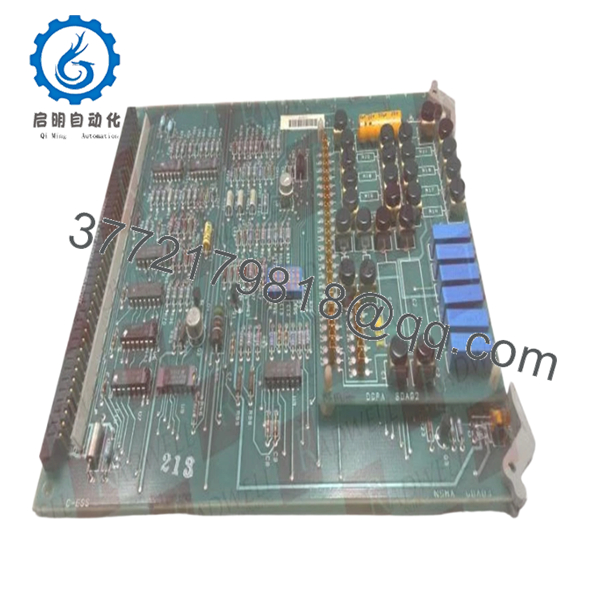
The DS3800NSMA is a specialized synchronous memory board engineered for GE Speedtronic Mark IV turbine control systems. Its primary role is to manage the high-speed data synchronization required for real-time turbine monitoring and protection logic. By providing a stable buffer for critical control parameters, the NSMA card ensures that the various processor modules within the Mark IV rack stay perfectly aligned, preventing timing errors that could lead to unexpected turbine trips.
From a Total Cost of Ownership (TCO) perspective, maintaining a DS3800NSMA as “New Surplus” on-site is a mechanical necessity for aging plants. As these modules reach End-of-Life (EOL), the market is flooded with refurbished units that have suffered years of thermal stress and “bit rot.” Investing in New Surplus inventory mitigates the high risk of intermittent memory parity errors associated with used parts, securing another decade of operational reliability for your control infrastructure.
5. Installation & Configuration Guide
- Stage 1: Pre-Installation (Prep & Safety): Ensure a complete system backup is available. Power down the rack following standard lock-out/tag-out procedures. Use a grounded ESD wrist strap, as synchronous memory chips are highly sensitive to static discharge.
- Stage 2: Removal: Identify the faulty board in the card rack. Carefully disengage the ejector levers at the top and bottom. Pull the card straight out, avoiding any lateral movement that could scrape the backplane pins.
- Stage 3: Installation (Clone & Seat): Check the jumper and DIP switch settings on the new DS3800NSMA. They must be an exact mirror of the module being replaced to ensure the memory address space is mapped correctly. Slide the card into the slot and press firmly until it clicks into place.
- Stage 4: Power-On & Testing: Restore power and monitor the diagnostic LEDs. Verify that the system passes the initial Power-On Self-Test (POST) and that the memory sync indicators show stable communication with the central processor.

- DS3800NSMA
6. Firmware/Software Versions & Upgrade Notes
- Hardware Revision: The “NSMA” designation denotes a specific hardware profile. Ensure that the revision suffix (if any) is compatible with your current backplane version.
- Logic Compatibility: This board is transparent to high-level application code, but it must be compatible with the existing PROM sets on your processor cards.
- Replacement Warning: Never attempt to pull or seat this memory board while the rack is powered. Memory corruption or physical damage to the CMOS chips is highly likely if “hot-swapping” is attempted.
7. Frequently Asked Questions (FAQ)
What makes this “New Surplus” better than a refurbished DS3800NSMA?
Refurbished memory cards often have degraded solder joints and components that have been exposed to high cabinet temperatures for 20+ years. New Surplus boards have zero “power-on hours,” offering the full original design life and preventing the “ghost in the machine” errors common with used memory.
Is this part still being manufactured by GE?
No. The DS3800NSMA is long out of production. Our stock comes from climate-controlled surplus reserves, providing a reliable alternative to the “as-is” gambles found on common auction sites.
How do I know if my memory board is failing?
Common symptoms include intermittent parity errors, processor “hangs,” or the turbine failing to synchronize during the start-up sequence. If your diagnostic tools point to a memory address fault, the NSMA card is the primary suspect.
Does this board store the turbine’s operating program?
No, it acts as a high-speed buffer for active data. However, if it fails, the processor cannot access the data it needs to execute the program, resulting in a system halt.
Is there a warranty?
Yes. We provide a full 1 year warranty on all New Surplus GE boards. We stand by the fact that these are unused, authentic OEM components.



