
 WhatsApp: +86 16626708626
 Email:
  Phone: +86 16626708626
Description
3. Key Technical Specifications
| Parameter | Value |
| Number of Output Points | 16 (4 groups of 4 outputs each) |
| Contact Form | Form A, Normally Open (N.O.) |
| Operating Voltage Range | 5 to 30 VDC / 5 to 250 VAC, 50/60 Hz |
| Maximum Switching Current | 2.0 Amps pilot duty per point / 4.0 Amps max per common |
| Minimum Load Requirement | 10 mA |
| Maximum Inrush Current | 5.0 Amps |
| On / Off Response Time | 15 ms maximum |
| Internal Power Consumption | 7 mA from 5 VDC bus / 135 mA from 24 VDC relay bus |
| Isolation (Field to Backplane) | 250 VAC continuous / 1,500 VAC for 1 minute |
| Status Indicators | 32 individually numbered LEDs (front panel) |
| Fusing | None (External protection recommended) |
4. Product Introduction & Supply Chain Strategy
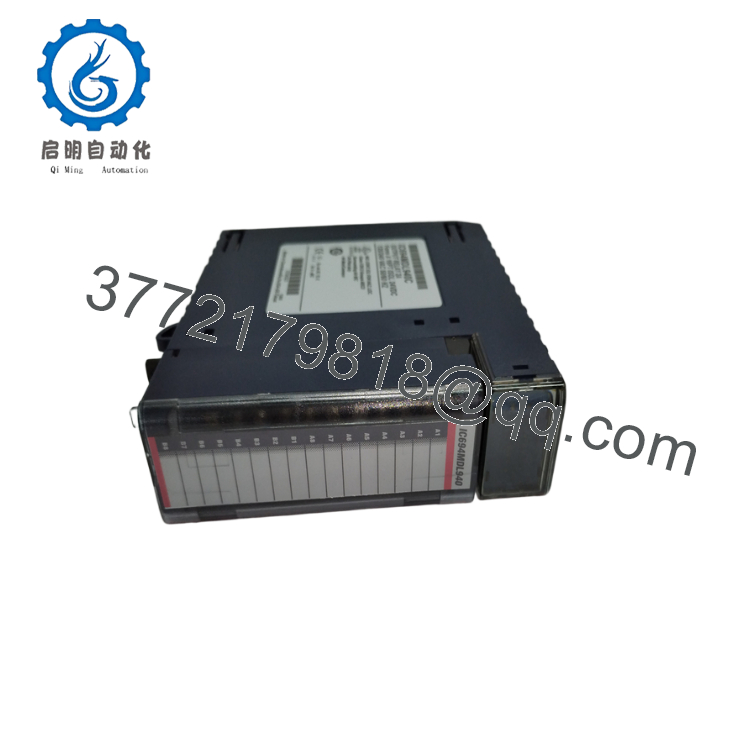
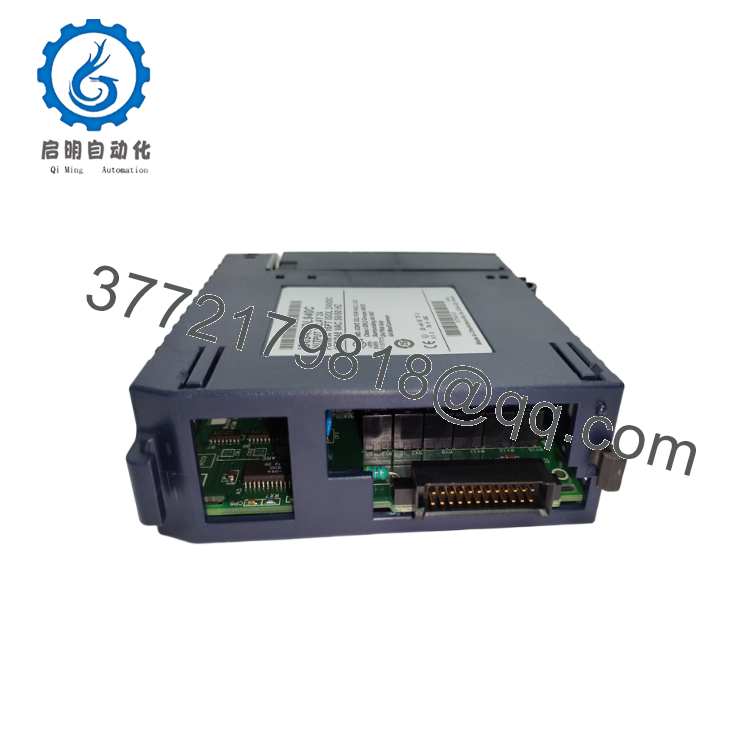
The GE Fanuc IC694MDL940 is a 16-point, 2 Amp electromechanical relay output module designed for the PACSystems RX3i control platform. It provides high-voltage switching capabilities for pilot duty loads, motor starters, indicators, and solenoids across diverse manufacturing infrastructure. By organizing channels into four isolated groups of four, it enables facilities to run split-voltage topologies on a single physical footprint.
From a Total Cost of Ownership (TCO) standpoint, carrying this specific item as a New Surplus unit is a strict insurance policy against high-impact stock-outs. Because lifecycle transitions from GE Fanuc to Emerson introduce component variations, deploying a fully certified, zero-hour surplus module completely eliminates the degradation risks associated with third-party refurbished cards. Maintaining 1–2 units of buffer stock ensures instant operational restoration without paying inflated OEM emergency lead times.

- IC694MDL940
- IC694MDL940
5. Installation & Configuration Guide
Stage 1: Pre-Installation (Prep & Safety)
Execute full lock-out/tag-out (LOTO) protocols on the target RX3i rack and all connected external field power supplies. Put on a grounded ESD wrist strap before handling the card. Open the door of the existing module, photograph the field wiring terminal block, and document the specific revision number printed on the side label.
Stage 2: Removal
Loosen the terminal block retaining screws at the top and bottom of the module. Pull the terminal block straight out out of the module housing to keep the field wiring intact. Squeeze the top and bottom tabs of the IC694MDL940 chassis, then slide it out of the backplane slot carefully to avoid bending or scraping the backplane connector pins.
Stage 3: Installation (Clone & Seat)
Verify that the replacement IC694MDL940 matches the slot profile. Align the module with the top and bottom guide rails of the empty RX3i universal baseplate slot. Slide the card firmly into the slot until the latching tabs click securely into place. Re-attach the wired terminal block, tightening the retaining screws to secure the field connections.
Stage 4: Power-On & Testing
Clear the area of tools, restore the 24 VDC backplane supply, and verify that the module passes its power-on self-test. Check the front panel LED cluster; the power rails should stabilize without showing system faults. Connect via Proficy Machine Edition, verify that the module configuration matches the hardware catalog, and cycle an output channel to confirm the 15 ms switching response time.
6. Firmware/Software Versions & Upgrade Notes
The IC694MDL940 relies on hardwired electromechanical logic execution, meaning it does not host an independent programmable firmware operating system. However, its bus transceiver circuit interfaces directly with the RX3i CPU firmware layer.
⚠️ CRITICAL INTEGRATION NOTE: When swapping this module into an older GE Fanuc backplane running CPU firmware versions below V3.0, ensure your Proficy Machine Edition hardware configuration matches the specific module catalog ID exactly. Upgrading the host controller CPU firmware can occasionally cause unexpected protocol timeouts or I/O drops if legacy IC693 or early IC694 series modules are mismatched in the configuration matrix. Never force an I/O driver update during an active production run.
7. Frequently Asked Questions (FAQ)
Is this IC694MDL940 module brand new, or is it a pulled/refurbished part?
This product is a Brand New Surplus unit. It is not used, not pulled from a decommissioned plant, and not refurbished. All modules undergo rigorous quality verification to ensure OEM-level reliability. Every component ships in its original anti-static packaging, displaying clean backplane pins with zero wear and zero trace of solder modifications.
Why is the price higher than refurbished cards but lower than current factory list?
Our pricing reflects the logistical reality of sourcing genuine New Surplus assets from secured global supply chains. While a refurbished module might look cheaper on paper, it introduces hidden failures like dried-out internal capacitors or worn relay contacts that fail under thermal stress. Paying a slight premium over a refurbished gamble gives you an original OEM lifespan, protecting you from a $50,000 unplanned shutdown.
Can I hot-swap this module while the RX3i system is running?
No. The RX3i universal baseplate supports hot-swapping for many digital modules, but the IC694MDL940 controls high-voltage field power up to 250 VAC. Removing the card under load can cause significant arcing across the backplane terminals, potentially damaging adjacent processor components or tripping internal power rails. Always isolate the rack before removal.
Does the IC694MDL940 feature internal fusing for circuit protection?
No, this module does not contain internal fuses. To safeguard the internal relay traces from overcurrent spikes or short circuits caused by inductive field devices, you must install external fuses or circuit breakers sized for your specific pilot duty load.
What warranty comes with this New Surplus module?
We back this IC694MDL940 with a complete 2-year warranty from the date of purchase. This coverage matches or exceeds standard OEM terms, providing total engineering peace of mind that your critical infrastructure is protected by verified hardware.



