
 WhatsApp: +86 16626708626
 Email:
  Phone: +86 16626708626
Description
3. Key Technical Specifications
| Parameter | Value |
|---|---|
| Model Number | HYDRAN M2-X-O1-S1-A2-B2-C0-D0-P1 |
| Manufacturer | GE Grid Solutions (GE Vernova) |
| Product Type | Online Transformer DGA Monitor |
| Measurement Technology | Fuel-cell Composite Gas Sensor |
| Measured Gas | Hydrogen equivalent (Composite Fault Gas) |
| Measurement Range | 25–2,000 ppm |
| Accuracy | ±10% of reading ±25 ppm |
| Response Time | Approximately 10 minutes (90% step response) |
| Oil Type | Mineral Transformer Oil |
| Communications | RS-232, RS-485, Ethernet TCP/IP (Modbus/DNP3) |
| Analog Outputs | Two 4–20 mA output modules |
| Enclosure Rating | NEMA 4X / IP56 |
| Mounting | 1.5 in NPT transformer valve |
| Power Supply | 90–132 VAC or 180–264 VAC, 47–63 Hz |
| Typical Applications | Power transformers, generator step-up transformers, substation transformers |
4. Product Introduction
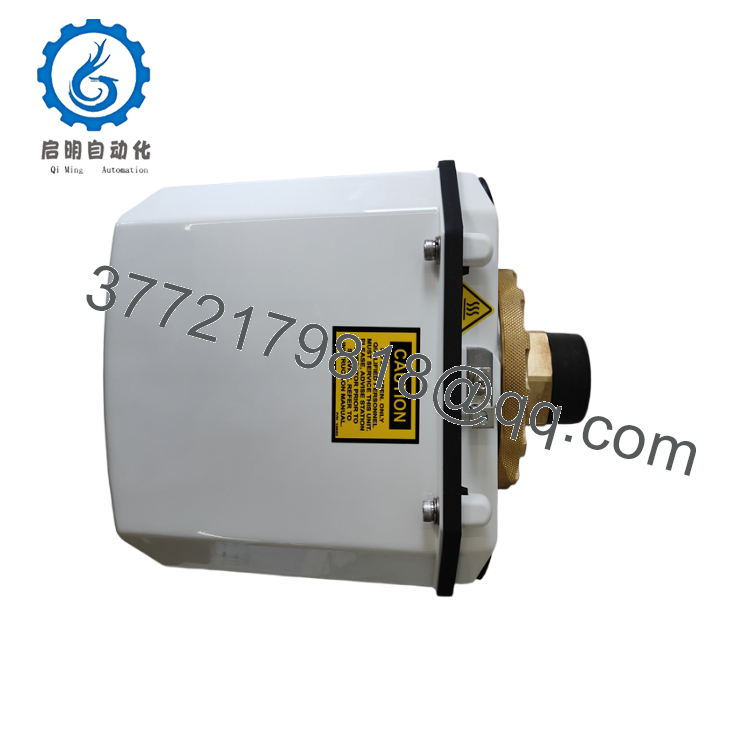
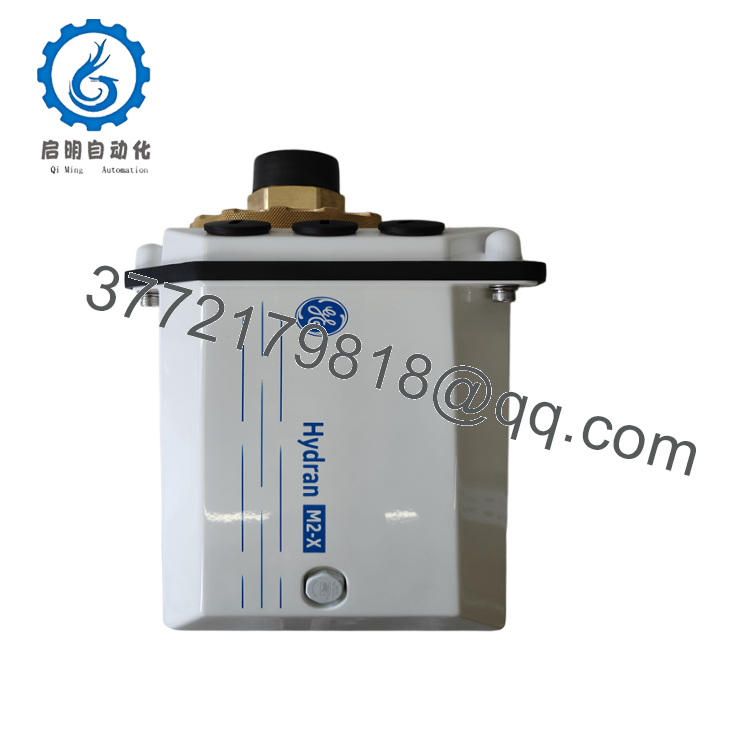
The GE HYDRAN M2-X-O1-S1-A2-B2-C0-D0-P1 is an online dissolved gas analysis (DGA) monitor designed for continuous condition monitoring of oil-filled power transformers. It measures composite fault gas concentration in transformer oil and provides early warning of developing electrical or thermal insulation faults without requiring manual oil sampling.
This configuration includes a composite gas sensor for mineral-oil transformers, two isolated 4–20 mA analog output cards, and an Ethernet communication interface supporting Modbus TCP and DNP3 over TCP/IP. These features allow straightforward integration into SCADA systems and asset management platforms while enabling continuous transformer health assessment.

- HYDRAN M2-X-O1-S1-A2-B2-C0-D0-P1
- HYDRAN M2-X-O1-S1-A2-B2-C0-D0-P1
5. Installation & Configuration Guide
Stage 1 – Pre-Installation Preparation (20–30 minutes)
⚠️ Safety First
- Notify system operations before maintenance.
- Follow Lock-Out/Tag-Out (LOTO) procedures where applicable.
- Verify transformer pressure is suitable before opening any valve.
- Wear appropriate PPE for energized substation work.
- Confirm the transformer valve matches the Hydran mounting connection.
Tools Required
- ESD wrist strap
- Adjustable wrench
- Torque wrench
- Digital multimeter
- Laptop with Hydran configuration software
- Smartphone for wiring documentation
Data Backup
- Export all Hydran configuration files.
- Record IP address and communication settings.
- Save alarm thresholds.
- Photograph wiring and analog output assignments.
Stage 2 – Removing the Existing Unit (15–20 minutes)
- Isolate auxiliary power.
- Close the transformer isolation valve.
- Disconnect Ethernet and field wiring.
- Remove the monitor carefully.
- Inspect valve threads and sealing surfaces.
- Replace sealing components if required.
⚠️ Never remove the monitor from a pressurized transformer without first isolating the valve.
Stage 3 – Installing the New Unit (20 minutes)
- Verify the complete ordering code.
- Install the monitor on the transformer valve.
- Tighten according to manufacturer torque recommendations.
- Connect auxiliary power.
- Connect Ethernet and analog outputs.
- Configure Modbus TCP or DNP3 settings.
Self-Checklist
- ✔ Model verified
- ✔ Oil configuration correct
- ✔ Ethernet configured
- ✔ Analog outputs tested
- ✔ Leak inspection completed
Stage 4 – Power-On & Functional Testing (20–30 minutes)
Pre-Power Checks
- Verify auxiliary supply voltage.
- Confirm enclosure sealing.
- Check Ethernet connectivity.
Startup Procedure
- Apply auxiliary power.
- Wait for system self-diagnostics.
- Verify gas sensor initialization.
- Confirm Ethernet communication with SCADA.
- Verify analog output scaling.
- Confirm alarm operation.
- Compare readings with transformer operating history.
⚠️ Troubleshooting
- No Ethernet communication: Verify IP address and subnet configuration.
- High gas alarm immediately after installation: Allow the sensor to stabilize and confirm oil circulation.
- No analog output: Check the installed output card configuration and output scaling.
- Slow response: Verify the transformer valve is fully open and oil can circulate through the sensor chamber.
6. Frequently Asked Questions (FAQ)
Q1. What does the composite gas sensor measure?
The Hydran composite gas sensor measures hydrogen-equivalent dissolved fault gas, providing an overall indication of transformer fault activity rather than identifying each individual gas species. It is intended for continuous condition monitoring and early fault detection.
Q2. What do the option codes A2 and B2 represent?
Both A2 and B2 specify 4–20 mA analog output cards. This configuration provides two independent analog output modules that can transmit gas concentration or other calculated values to a DCS or SCADA system.
Q3. What communication protocol does the P1 option provide?
The P1 option adds a 10/100 Mbps Ethernet interface supporting Modbus TCP and DNP3 over TCP/IP, simplifying integration with modern substation automation systems.
Q4. Can the Hydran M2-X replace laboratory dissolved gas analysis?
No. The Hydran M2-X is designed for continuous online monitoring and early warning. Laboratory DGA remains valuable for identifying individual gas concentrations and performing detailed diagnostic interpretation after an alarm condition.
Q5. Is the Hydran M2-X suitable for mineral oil transformers?
Yes. The O1 option specifically identifies the configuration for mineral oil-filled transformers. Different option codes are available for natural ester and synthetic ester insulating fluids.
Q6. Why is Ethernet preferred over serial communications?
Ethernet allows higher-speed communications, easier SCADA integration, remote diagnostics, and simplified network management. It also supports Modbus TCP and DNP3 over TCP/IP without requiring serial protocol converters.
Q7. What should be verified before placing the monitor into service?
An experienced commissioning engineer should verify:
- Correct option code and oil type
- Leak-free valve installation
- Stable sensor initialization
- Proper Ethernet communication
- Correct 4–20 mA output scaling
- Alarm thresholds
- SCADA data acquisition
- Historical trend recording
Completing these checks helps ensure reliable transformer condition monitoring and minimizes unnecessary maintenance caused by configuration or communication errors.



