
 WhatsApp: +86 16626708626
 Email:
  Phone: +86 16626708626
Description
3. Key Technical Specifications
| Parameter | Value |
|---|---|
| Manufacturer | GE Intelligent Platforms / Emerson |
| Model | IC695CPE310-ABAD |
| Product Series | PACSystems RX3i |
| Product Type | Central Processing Unit (CPU) |
| Processor | Intel Atom 1.1 GHz |
| User Memory | 10 MB RAM |
| Non-Volatile Memory | 10 MB Flash |
| Programming Software | Proficy Machine Edition (PME) |
| Programming Languages | IEC 61131-3 (LD, ST, FBD, C) |
| Ethernet Ports | Dual 10/100 Mbps RJ45 |
| Serial Ports | RS-232, RS-485 |
| Supported Protocols | SRTP, SNP, Modbus RTU Slave, Serial I/O |
| Backplane | RX3i PCI/Serial Backplane |
| Operating Temperature | 0 °C to +60 °C |
| Firmware Revision | -ABAD = Firmware Release 7.15 |
| Special Firmware Feature | Native support for IC694PSM001 and additional CPU security enhancements introduced in firmware 7.15. |
4. Product Introduction
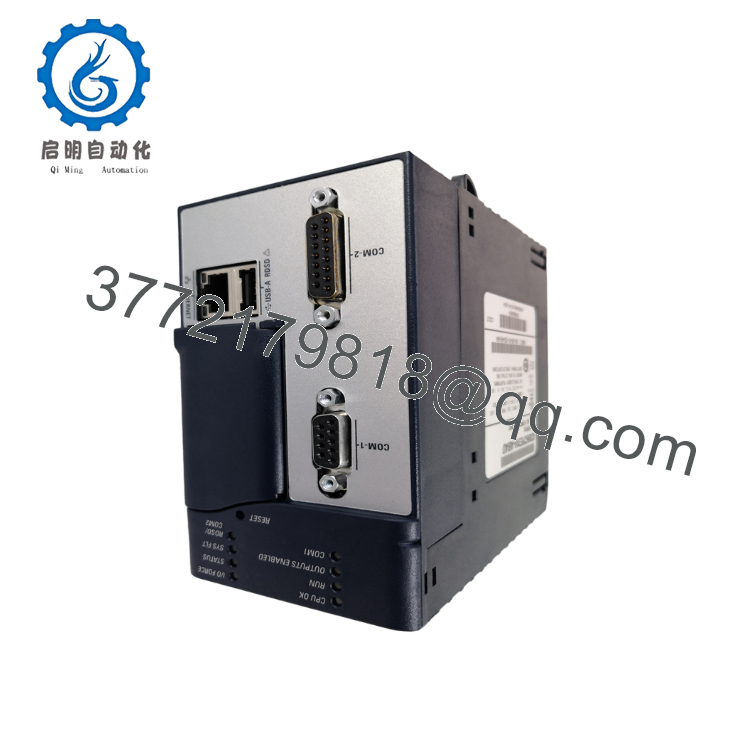
The GE IC695CPE310-ABAD is a PACSystems RX3i Central Processing Unit designed for deterministic machine and process control. It serves as the primary controller for RX3i PLC systems, executing IEC 61131-3 applications while communicating with local and distributed I/O through the RX3i backplane and integrated Ethernet interfaces.
Compared with the earlier CPU310 platform, the CPE310 delivers substantially higher processing performance while maintaining compatibility with existing RX3i hardware and most Proficy Machine Edition projects. Firmware revision ABAD (7.15) also introduced native support for the IC694PSM001 Power Sync and Measurement module together with additional controller security enhancements.

- IC695CPE310-ABAD
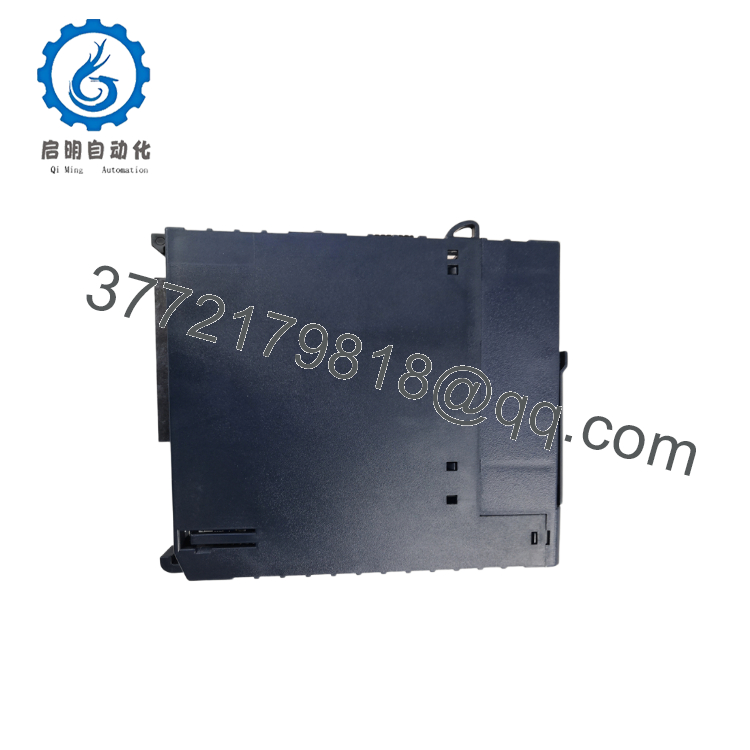
- IC695CPE310-ABAD
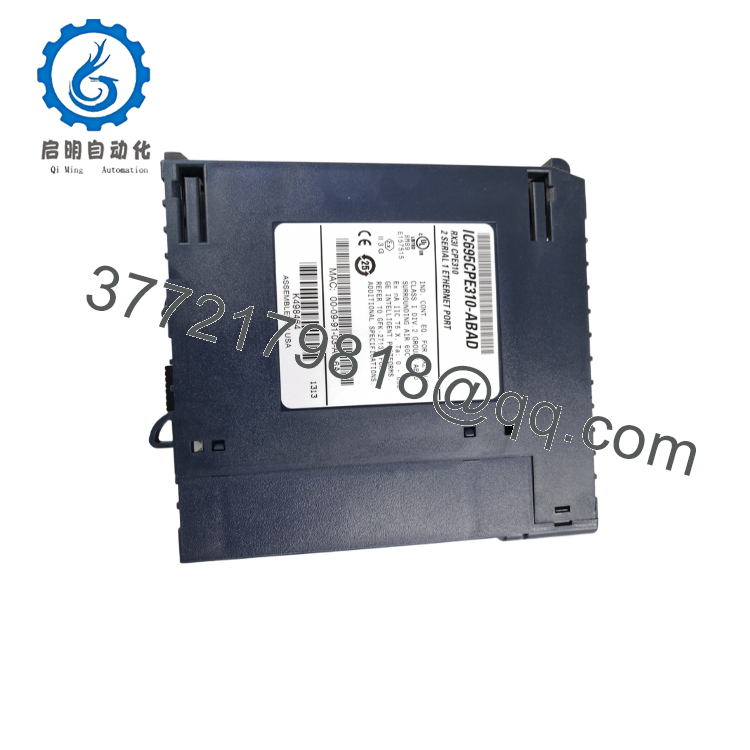
- IC695CPE310-ABAD
5. Installation & Configuration Guide
Stage 1 — Pre-Installation Preparation (10–15 Minutes)
⚠️ Safety First
- Notify production personnel of the planned shutdown.
- Bring the controlled equipment to a safe operating state.
- Apply Lockout/Tagout procedures.
- Remove rack power.
- Wait at least 5 minutes before touching the CPU or backplane.
Required Tools
- Grounded ESD wrist strap
- PH1 screwdriver
- Digital multimeter (Fluke 115 or equivalent)
- Wire markers
- Smartphone for documentation
- Laptop with Proficy Machine Edition
Data Backup
Before removing the CPU:
- Upload the current PLC project.
- Save hardware configuration.
- Record the IP configuration.
- Record firmware version.
- Photograph every cable connection.
- Photograph the Energy Pack connection if installed.
Stage 2 — Removing the Existing CPU (10 Minutes)
- Disconnect system power.
- Remove Ethernet and serial cables.
- Disconnect the Energy Pack cable if equipped.
- Release the retaining latch.
- Pull the CPU straight forward.
Inspect:
- Backplane connector
- Bent pins
- Dust accumulation
- Evidence of overheating
⚠️ Do not discard the original CPU until the replacement has completed production testing.
Stage 3 — Installing the Replacement CPU (10 Minutes)
- Wear an ESD wrist strap.
- Verify the complete catalog number:
IC695CPE310-ABAD
- Confirm firmware compatibility with the existing RX3i project.
- Install the CPU into the rack guides.
- Lock the retaining mechanism.
- Reconnect Ethernet, serial, and Energy Pack connections.
Configuration Checklist
- ☑ Correct catalog number
- ☑ Correct firmware family
- ☑ IP address verified
- ☑ Rack position correct
- ☑ Energy Pack connected (if used)
Stage 4 — Power-Up & Commissioning (15–20 Minutes)
Pre-Power Checks
- Verify no short circuit exists on the 24 V supply.
- Check Ethernet cables.
- Verify rack power supply voltage.
- Confirm proper grounding.
Startup Procedure
- Energize the RX3i rack.
- Observe CPU LEDs.
- Connect using Proficy Machine Edition.
- Verify:
- CPU status
- Firmware revision
- Hardware configuration
- Ethernet communication
- Download the saved project if required.
- Test all critical I/O.
⚠️ Troubleshooting
If the CPU remains in FAULT:
- Verify the firmware revision matches the project requirements.
- Confirm the hardware configuration file matches the installed modules.
- Check for unsupported expansion modules.
- Verify Energy Pack operation if NVS faults occur.
Veteran Installation Notes
❗ Firmware Revision Mismatch
This is one of the easiest ways to lose several hours during commissioning.
I’ve seen maintenance teams replace a failed CPE310 with a newer hardware revision. The PLC powered up normally, but the project refused to synchronize because the firmware had advanced several major revisions. Record the original firmware before ordering. If your plant standard is ABAD (7.15), request that exact revision whenever practical.
❗ Configuration Backup
The CPU stores the application program.
Before replacing the processor:
- Upload the project.
- Save hardware configuration.
- Save network parameters.
Never assume someone else has a current backup.
❗ Power Budget
The CPU itself isn’t usually the issue.
Problems appear after adding additional communication modules, remote I/O interfaces, or specialty cards. Calculate total rack current and maintain approximately 20% spare power supply capacity.
❗ ESD Protection
I’ve watched an experienced technician remove an RX3i CPU during winter without grounding himself. The controller never booted again.
A $10 wrist strap is considerably less expensive than replacing a production CPU.
Keep these checks in mind and you’ll avoid most of the commissioning problems that extend plant downtime.
6. Frequently Asked Questions (FAQ)
Q1. Can I hot-swap the IC695CPE310-ABAD?
No.
The CPU is the primary controller for the entire RX3i rack. Removing it while energized immediately stops PLC execution and can corrupt data. Always perform a controlled shutdown.
Q2. Does replacing the CPU erase my PLC program?
Potentially.
If the replacement CPU is blank, you’ll need to download the saved project from Proficy Machine Edition. Always upload and archive the existing application before removing the original CPU.
Q3. What makes the ABAD revision different?
The ABAD hardware ships with firmware version 7.15, which adds native support for the IC694PSM001 Power Sync and Measurement module and introduces additional CPU security features beyond earlier firmware releases.
Q4. Can I replace an older CPU310 with a CPE310?
Generally, yes.
GE designed the CPE310 as a higher-performance successor to the CPU310, and most existing Proficy Machine Edition projects can be migrated. However, verify firmware compatibility, serial port behavior, and project validation before commissioning.
Q5. Why are New Surplus units usually less expensive than factory purchases?
Many New Surplus CPUs originate from cancelled projects, excess OEM inventory, or plant modernization programs. They are unused but may not include the original manufacturer’s warranty. Always request the serial number, functional test report, and warranty terms before purchasing.
Q6. What quality inspections should I request before shipment?
For production-critical installations, request documented:
- OEM serial number verification
- Visual inspection for corrosion or rework
- Power-on functional testing on a genuine RX3i rack
- Ethernet communication verification
- 24-hour operational burn-in
- Firmware version confirmation
- ESD-safe packaging with QC documentation
Test photos and startup videos are valuable when planning a scheduled plant outage.
Q7. Which software is required to configure the IC695CPE310-ABAD?
Use Proficy Machine Edition (PME) compatible with the installed firmware revision. Before upgrading either the CPU firmware or PME version, review the compatibility matrix. Mixing older projects with newer firmware without validation can introduce avoidable commissioning delays.



