
 WhatsApp: +86 16626708626
 Email:
  Phone: +86 16626708626
Description
3. Key Technical Specifications
- Manufacturer: General Electric.
- Model Number: IS200BAIAH1BEE.
- Product Type: Bridge application interface board / interface card.
- Series: GE Mark VI.
- Application: Turbine control system interface and signal handling.
- Firmware: Factory-preloaded EEPROM noted on replacement units.
- Isolation: Signal ground isolation with overvoltage protection.
- Backplane Connectors: 2.
- Electrical Note: 24 V, 5 A cited on some supplier listings; verify against your cabinet before install.
- Installation Note: Some listings describe hot-plug capability, but verify site procedure and OEM documentation first.
- Compatibility Note: Match the exact suffix and revision before ordering.
4. Product Introduction
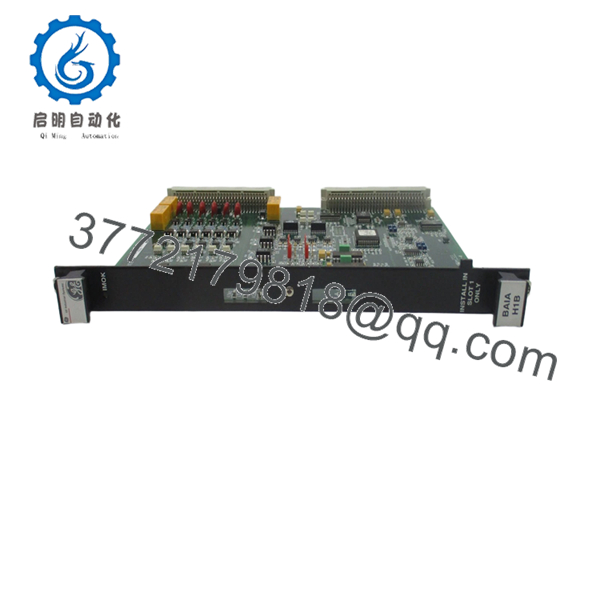
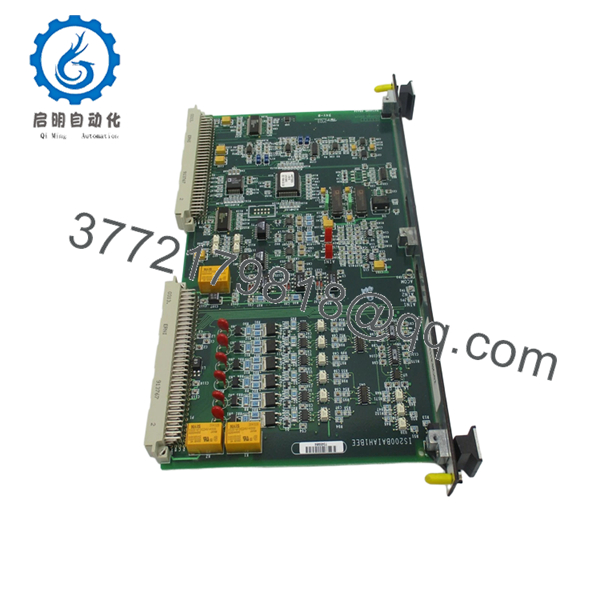
The GE IS200BAIAH1BEE is a Mark VI bridge application interface board used in GE turbine control systems. It serves as an interface card for signal handling and rack-level integration in legacy industrial cabinets.
This board is usually selected as a replacement for obsolete Mark VI hardware. The main buying risk is revision and compatibility mismatch, so confirm the full suffix, EEPROM status, connector layout, and cabinet requirements before installation.
5. Troubleshooting Quick Reference
| Symptom | Possible Cause | Relevance to This Part | Quick Check Method | Recommendation |
|---|---|---|---|---|
| No board response at startup | Missing rack power or failed board | ✅ High | Measure cabinet supply at the backplane and check board LEDs | Verify power first, then replace if the board remains dead |
| Communication fault with the controller | Connector or revision mismatch | ✅ High | Compare the full suffix and inspect both backplane connectors | Re-seat the card and confirm exact part match |
| Input/output signals behave wrong | Site wiring or configuration mismatch | ✅ High | Check wiring against the print set and verify signal paths with a meter | Do not assume the card is bad until wiring is confirmed |
| Board warms up quickly | Cabinet airflow or load issue | ✅ Medium | Check enclosure temperature and airflow around the rack | Confirm cooling before replacing the board |
| Fault appears after replacement | EEPROM or firmware mismatch | ✅ High | Read the board label and compare firmware/EEPROM details to the removed unit | Use the same revision range if the site is sensitive to firmware |
| Immediate trip after install | Backplane short or adjacent module problem | ❌ Low | Test the rack with a known-good board and inspect the slot | Check the rack before calling this board failed |
Contact technical support with photos, board labels, connector views, and diagnostic logs if the fault is still unclear.

- IS200BAIAH1BEE
- IS200BAIAH1BEE
6. Frequently Asked Questions (FAQ)
Q: Is the GE IS200BAIAH1BEE still available?
A: Yes, but it is an obsolete Mark VI part, so stock is usually limited to surplus inventory. Exact suffix matching matters because similar GE cards are not always interchangeable.
Q: Is this a direct replacement for other IS200BAIAH1B variants?
A: Not always. GE Mark VI boards can look similar while still differing in revision, EEPROM contents, or connector arrangement. Match the removed board and the full part number before ordering.
Q: Can I hot-swap this board?
A: Do not rely on that unless your site procedure and OEM documentation explicitly allow it. In most plants, the safer move is to power down first and avoid backplane damage.
Q: Will my existing configuration transfer automatically?
A: Not necessarily. Some settings are physical or stored in the board, and replacement cards can ship with factory-preloaded EEPROM. Compare the old unit before install.
Q: Why is this cheaper than a factory-new part?
A: Because it is usually New Surplus, not current OEM production. That lower price comes with the usual surplus tradeoff: you need to verify condition and compatibility carefully.
Q: What should I check before installing it?
A: Confirm the full suffix, inspect the connector condition, compare firmware or EEPROM details if available, and verify cabinet power quality. Most install problems come from mismatch or wiring errors, not from the board itself.



