
 WhatsApp: +86 16626708626
 Email:
  Phone: +86 16626708626
Description
Key Technical Specifications
| Parameter | Value |
|---|---|
| Manufacturer | General Electric (GE) |
| Model Number | IS200BICLH1AED |
| Series | EX2100 Excitation Control / Innovation Series |
| Product Type | IGBT Drive/Sourcing Bridge PCB (BICL) |
| Primary Function | Interface between exciter device and Bridge Personality Interface PCB (BPIB, SCNV, or BPIA) |
| Memory | Serial 1024-bit memory storing board ID and revision info |
| Control Features | System fault display and PWM speed control |
| Installation Slot | Slot 5 only (critical—wrong slot can damage card or slot) |
| Mounting | Two brackets with screws for card rack installation |
| Front Plate | Single label indicating Slot 5 installation requirement |
| Condition | Factory sealed packaging, new original |
| Warranty | 1 year |
| Country of Origin | USA |
Product Introduction
GE IS200BICLH1AED is an IGBT Drive/Sourcing Bridge PCB (BICL) from GE’s EX2100 Excitation Control system, built for the Innovation Series turbine control platform. It acts as an intermediary interface between the exciter device and a Bridge Personality Interface PCB (BPIB, SCNV, or BPIA), providing system fault display and PWM speed control functionality.
This board is selected when the existing IGBT drive bridge fails, shows communication errors with the bridge personality board, or fails excitation system diagnostics. The card includes serial 1024-bit memory storing board identification and revision data, and must be installed in Slot 5 only—installing it in the wrong slot can damage the card or card slot.
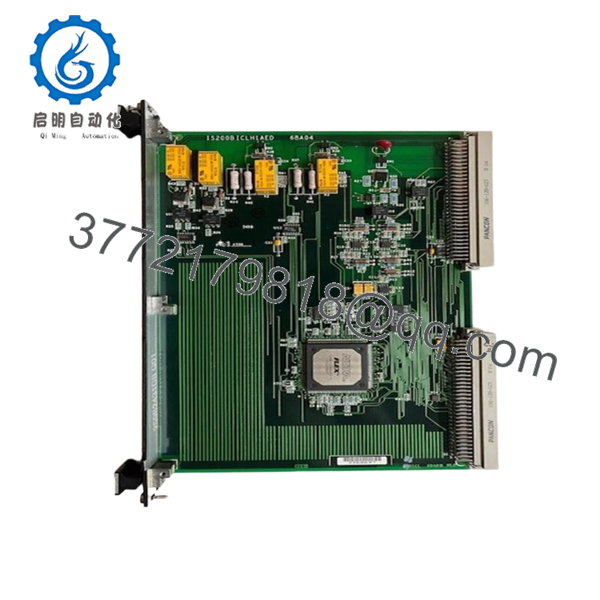
- IS200BICLH1AED
Troubleshooting Quick Reference
| Symptom | Possible Cause | Relevance to this Part | Quick Check Method | Recommendation |
|---|---|---|---|---|
| No excitation output | BICL board failure, power supply issue, bridge personality fault | ✅ High | Check excitation system fault display; verify 24 V DC at board power terminals | Replace board if power is good but no excitation output |
| PWM control unstable | PWM circuit fault, component drift, memory corruption | ✅ High | Monitor PWM output with oscilloscope; check serial memory read via diagnostic tool | Replace if PWM waveform shows noise or distortion |
| System fault display active | Board fault, communication failure, exciter fault | ✅ High | Read fault codes from excitation system diagnostics | Replace if fault follows the board and external wiring is good |
| No communication with BPIB/SCNV | Connector issue, board failure, mismatched revision | ✅ High | Reseat board, inspect connectors; verify bridge personality board revision | Replace if communication fails after reseating and revision match confirmed |
| Board not recognized | Serial memory failure, power issue, backplane fault | ✅ High | Check diagnostic tool for board ID read; verify power at terminals | Replace if board ID cannot be read and power is good |
| Wrong slot installation damage | Card installed in non-Slot 5 position | ✅ Critical | Visual inspection of card and slot for physical damage | Never install in slot other than Slot 5—replace if damage found |
| Intermittent operation | Loose connector, thermal stress, marginal component | ✅ High | Monitor during warm-up; check for failure when hot | Replace if issue persists after reseating |
Contact technical support with photos, fault codes, diagnostic logs, and oscilloscope readings if the issue persists after these checks.
Frequently Asked Questions
Q: Is this a direct replacement for every IS200BICLH BICL board?
A: Not automatically. GE EX2100 parts vary by revision and suffix (like the 1AED ending). Verify the exact model suffix, connector layout, and system revision before ordering. The board must match your bridge personality interface (BPIB, SCNV, or BPIA) revision.
Q: Can I hot-swap this IGBT bridge board?
A: No. Power down the excitation system cabinet first. Hot-swapping can damage the backplane, fry the new card, or cause an excitation spike that trips the turbine. Follow lockout/tagout procedures before removal.
Q: What slot must this board be installed in?
A: Slot 5 only. The front plate label explicitly states installation in Slot 5 and two brackets. Installing this BICL card in the wrong slot can damage the card or the card slot—this is critical. Take a photo of the old board’s slot position before removal.
Q: Will my existing settings transfer to the new board?
A: The board has serial 1024-bit memory storing ID and revision info, but it does not store user-configurable settings. However, document your system configuration and take photos before removal for reference.
Q: Why is this cheaper than buying from GE directly?
A: This is typically new original or factory-sealed surplus stock. The EX2100 series is legacy equipment, so factory support is limited through authorized distributors. That lowers cost, but you should still verify condition, factory seal, and revision match.
Q: What condition should I expect for this part?
A: Best sold as new original with factory sealed packaging and original package. For EX2100 parts, expect either factory-sealed or tested surplus with documented testing. Transparency on condition matters more than marketing language.
Q: What usually causes failure on an IGBT bridge board like this?
A: In the field, common issues are power supply problems, thermal stress from poor cabinet ventilation, ESD damage during handling, connector damage, or installing the card in the wrong slot. The Slot 5 requirement is critical—technicians sometimes miss the label and install it wrong, which destroys the card.
Q: How do I avoid a bad swap and rework?
A: Take a clear photo of the original board’s front label showing Slot 5, verify the exact model suffix (IS200BICLH1AED), confirm the bridge personality interface revision, and use the two brackets with screws properly when installing. Double-check Slot 5 before powering up. That prevents most rework and saves downtime. Keep these checks in mind and you’ll save yourself 90% of typical rework time.



