
 WhatsApp: +86 16626708626
 Email:
  Phone: +86 16626708626
Description
Key Technical Specifications
| Parameter | Value |
|---|---|
| Manufacturer | General Electric (GE) / GE Boards & Turbine Control |
| Part Number | IS200EISBH1AAA |
| Series | EX2100 Excitation Control / Mark VI IS200 |
| Product Type | Exciter ISBus Board / PCB Board |
| Application | EX2100 excitation modules; manages fiber-optic communications for critical feedback signals |
| Communication Interface | Fiber-optic links (Gen Field voltage/current, Exciter voltage/current, Ground Detect In/Out) |
| I/O Channels | 12 channels |
| Input Span | 4–20 mA |
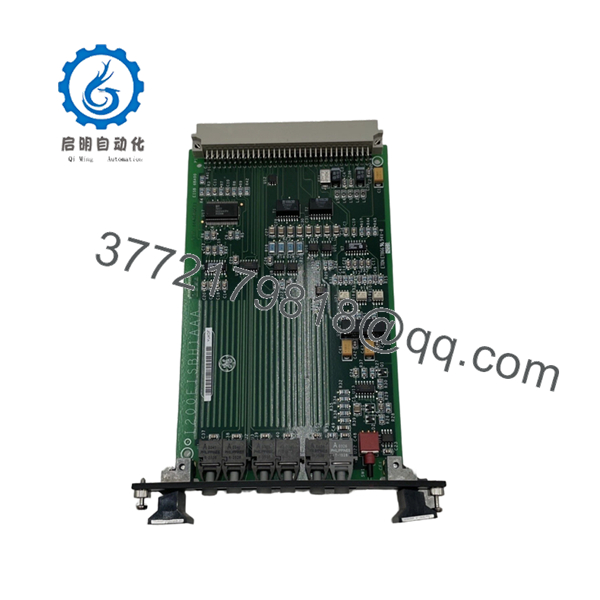
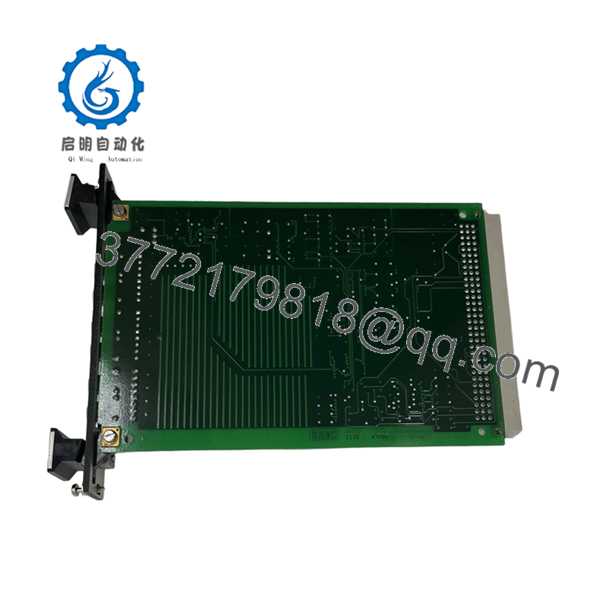
| Components | ~20+ ICs, inductors, resistors, capacitors, transistors, diodes, transformers, reset switch |
| Country of Origin | USA |
| Mounting | Rack-mounted, secured with screws; factory-drilled edges |
Product Introduction
GE IS200EISBH1AAA is an EX2100 Exciter ISBus printed circuit board used in GE excitation control systems. It manages fiber-optic communications for critical feedback signals inside EX2100 excitation cabinets.
For replacements, the exact “AAA” suffix is critical, and fiber-optic connector labeling must match the existing cabinet. Verify revision and pinout before install, because excitation boards can differ by revision and communication mapping.

- IS200EISBH1AAA
- IS200EISBH1AAA
Troubleshooting Quick Reference
| Symptom | Possible Cause | Relevance to This Part | Quick Check Method | Recommendation |
|---|---|---|---|---|
| Fiber-optic link fault alarm | Broken fiber, dirty connector, transceiver fault, board failure | ✅ High | Inspect fiber connectors, check link light/status, swap fiber if available | Clean/replace fiber first; test with known-good link |
| No feedback voltage/current readings | Sensor fault, wiring issue, ISBus communication loss, board fault | ✅ High | Check sensor wiring and power, verify ISBus status in diagnostics | Trace wiring and sensor before replacing board |
| Ground detect fail | Ground fault, sensor wiring error, board ground detect channel fault | ✅ High | Measure ground detection circuit, check ground connection integrity | Inspect sensor and wiring, then verify board |
| Board fails after power-up | ESD damage, wrong revision, power issue, installation error | ✅ High | Confirm exact suffix, inspect pins, verify power rails and ESD handling | Stop—verify compatibility before retrying |
| Intermittent communication drops | Loose fiber, noisy environment, degraded connector, board aging | ✅ High | Re-terminate fiber if needed; monitor link health in diagnostics | Inspect and reseat connectors; check environmental noise |
| Multiple ISBus channels dead | Rack backplane power issue, adjacent module fault, ISBus master fault | ❌ Low | Check rack power rails and status of adjacent ISBus cards | Investigate cabinet power and master first |
Contact technical support with photos of the board, fiber connections, and controller diagnostics if you cannot isolate the fault.
Frequently Asked Questions
Q: Is IS200EISBH1AAA the full model number?
A: Yes. The suffix “AAA” is part of the exact model. Do not order just “IS200EISBH1A” without the suffix. Verify it matches the existing board.
Q: What system does this board belong to?
A: It is an EX2100 Exciter ISBus board for GE excitation control systems, also listed under Mark VI IS200 series.
Q: Can I hot-swap this board?
A: Do not assume so. Excitation boards manage high-energy feedback paths. Power down and follow site procedure before removal.
Q: What condition is typically available?
A: Listings show new, new or reconditioned, and in-stock inventory. For procurement, request actual photos and test reports if you need documentation.
Q: Why is it cheaper than OEM factory stock?
A: It is usually surplus or aftermarket inventory, not current OEM production. That is normal for legacy EX2100/Mark VI parts, but you still need revision and condition verification.
Q: What should I check before installing the replacement?
A: Match the full model number (IS200EISBH1AAA), inspect fiber-optic connectors and labeling, and follow ESD handling (grounded wrist strap). That prevents most avoidable rework.
Q: What if the excitation system still faults after I replace it?
A: Check fiber continuity, connector cleanliness, sensor wiring, and controller diagnostics first. On this kind of hardware, the board is often not the root cause unless the suffix is wrong or the unit fails power-up.



