
 WhatsApp: +86 16626708626
 Email:
  Phone: +86 16626708626
Description
3. Key Technical Specifications
| Parameter | Value |
| Part Number | IS200ICCAH1A |
| System Compatibility | Mark VI Turbine Control / Innovation Series Drives |
| I/O Type | Analog and Digital configuration support |
| Number of Channels | 2 Independent channels |
| Connector J1/J2 | Multi-pin headers for terminal board interconnect |
| Signal Conditioning | Integrated resistor/capacitor filtering networks |
| ID Storage | On-board EEPROM for board identification/revision tracking |
| Operating Temp | -30 to +65 °C (-22 to 149 °F) |
| Mounting | Plug-in daughtercard for I/O processor modules |
4. Product Introduction & Supply Chain Strategy
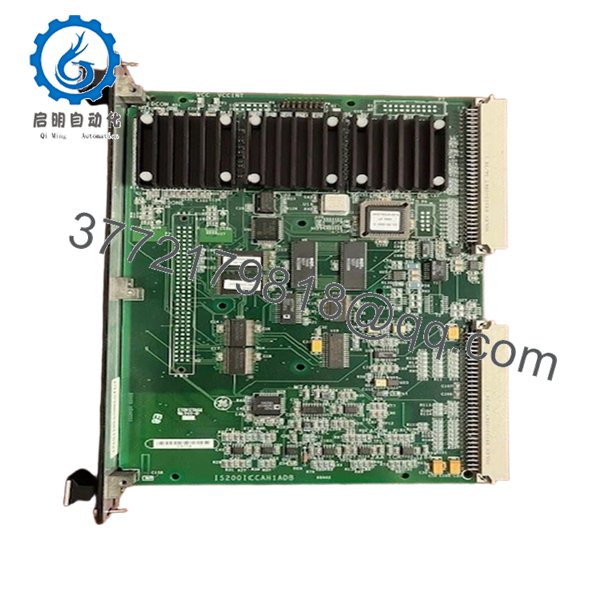
The IS200ICCAH1A is a specialized I/O Configuration Card (ICCA) used extensively in GE Mark VI control systems and Innovation Series drives. It functions as an interface layer between the I/O terminal boards and the main processor, providing essential signal conditioning and ensuring the control system correctly identifies the connected hardware via its on-board ID chip. This board is critical for the accurate translation of field signals into logic-level data used for turbine protection and process control.
From a supply chain perspective, the IS200ICCAH1A is a low-cost but “high-risk” component. Because it sits at the interface of field wiring, it is often the first casualty of ground faults or voltage surges. Keeping “New Surplus” units in your local buffer stock is a mandatory insurance policy; a failure of this $500 card can keep a multi-million dollar asset offline. Choosing New Surplus over refurbished units is vital here, as the passive components on used cards can suffer from subtle thermal degradation that leads to intermittent “invalid I/O” alarms that are notoriously difficult to troubleshoot.

- IS200ICCAH1A
5. Installation & Configuration Guide
- Stage 1: Pre-Installation (Prep & Safety): Back up the current I/O configuration in the GE Toolbox software. Power down the specific I/O rack. Ensure you are wearing a grounded ESD wrist strap, as the EEPROM chips on the ICCA are sensitive to static.
- Stage 2: Removal: Identify the processor module the ICCA is attached to. Carefully unplug the ribbon cables from J1/J2. Gently pry the ICCA card from its mounting standoffs on the main processor board.
- Stage 3: Installation (Clone & Seat): Inspect the New Surplus IS200ICCAH1A for any bent pins. Align the card with the headers on the processor module and press firmly until seated. Reconnect the ribbon cables, ensuring the locking tabs click into place.
- Stage 4: Power-On & Testing: Re-apply power to the rack. Check the system diagnostics in the HMI/Toolbox. The system should automatically recognize the new card via its hardware ID. Verify that the associated I/O points are reading accurately within their expected range.
6. Firmware/Software Versions & Upgrade Notes
- Hardware ID: The IS200ICCAH1A contains an EEPROM that tells the control system the board’s revision and type. This “ID” must match the configuration expected by the software.
- Revision Compatibility: The “H1A” indicates a specific hardware group. While generally backward compatible with earlier versions in the same group, always verify the I/O Configuration settings in your “Toolbox” software after replacement.
- Replacement Warning: Replacing an ICCA card while the rack is powered (hot-plugging) can corrupt the on-board EEPROM or cause a processor reset, leading to an immediate system trip.
7. Frequently Asked Questions (FAQ)
What does the “ICCA” board actually do?
It acts as a “personality” module for the I/O. It provides the specific resistors and capacitors needed to filter signals for the terminal board it is paired with, and it tells the processor exactly what version of hardware is installed.
Why is New Surplus preferred for a passive board like this?
Even though it’s a simpler board, the precision resistors and connectors on used units can corrode or drift over time due to humidity and heat. New Surplus guarantees the original factory tolerances, ensuring your analog signals remain accurate.
Is this part compatible with both Mark VI and Innovation Series?
Yes. GE designed the IS200 series to be modular across several platforms. If your documentation calls for an IS200ICCAH1A, this unit is the direct OEM replacement.
Can I swap an ICCA card between two different I/O racks?
Physically yes, but only if both racks use the same configuration. Since the board contains identity data, the control software may flag a “Hardware Mismatch” if the revision doesn’t match what the software expects for that specific slot.
What is the expected lifespan of a New Surplus ICCA card?
When installed in a clean, temperature-controlled environment, these boards typically have a service life exceeding 15–20 years. Stocking them as New Surplus ensures you have that full lifespan available when a failure occurs.



