
 WhatsApp: +86 16626708626
 Email:
  Phone: +86 16626708626
Description
3. Key Technical Specifications
- Manufacturer: GE (General Electric)
- Model Number: IS200UCSAH1ABB
- Functional Acronym: UCSA
- Product Type: Universal Control System Controller Board
- Series Compatibility: GE Mark VIe Turbine Control System
- Primary Function: Control application execution and system communication
- Processor Type: Embedded single-board controller architecture
- Memory: Onboard flash and RAM storage
- Communication Interface: Ethernet-based Mark VIe control network
- Programming Environment: GE ToolboxST engineering software
- Mounting: Mark VIe controller rack / panel assembly
- Power Supply: 28 V DC nominal Mark VIe control environment
- Operating Temperature: Industrial control cabinet range
- Diagnostics: Controller status LEDs and software diagnostics
- Firmware: Application dependent; verify installed revision before replacement
- Configuration Storage: Controller configuration/database dependent
- Application: Turbine sequencing, protection interface, control logic execution
4. Product Introduction
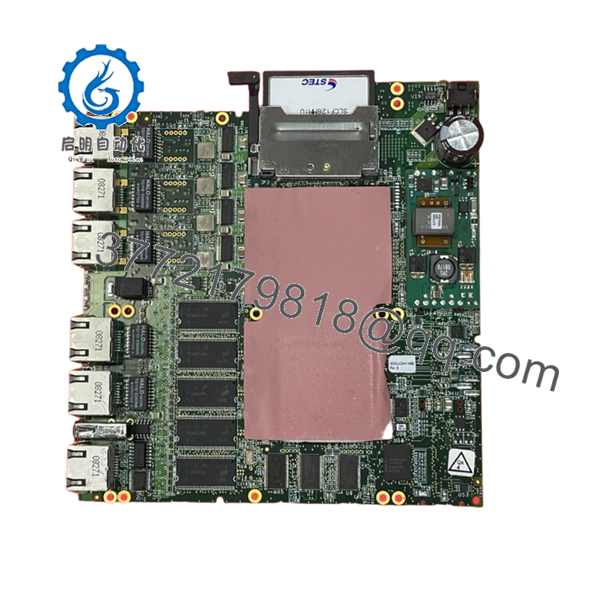
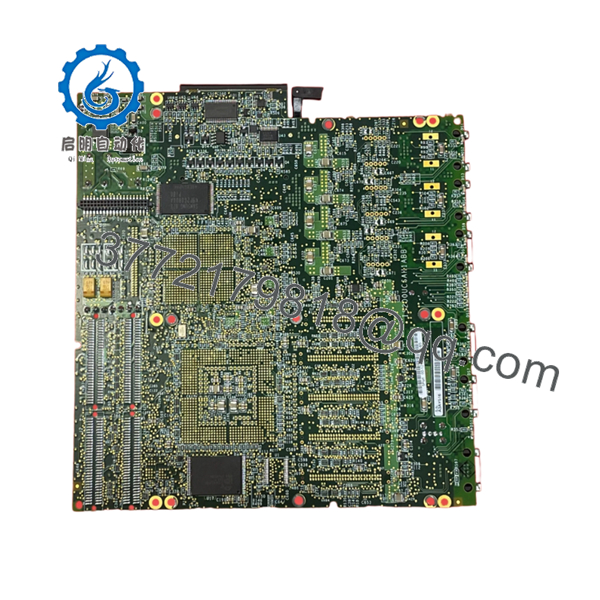
The GE IS200UCSAH1ABB is a Universal Control System (UCSA) controller board used in GE Mark VIe turbine control platforms. It executes control applications, communicates with distributed I/O modules, and provides the processing foundation for turbine automation systems.
This UCS controller is typically maintained as a critical spare for legacy GE Speedtronic installations. Before installation, verify controller firmware, ToolboxST configuration compatibility, network settings, and the existing Mark VIe hardware revision.

- IS200UCSAH1ABB
- IS200UCSAH1ABB
5. Installation & Configuration Guide
Stage 1: Pre-Installation Preparation (Estimated Time: 10 minutes)
⚠️ Safety First
- Notify operations before replacing the controller.
- Place the turbine control system into an approved maintenance state.
- Apply lockout/tagout procedures.
- Remove cabinet power.
- Wait at least 5 minutes for stored energy discharge.
Tools Required
- ESD wrist strap
- PH1 screwdriver
- Digital multimeter
- Wire labels
- Smartphone/camera
Data Backup
- Connect to the existing Mark VIe controller.
- Export current ToolboxST project files.
- Record:
- Controller IP address
- Firmware version
- Network configuration
- Rack location
- Photograph controller wiring and LED status.
Stage 2: Removing the Old Module (Estimated Time: 5 minutes)
- Open the control cabinet.
- Confirm power isolation.
- Disconnect Ethernet and communication cables.
- Remove retaining hardware.
- Pull the UCSA board straight out.
- Inspect:
- Backplane connectors
- Pins
- Cooling path
- Dust contamination
⚠️ Keep the removed controller until the replacement is fully commissioned. The old unit is the reference for configuration recovery.
Stage 3: Installing the New Module (Estimated Time: 10 minutes)
- Wear ESD protection.
- Confirm exact part number:
IS200UCSAH1ABB
- Compare:
- Hardware revision
- Connector layout
- Board identification labels
- Install the controller into the correct Mark VIe position.
- Secure mounting hardware.
- Reconnect Ethernet and communication cables.
Installation Checklist
- Correct UCSA model verified
- Firmware compatibility checked
- Network settings documented
- Connectors secured
⚠️ Important: A controller swap is not only a hardware replacement. Firmware and ToolboxST configuration must match the existing Mark VIe project.
Stage 4: Power-On & Testing (Estimated Time: 15 minutes)
- Verify 28 V DC supply condition.
- Power the control cabinet.
- Check controller LEDs.
- Connect ToolboxST.
- Verify:
- Controller online status
- Network communication
- Application download status
- I/O communication
- Perform:
- Logic verification
- Alarm check
- Control loop validation
⚠️ Troubleshooting Notes
- Controller not visible: check Ethernet addressing and network switches.
- Application mismatch: verify firmware and ToolboxST project version.
- Communication timeout: check controller configuration and I/O network status.
6. Frequently Asked Questions (FAQ)
Q1: What is the GE IS200UCSAH1ABB used for?
A: It is a Universal Control System controller board used in GE Mark VIe turbine control systems. It provides the processing platform for turbine control applications.
Q2: Can the IS200UCSAH1ABB be hot-swapped?
A: Do not assume hot-swap capability. Controller boards should normally be replaced with power removed unless the exact Mark VIe cabinet documentation allows live replacement.
Q3: Is the IS200UCSAH1ABB obsolete?
A: It is part of the legacy GE IS200/Mark VIe hardware family. Availability is commonly through industrial spare inventory, New Original surplus, or tested refurbished stock.
Q4: Will replacing the UCSA board erase turbine logic?
A: The controller hardware does not replace the engineering project database. However, the correct ToolboxST project and firmware must be restored after replacement.
Q5: What should be checked before ordering this controller?
A: Verify:
- Full part number
- Hardware revision
- Firmware version
- Mark VIe cabinet type
- Network configuration
Q6: Why do similar GE controller boards fail as replacements?
A: GE Mark VIe boards can have similar physical layouts but different firmware, processor revisions, and application compatibility. Matching only the front label is not enough.
Q7: What inspection should be performed before installation?
A: Check serial traceability, PCB condition, connectors, corrosion, contamination, firmware information, and perform communication testing before returning the turbine control system to service.



