
 WhatsApp: +86 16626708626
 Email:
  Phone: +86 16626708626
Description
3. Key Technical Specifications
| Parameter | Value |
|---|---|
| Manufacturer | General Electric (GE) |
| Model Number | IS200VCMIH1BCC |
| Functional Acronym | VCMI |
| Product Type | VME Communications Interface Board |
| Series | Mark VI Speedtronic |
| Application | Gas and Steam Turbine Control |
| Communication Network | IONet |
| Protocol Support | IEEE 1588-based IONet |
| Rack Type | VME Rack System |
| Installation Position | Control Module Slot |
| Redundancy Support | Triple Modular Redundancy (TMR) |
| Backplane Interface | VME Bus |
| Operating Temperature | Typically 0 to 45 °C |
| Humidity Rating | 5% to 95% non-condensing |
| Front Panel Features | LEDs, serial interface, IONet connector |
| Assembly Revision | Multiple functional/artwork revisions |
| Country of Origin | USA |
| Condition Options | New Original, New Surplus, Refurbished (tested) |
The IS200VCMIH1BCC operates as the communication master inside GE Mark VI turbine control architectures. It exchanges I/O data between control modules, protection modules, interface racks, and the primary processor through the proprietary IONet network.
4. Product Introduction
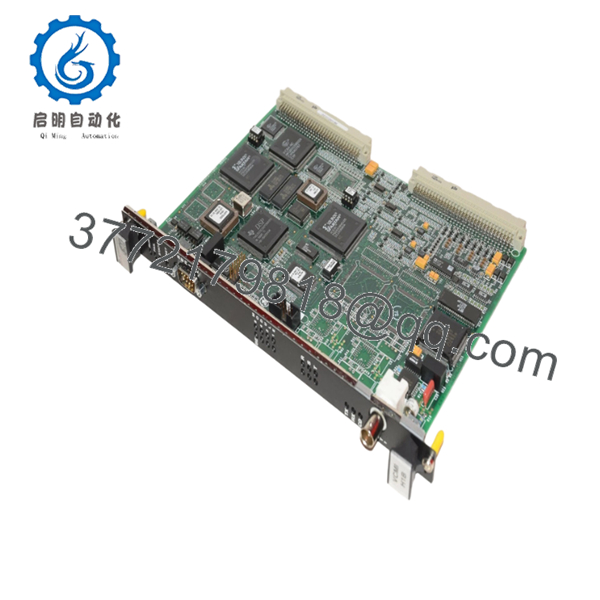
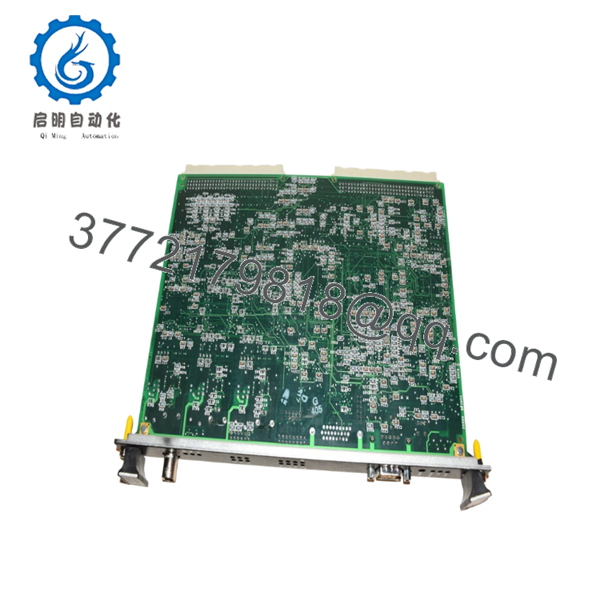
The GE IS200VCMIH1BCC is a VME Communications Interface Board used in the Mark VI Speedtronic turbine control platform. It manages internal rack communications between I/O modules, protection modules, and processor cards through the GE IONet network architecture.
In field deployments of Mark VI systems, the VCMI board is one of the critical communication components inside TMR control cabinets. Engineers typically select this revision for maintaining compatibility with existing Mark VI installations where firmware consistency and stable IONet timing matter more than adding newer hardware revisions.

- IS200VCMIH1BCC
- IS200VCMIH1BCC
5. Installation & Configuration Guide
Stage 1: Pre-Installation Preparation (Estimated Time: 10 Minutes)
⚠️ Safety First
- Notify operations and place the turbine or driven equipment into a safe shutdown condition.
- Apply lock out/tag out (LOTO) procedures to all related control cabinet power sources.
- Wait at least 5 minutes for DC bus capacitors to discharge fully.
- Verify zero voltage using a multimeter before touching the rack.
Tools Required
- ESD wrist strap
- PH1 screwdriver
- Fluke 115 or equivalent multimeter
- Wire labels
- Smartphone for wiring photos
- Flashlight for rack inspection
Data Backup
- Export current Mark VI control configuration from ToolboxST or legacy engineering workstation.
- Record IP addresses and IONet node assignments.
- Photograph all DIP switch and jumper positions before removal.
- Capture terminal wiring layouts from multiple angles.
❗ I cannot stress this enough: take pictures before you disconnect anything. Half of emergency startup delays come from undocumented switch settings.
Stage 2: Removing the Old Module (Estimated Time: 5 Minutes)
- Remove the front bezel or cabinet cover carefully.
- Label and disconnect all communication and interface wiring.
- Release VME rack locking tabs.
- Pull the module straight outward without twisting.
⚠️ Important
Do not rock the board side-to-side aggressively. The VME backplane pins bend easily, and once that happens, you’re looking at rack repair instead of a quick module swap.
- Inspect the backplane:
- Bent pins
- Dust buildup
- Corrosion
- Loose connectors
⚠️ Keep the old module
Do not send the old board out for repair until the replacement runs correctly under load.
Stage 3: Installing the New Module (Estimated Time: 10 Minutes)
- Attach your grounded ESD strap before handling the replacement board.
- Verify:
- Exact model number
- Revision suffix
- Firmware compatibility range
❗ Configuration Clone (Critical)
Replicate all DIP switch and jumper settings exactly from the original module.
This is the most common rookie mistake, but experienced techs get burned by it too. I’ve seen a maintenance team lose almost eight hours because one termination resistor jumper was left at factory default.
- Insert the IS200VCMIH1BCC into the VME rack evenly.
- Push firmly until the locking tabs click fully into place.
- Reconnect all wiring using proper torque.
Self-Checklist
- DIP switches match original
- Wiring secured
- Rack tabs locked
- No exposed conductors
- Grounding verified
Stage 4: Power-On & Testing (Estimated Time: 15 Minutes)
Pre-Power Check
- Use a multimeter to verify no shorts exist on the 24 VDC rail.
- Confirm proper cabinet grounding continuity.
Power-On Procedure
- Energize the control rack only.
- Observe front-panel LEDs:
- Green RUN LED = Normal
- Red ERR LED = Fault condition
- Connect engineering workstation software.
- Verify:
- IONet communication
- Firmware revision
- Rack visibility
- Module addressing
- Restore application logic if required.
- Perform dry-run I/O verification before enabling field outputs.
⚠️ Troubleshooting Notes
Firmware Revision Mismatch
One of the ugliest problems in Mark VI systems is revision mismatch.
I’ve personally seen a plant lose two days chasing a “Communication Timeout” alarm after replacing a VCMI board. The actual issue was a firmware jump between revisions that slightly altered communication timing.
Before ordering:
- Document existing firmware
- Request matching firmware ranges
- Verify compatibility against GE documentation
Power Consumption Warning
Do not assume the existing power supply has spare capacity.
A lightly loaded Mark VI rack may run comfortably for years, but once additional I/O and communication boards get added, the margin disappears fast. Leave at least 20% power supply headroom.
ESD Risk
❗ Never handle the board without grounding protection.
I once watched an engineer swap a communication board during winter maintenance without an ESD strap. The board powered up once, emitted smoke immediately, and took out adjacent rack communications. Expensive lesson.
Keep these checks in mind and you’ll save yourself 90% of typical rework time.
6. Frequently Asked Questions (FAQ)
Q1: Can I hot-swap the IS200VCMIH1BCC under power?
No. This board is not designed for hot swapping.
Removing or inserting the module while the VME rack is energized can damage the backplane, corrupt IONet communications, or fault the controller. Shut the rack down fully before replacement.
Q2: Is the IS200VCMIH1BCC obsolete?
Yes. The Mark VI platform is considered a legacy GE control platform in many facilities.
That said, thousands of gas and steam turbine systems still operate with Mark VI controls globally. New surplus and tested refurbished inventory remains available, but lead times can fluctuate significantly during outage seasons.
Q3: Is your inventory genuinely new?
If listed as “New Original” or “New Surplus,” the module is unused OEM stock sourced from surplus inventory channels.
We recommend verifying:
- Anti-counterfeit labels
- Serial numbers
- PCB condition
- Connector wear
- Storage history
Test photos and startup videos should be available upon request.
Q4: Will I lose my control logic when replacing this module?
Normally, no.
The IS200VCMIH1BCC functions primarily as a communications interface board, not the primary application processor. However, always back up the controller configuration before removal. Never assume the existing system documentation is complete.
Q5: What should I verify before ordering a replacement?
At minimum:
- Exact part number
- Revision suffix
- Firmware revision
- Rack type
- TMR vs Simplex configuration
Even within GE Mark VI systems, small revision changes can affect compatibility.
Q6: Why is pricing lower than buying directly from the OEM?
Most available inventory comes from:
- Plant surplus stock
- Project cancellations
- Decommissioned turbine systems
- Independent automation inventory channels
You’re usually buying from the secondary industrial controls market rather than direct factory production.
Q7: What testing is performed before shipment?
Typical QC workflow includes:
- Visual inspection for corrosion or rework marks
- Serial number traceability verification
- Power-on functional test on a GE-compatible rack
- Communication handshake verification
- Insulation resistance testing using a 500 V Megger
- Continuous burn-in testing
- ESD-safe packaging and QC sign-off
Verified fully functional under load testing. Test reports, photos, and startup videos are typically available upon request.



