
 WhatsApp: +86 16626708626
 Email:
  Phone: +86 16626708626
Description
3. Key Technical Specifications
| Parameter | Value |
| Protocol | Profibus DP V0/V1 (Master) |
| Baud Rate | 9.6 Kbps to 12 Mbps (Auto-detection supported) |
| Ethernet Ports | Two 10/100 Mbps RJ45 (Dual Redundant) |
| Input Voltage | 28 V DC (Nominal) |
| Processor | High-speed 32-bit RISC |
| Max Slave Devices | Supports up to 125 Profibus DP slaves |
| Diagnostic LEDs | Power, Ethernet Link, Profibus Status, Attn |
| Operating Temp | -30 to +65°C (-22 to 149°F) |
| Mounting | Direct mount to SPPRF Terminal Board |
4. Product Introduction & Supply Chain Strategy
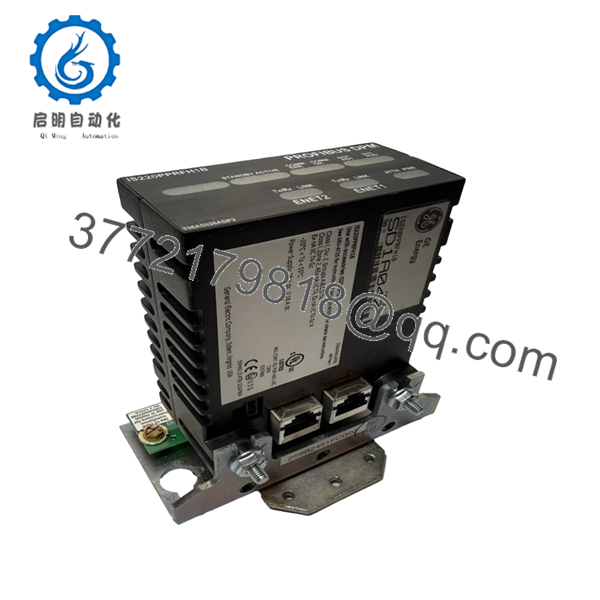
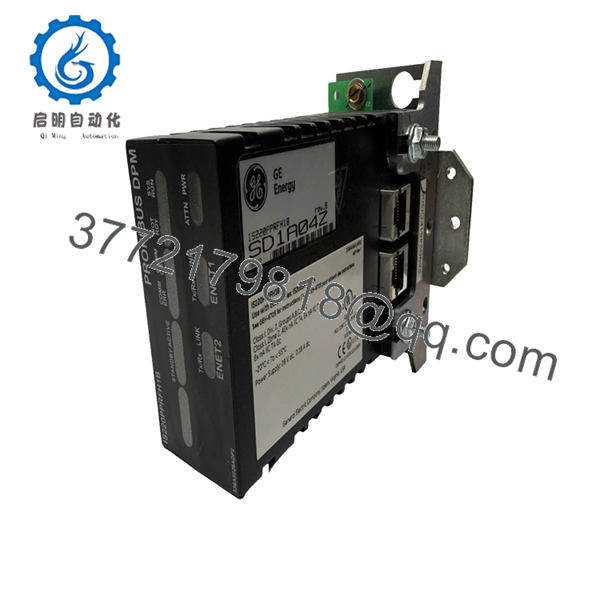
The GE IS220PPRFH1B is a high-performance Profibus Master I/O pack within the Mark VIe control architecture. It functions as a bridge, allowing the main controller to communicate with third-party hardware such as variable frequency drives (VFDs), smart motor starters, and remote I/O stations via the Profibus DP protocol. This module is essential for plants that require seamless data exchange between their core turbine control and peripheral balance-of-plant equipment.
Strategically, maintaining the IS220PPRFH1B as New Surplus inventory is a “reliability-first” decision. Because this module handles critical communication timing and protocol handshaking, using refurbished units is high-risk. Refurbished communication packs often suffer from intermittent “bus faults” caused by aged Ethernet transformers or weakened solder joints on the Profibus controller. By choosing New Surplus, you ensure the internal oscillators and communication chips have zero thermal wear, providing a 15-year lifecycle and eliminating the massive TCO associated with a communication-loss trip.
5. Installation & Configuration Guide
Stage 1: Pre-Installation (Prep & Safety)
Before starting, ensure you have the .GSD files for all Profibus slave devices connected to the network. Use an ESD-safe wrist strap. In the WorkstationST or ToolboxST environment, verify the IP address and Profibus station address assigned to the current pack.
Stage 2: Removal
The IS220PPRFH1B is secured by two mounting screws to the SPPRF terminal board. Loosen these screws and pull the pack straight off the terminal board d-connector. Disconnect the dual Ethernet cables, noting which cable is IONet A and which is IONet B.
Stage 3: Installation (Clone & Seat)
Align the d-connector on the back of the new IS220PPRFH1B with the terminal board header. Push firmly to seat the pins. Tighten the mounting screws to 1.7 N-m (15 in-lb) of torque. Reconnect the Ethernet cables and the Profibus connector to the terminal board.
Stage 4: Power-On & Testing
Once powered, the “Power” LED should be green. Use ToolboxST to “Go Online” and download the configuration to the pack. Monitor the “Status” LED; a solid green indicates successful communication with the Profibus network. Check the diagnostic registers for any “Bus Cycle Time” violations or slave dropouts.

- IS220PPRFH1B
- IS220PPRFH1B
6. Firmware/Software Versions & Upgrade Notes
- Software Requirement: Requires ControlST V04.04 or higher for full functionality of the “B” revision features.
- Firmware Synchronization: When a new pack is installed, the Mark VIe controller may automatically attempt to “push” the correct firmware to the pack. Ensure the controller is in a state that allows firmware updates before installation.
- Warning: Never interrupt power during a firmware download. A partial flash will corrupt the bootloader, requiring a factory-level reset.
7. Frequently Asked Questions (FAQ)
Q: How does this differ from the IS220PPRFH1A?
A: The “H1B” is the subsequent hardware revision. It typically includes updated internal componentry for better thermal management and improved resistance to IONet “broadcast storms.” It is generally backward compatible with H1A applications.
Q: Can I use this pack without a terminal board?
A: No. The IS220PPRFH1B is an I/O pack that must be mated to a terminal board (typically the SPPRF) to provide the physical Profibus DB9 connection and power distribution.
Q: Why is “New Surplus” better than “Refurbished” for Profibus modules?
A: Communication modules operate at high frequencies. Refurbished units often have degraded capacitors in the power filtering stage, which can introduce “jitter” into the Profibus signal. In a 12 Mbps network, even minor signal noise can cause slave devices to drop offline intermittently.
Q: Does this pack support Profibus PA?
A: The IS220PPRFH1B natively supports Profibus DP. To connect to Profibus PA devices, you would typically use a DP/PA segment coupler between this pack and the field instruments.
Q: What happens if I swap IONet A and IONet B cables?
A: The pack features redundant Ethernet ports. While it may still communicate, the ToolboxST diagnostics will report a “Cabling Mismatch” alarm. For system integrity, always maintain the correct IONet A/B orientation.



