
 WhatsApp: +86 16626708626
 Email:
  Phone: +86 16626708626
Description
3. Key Technical Specifications
| Parameter | Value |
|---|---|
| Manufacturer | GE |
| Model Number | IS420ESWAH3A |
| Product Type | Mark VIe IONet Industrial Ethernet Switch |
| Series | Mark VIe / Mark VIeS |
| Copper Ports | 8 × 10/100Base-TX RJ-45 |
| Fiber Ports | None |
| Ethernet Standards | IEEE 802.3, 802.3u, 802.3x |
| MAC Address Table | 4K MAC addresses |
| Packet Buffer | Minimum 256 KB |
| Power Supply | 24 / 28 VDC |
| Maximum Current | 1 A |
| Redundant Power | Dual diode-OR power inputs |
| Cooling | Fanless, convection cooled |
| Mounting | DIN rail (mounting clip ordered separately) |
| Operating Temperature | -40 °C to +70 °C |
| Storage Temperature | -40 °C to +85 °C |
| Hazardous Area Rating | Class I Div 2, Class 2 Zone 2, ATEX compliant |
| Environmental Rating | G3 compliant for industrial environments |
The IS420ESWAH3A is the copper-only version of the GE ESWA IONet switch family. It provides eight 10/100Base-TX Ethernet ports with no fiber uplink ports, making it suitable for Mark VIe and Mark VIeS control networks that use copper-only IONet infrastructure.
4. Product Introduction
The GE IS420ESWAH3A is an unmanaged industrial Ethernet switch designed specifically for the Mark VIe and Mark VIeS turbine control platforms. It serves as an IONet communication switch connecting controllers, I/O Packs, operator stations, and distributed control hardware within the real-time control network.
Unlike commercial office Ethernet switches, the IS420ESWAH3A is engineered for deterministic industrial communication, redundant DC power inputs, extended operating temperatures, and continuous operation inside turbine control cabinets. It should only be replaced with the correct ESWA hardware variant after confirming the existing network architecture.
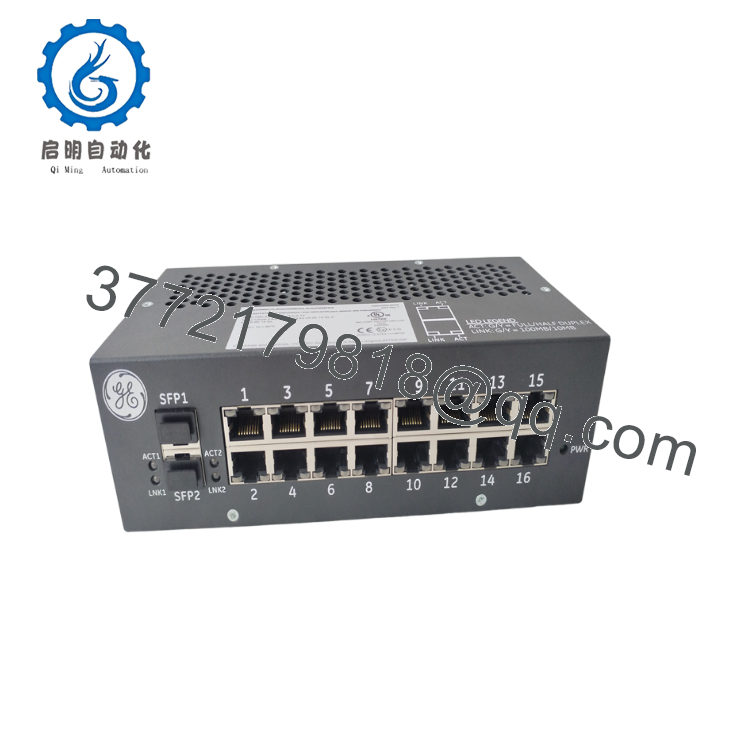
- IS420ESWAH3A
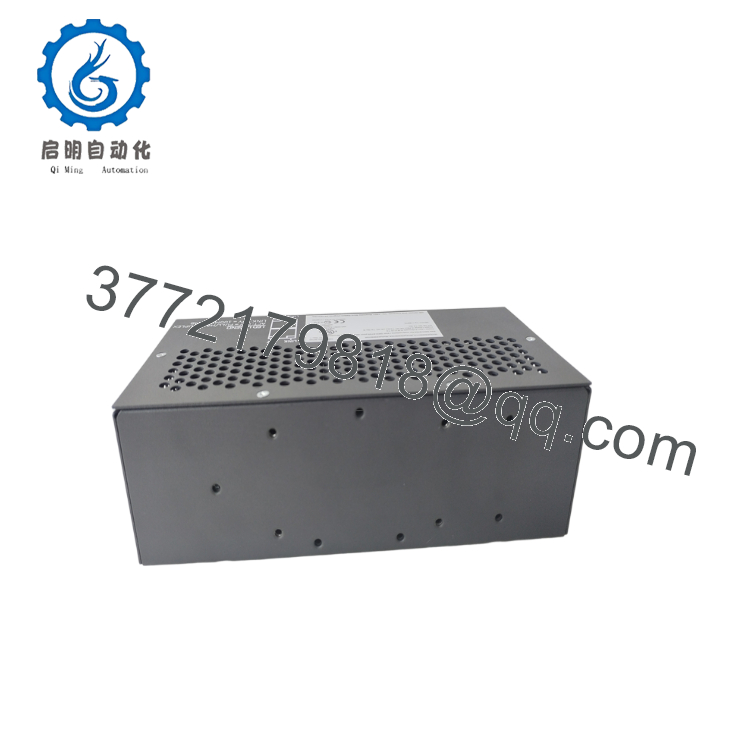
- IS420ESWAH3A
5. Installation & Configuration Guide
Stage 1 – Pre-Installation Preparation (10–15 Minutes)
⚠️ Safety First
- Notify plant operations of the planned network maintenance.
- Place the turbine or process in an approved maintenance condition.
- Apply Lockout/Tagout (LOTO).
- Remove control cabinet power.
- Wait at least 5 minutes before handling network equipment.
Tools Required
- ESD wrist strap
- PH1 screwdriver
- Fluke 115 digital multimeter
- CAT5e cable tester
- Wire labels
- Smartphone for connector photographs
- Laptop with ToolboxST
Data Backup
Before removing the switch:
- Record the existing network topology.
- Photograph every Ethernet connection.
- Document port assignments.
- Record controller IP addresses.
- Save the ToolboxST project.
- Label every Ethernet cable.
Stage 2 – Removing the Existing Switch (10 Minutes)
- Verify cabinet power is OFF.
- Label every RJ-45 cable.
- Disconnect network cables one at a time.
- Remove both redundant DC power connectors.
- Release the DIN rail clip.
- Remove the switch without stressing the connectors.
Inspect:
- RJ-45 connectors
- DIN rail clip
- Power terminals
- Cabinet grounding
⚠️ Keep the original switch until the replacement completes network validation.
Stage 3 – Installing the New Switch (15 Minutes)
- Wear a grounded ESD wrist strap.
- Verify:
GE IS420ESWAH3A
- Confirm that the replacement is the H3A (no fiber) version.
- Install the switch on the DIN rail.
- Connect both redundant 24/28 VDC power supplies.
- Reconnect Ethernet cables according to the recorded port assignments.
Installation Checklist
- Correct model verified
- H3A variant confirmed
- Dual power connected
- Ethernet ports matched
- DIN rail clip locked
Stage 4 – Power-On & Testing (20–30 Minutes)
Pre-Power Inspection
- Verify 24 VDC input voltage.
- Confirm cabinet grounding.
- Inspect RJ-45 connectors.
- Check cable routing.
Startup Procedure
- Apply control power.
- Verify the Power LED.
- Confirm Link/Activity LEDs illuminate on active ports.
- Open ToolboxST.
- Verify communication with controllers and I/O Packs.
- Check for network alarms.
- Confirm normal IONet traffic.
⚠️ Troubleshooting Note
- No Power LED: Verify redundant DC inputs and polarity.
- No Link LED: Test the Ethernet cable and confirm the connected device is powered.
- Communication Timeout: Verify that every cable is connected to the original port assignment before investigating controller faults.
SOP Quality Verification
1. Inbound Inspection & Traceability
Each IS420ESWAH3A should undergo:
- OEM label verification
- Serial number recording
- Supply-chain traceability review
- Anti-counterfeit inspection
- PCB and connector inspection
Visual inspection confirms:
- No corrosion
- No damaged RJ-45 connectors
- No PCB repair marks
- No discoloration
- No mechanical damage
2. Live Functional Testing
Testing should be completed on a genuine GE Mark VIe test network.
Testing includes:
- Power-on verification
- LED diagnostics
- Eight-port Ethernet communication
- Network throughput verification
- Redundant power switching test
- Continuous operation exceeding 24 hours
- Thermal monitoring
A formal test report should be generated.
Test photographs and videos should be available upon request.
3. Electrical Parameter Testing
Verification includes:
- 500 V insulation resistance test (>10 MΩ where applicable)
- Ground continuity check
- Dual power input verification
- Current consumption measurement
4. Firmware & Configuration Verification
Although the switch is unmanaged, document:
- Hardware revision
- Serial number
- Network topology
- Port assignment
- ToolboxST project revision
Maintain photographs of all cable locations before shipment.
5. Final QC & Packaging
Final preparation includes:
- QC inspector approval
- Anti-static ESD packaging
- Protective foam inserts
- Heavy-duty corrugated carton
- QC Passed label with inspection date
Technical Pitfalls & Survival Guide
❗ Ordering the Wrong ESWA Variant
This is one of the easiest mistakes to make.
The IS420ESWAH3A has no fiber ports. H1A, H2A, H4A, and H5A models include different fiber configurations. Installing the wrong version may require redesigning part of the IONet network.
❗ Port Mapping Errors
I’ve seen technicians reconnect eight identical Ethernet cables by memory.
The switch powered normally, but the controller reported multiple IONet communication alarms because two cables had been swapped.
Label every cable before removal.
❗ Redundant Power Wiring
The switch accepts two independent 24/28 VDC inputs.
Verify both supplies are connected. A system may appear healthy until one power source fails, revealing that the redundant input was never wired correctly.
❗ Network Hardware Substitution
Avoid replacing this switch with a standard commercial Ethernet switch.
The ESWA family is specified for GE Mark VIe IONet applications, including industrial environmental ratings, deterministic behavior, and redundant power capability.
❗ Electrostatic Discharge (ESD)
Although this is a network switch, the PCB contains sensitive industrial Ethernet components.
Always:
- Wear a grounded wrist strap.
- Handle the unit by the enclosure.
- Install it on an ESD-safe workbench.
Keep these checks in mind and you’ll save yourself 90% of the typical troubleshooting time associated with IONet switch replacement.
6. Frequently Asked Questions (FAQ)
Q1. What is the GE IS420ESWAH3A used for?
The IS420ESWAH3A is an unmanaged industrial Ethernet switch used in GE Mark VIe and Mark VIeS control systems. It connects controllers, I/O Packs, HMIs, and other IONet devices through eight 10/100Base-TX copper Ethernet ports.
Q2. Does the IS420ESWAH3A include fiber-optic ports?
No.
The H3A version is the copper-only model and provides eight RJ-45 Ethernet ports with no fiber interfaces.
Q3. Can I replace it with a commercial unmanaged Ethernet switch?
Not recommended.
While a commercial switch may establish basic Ethernet communication, it is not qualified for GE Mark VIe IONet applications. Verify replacement hardware against the OEM specifications before installation.
Q4. Is the switch hot-swappable?
No.
Power down the control cabinet before replacing the switch. Disconnecting the network under power can interrupt controller communications and generate IONet alarms.
Q5. Why are there two power input connectors?
The switch supports dual redundant 24/28 VDC power supplies. The inputs are diode-OR’d so that operation continues if one power source fails.
Q6. Why is aftermarket pricing usually lower than OEM pricing?
Many units originate from surplus inventories, modernization projects, or unused spare-part stock. Before purchasing, request:
- Serial number verification
- Hardware revision photographs
- Functional test report
- Burn-in test results
- Warranty details
Q7. What documentation should I request before shipment?
For critical turbine applications, request:
- Serial number verification
- Hardware revision confirmation
- Eight-port communication test report
- Redundant power input verification
- 24-hour burn-in record
- ESD packaging confirmation
- QC inspection report
These records reduce commissioning risk and simplify replacement planning for GE Mark VIe and Mark VIeS control networks.



