
 WhatsApp: +86 16626708626
 Email:
  Phone: +86 16626708626
Description
Key Technical Specifications
- Manufacturer: General Electric (GE Energy)
- Part Number: IS420UCSBH4A
- Module Type: UCSB standalone controller
- Primary Platforms: Mark VIe, Mark VIeS, EX2100e, LS2100e
- Processor: Intel EP80579, commonly specified at 1066 MHz
- Operating System: QNX Neutrino real-time operating system
- Memory: Published third-party specifications vary; verify installed RAM and flash capacity from the unit label or test report
- Network Interface: Mark VIe IONet
- Control Architecture: Simplex, dual, and TMR configurations, subject to system design and firmware compatibility
- Input Power: Verify the exact cabinet power interface and wiring against GE documentation before energizing
- Operating Temperature: Commonly listed as approximately −30 to +65 °C or −40 to +70 °C; confirm the applicable GEH-6721 environmental rating
- Mounting: Panel-mounted controller assembly
- Reference Documentation: GEH-6721 and applicable Mark VIe/Mark VIeS controller manuals
- Firmware and ControlST Compatibility: Must be matched to the existing controller, application, and ControlST release
Published reseller data for this part contains conflicting processor, memory, temperature, dimensions, and power figures. Treat those values as unverified until confirmed against the physical unit, GE documentation, and the seller’s test report.
Product Introduction
The GE IS420UCSBH4A is a UCSB standalone controller for GE Mark VIe and related EX2100e or LS2100e control systems. It executes application-specific control logic and communicates with Mark VIe I/O through the dedicated IONet interface. The controller uses a QNX Neutrino real-time operating system and an Intel EP80579 processor configuration.
This part is selected when a plant needs a like-for-like replacement for an installed IS420UCSBH4A controller, including simplex or redundant control architectures. Do not substitute by catalog number alone: firmware revision, controller role, ControlST compatibility, cabinet wiring, and system configuration must match the existing installation.
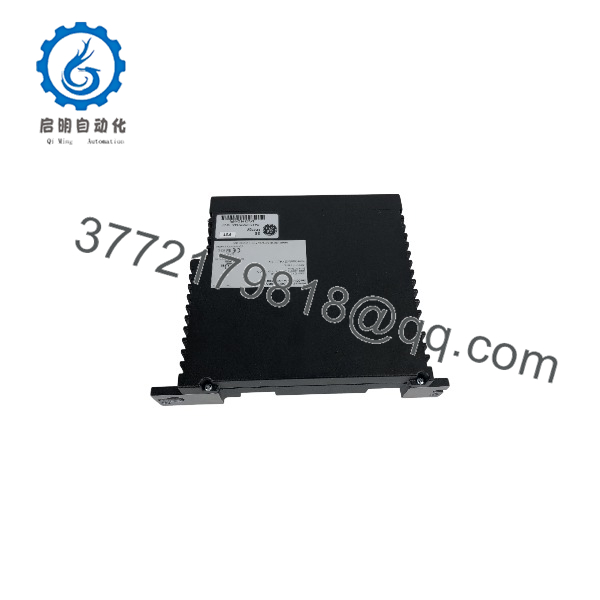
IS420UCSBH4A
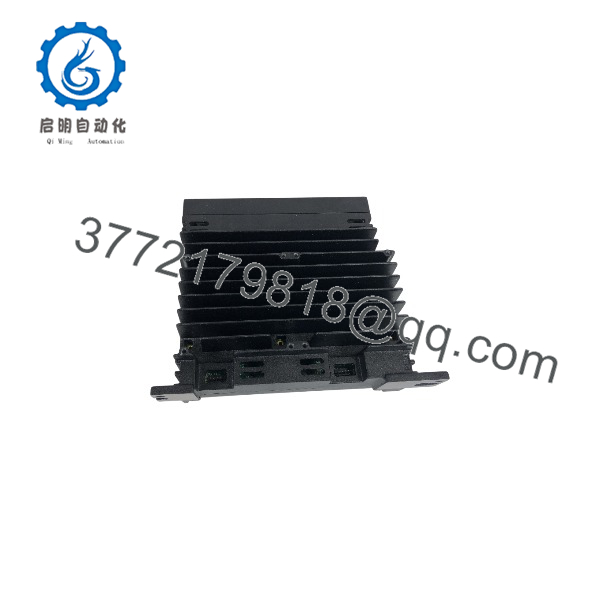
IS420UCSBH4A
Troubleshooting Quick Reference
| Symptom | Possible Cause | Relevance to This Part | Quick Check Method | Recommendation |
|---|---|---|---|---|
| No controller LEDs after power-up | Missing cabinet power, blown fuse, loose terminal, or failed controller | ⚠️ Medium | Measure the specified DC supply directly at the controller input terminals and check cabinet fuses | Verify power and polarity before condemning the UCSB controller |
| Controller fails to boot | Firmware, flash, processor, or memory fault | ✅ High | Record the complete LED sequence and review controller diagnostics through the approved GE service tool | Replace only after confirming correct input power and configuration |
| IONet communication timeout | Fiber or Ethernet path fault, incorrect network configuration, or controller failure | ⚠️ Medium | Check link/activity indicators, cable seating, network switch status, and IONet diagnostics | Test the network path and adjacent I/O before replacing the controller |
| Controller appears online but application will not run | Wrong firmware, missing configuration, invalid application image, or role mismatch | ✅ High | Compare controller identity, firmware revision, application version, and assigned controller role | Load only an approved image; do not assume a factory-default unit is plug-and-play |
| Redundant pair will not synchronize | Mismatched firmware, configuration, controller identity, or redundancy wiring | ✅ High | Compare both controller revisions, diagnostic logs, network connections, and redundancy status | Match hardware, firmware, application, and controller role before replacement |
| ControlST cannot connect | Engineering workstation network issue, wrong IP settings, firewall, or controller fault | ⚠️ Medium | Ping the configured address, verify the correct service network, and review ControlST connection settings | Isolate the workstation and network path before replacing hardware |
| Intermittent resets or watchdog events | DC voltage sag, cabinet temperature, grounding, memory fault, or processor fault | ⚠️ Medium | Monitor supply voltage during load changes, inspect grounding, and review event logs | Correct power and environmental problems first; replace the controller if logs follow the unit |
| I/O points are unavailable | I/O pack, terminal board, IONet, or application configuration problem | ❌ Low to medium | Check I/O pack LEDs, network status, terminal-board wiring, and channel diagnostics | Do not replace the UCSB controller solely because field I/O is inactive |
| Controller reports a configuration mismatch | Replacement has different firmware, identity, role, or stored application data | ✅ High | Compare the original controller’s identification data and configuration backup with the replacement | Preserve configuration records and obtain GE-approved replacement procedures |
| Physical damage, corrosion, or contamination | Storage or cabinet-environment damage | ✅ High | Inspect connectors, PCB surfaces, fasteners, labels, and enclosure for corrosion or rework marks | Reject questionable stock and request high-resolution photos before purchase |
Replacement warning: Record the original firmware, controller role, IP settings, application image, and switch or jumper positions before removal. In redundant Mark VIe work, replacing the hardware without matching the controller identity and software environment can create extended communication or synchronization downtime.
For unresolved faults, provide technical support with clear photos of the nameplate and revision marking, LED status, cabinet voltage readings, controller diagnostics, ControlST logs, and the installed system configuration.
Frequently Asked Questions (FAQ)
Is the GE IS420UCSBH4A a Mark VIe I/O module?
No. The IS420UCSBH4A is a UCSB controller, not a PDIO, PDIA, PTUR, or other Mark VIe I/O pack. It runs the control application and communicates with Mark VIe I/O through IONet.
Is IS420UCSBH4A a direct replacement for every UCSB controller?
No. Physical similarity does not guarantee compatibility. Verify the exact part number, hardware revision, controller role, firmware, ControlST release, application configuration, redundancy arrangement, and IONet design before ordering. Some sources identify compatibility with the UCSCH2A, but that does not eliminate the need for project-specific verification.
Can I hot-swap the ?
Do not assume hot-swapping is permitted. Follow the applicable GE Mark VIe or Mark VIeS procedure for the installed cabinet and architecture, and obtain the required shutdown or redundancy clearance before removal. Disconnecting a controller without confirming the redundancy state can interrupt control or create a synchronization fault.
Will the control program remain in the replacement controller?
Not necessarily. A replacement controller may require the approved application image, firmware, network settings, controller identity, and role configuration. Back up the existing system and document the installed controller before removal. A factory-sealed unit is not automatically configured for your plant.
Is this part obsolete?
The belongs to a legacy Mark VIe controller family, and market availability depends heavily on revision and condition. Sellers list new, unused, tested surplus, and rebuilt units under the same base part number. Request photos of the actual unit, revision marking, serial label, and test report before placing a purchase order.
Why can this controller cost less than a factory replacement?
Independent suppliers may sell unused surplus, recovered inventory, or refurbished original equipment rather than a current OEM supply-channel unit. Price alone does not establish condition. Confirm whether the unit is New Original, New Surplus, or Refurbished (tested), and obtain the warranty period, test scope, serial number, and return terms in writing.
What should the supplier test before shipment?
A credible test report should identify the exact unit and document visual inspection, power-up behavior, LED status, processor boot sequence, IONet communication, firmware revision, configuration or switch positions, and extended powered operation. If the supplier claims full functional testing, ask for the test-rack details, photos, and diagnostic results. Do not accept generic claims that do not identify the tested serial number.



