
 WhatsApp: +86 16626708626
 Email:
  Phone: +86 16626708626
Description
Key Technical Specifications
- Model: VMIPCI-5565-332-855565-110
- Brand: GE Fanuc / GE
- Product family: VMIPCI-5565 Reflective Memory Interface
- Interface: PCI 64-bit, 66 MHz
- Memory: 64 MB or 128 MB SDRAM
- Network type: Fiber-optic reflective memory
- Node capacity: Up to 256 nodes
- Transfer rate: 43 MB/s to 174 MB/s, depending on packet size
- Packet size: 4 to 64 bytes
- Fiber distance: Multimode up to 300 m, single-mode up to 10 km
- Power requirement: +3.3 VDC, 1.5 A max
- Operating temperature: 0 to +65 C with forced air cooling

- VMIPCI-5565-332-855565-110
Product Introduction
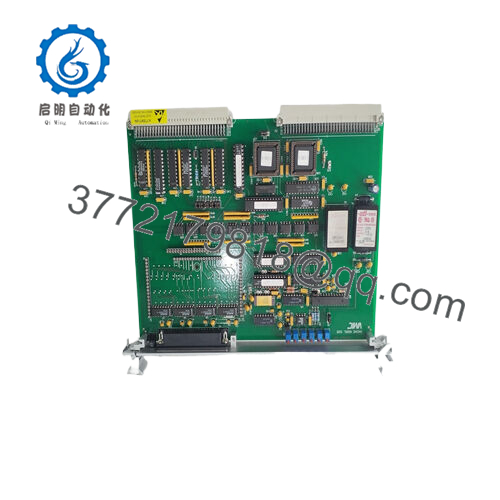
GE VMIPCI-5565-332-855565-110 is a PCI reflective memory interface card used to share real-time data across distributed control and test systems. It is common in legacy automation, simulation, and high-speed synchronization applications where low-latency node-to-node data exchange matters.
This board supports fiber-optic networking, 64 MB or 128 MB SDRAM, and up to 256 nodes. For replacement work, verify memory size, node count, fiber type, and bus compatibility before installation. In mixed-vintage systems, the wrong revision or cable setup can stop communications even when the card powers up normally.
Troubleshooting Quick Reference
| Symptom | Possible Cause | Relevance to this Part | Quick Check Method | Recommendation |
|---|---|---|---|---|
| Card not detected by host PC | PCI slot issue, wrong BIOS setting, or bad card seating | ✅ High | Reseat card, check BIOS PCI settings, confirm slot voltage and lane status | Verify host side first before replacing the board |
| No network sync across nodes | Fiber break, incorrect ring topology, or failed transceiver link | ✅ High | Inspect fiber ends, confirm link LEDs, loop test the ring, check continuity | Check cabling and topology before blaming the card |
| Data mismatch between nodes | Addressing or configuration mismatch | ✅ High | Confirm node settings and software configuration on all stations | Recheck system setup and node mapping |
| Intermittent comms loss | Dirty fiber connector, loose card, or marginal power | ✅ High | Clean connectors, reseat the card, measure +3.3 V at the slot | Inspect power and fiber path before replacement |
| Host sees card but application fails | Driver or software incompatibility | ✅ Medium | Check driver version, OS support, and application logs | Confirm software stack compatibility |
| Overheating during operation | Poor chassis airflow or failed cooling | ✅ Medium | Measure chassis temperature and verify forced air cooling | Improve airflow and check rack cooling |
| No LEDs at power-up | No +3.3 V at PCI slot or failed board | ✅ High | Measure slot power with a meter and test in another known-good chassis | If voltage is present, the card is likely faulty |
If you are stuck, send technical support photos of the card, the fiber routing, and the software or diagnostic logs.
Frequently Asked Questions
Q: Is this card still supported?
A: It is a legacy product and commonly sold as new surplus or tested stock. Abaco notes the PCI-5565 is not recommended for new designs, so buyers usually need it for existing systems rather than greenfield builds.
Q: Can I use it as a direct replacement for every VMIPCI-5565 board?
A: Not automatically. You need to match memory size, bus requirements, node count, and the exact system configuration. Verify the OEM part number and software environment before ordering.
Q: Is it hot-swappable?
A: No. Shut the system down before removal or installation. Pulling a PCI card live can damage the board, the slot, or the host system.
Q: Will my old configuration transfer to the new card?
A: Usually yes at the application level, but you still need to confirm node settings, fiber ring layout, and driver compatibility. Do not assume a replacement card will inherit the exact behavior without checks.
Q: Why is this cheaper than factory new stock?
A: Because this is typically surplus inventory, not fresh factory production. That usually lowers cost, but you should still ask for test status, cosmetic condition, and warranty terms.
Q: What should I verify before installing it?
A: Check PCI compatibility, +3.3 V supply availability, fiber connector condition, node numbering, and whether your software supports the 5565 family. One wrong assumption can cost a shift.



