
 WhatsApp: +86 16626708626
 Email:
  Phone: +86 16626708626
Description
- Key Technical Specifications
| Parameter | Specification |
| Manufacturer | GESAS GmbH |
| Model / Part Number | CAN-DCM |
| Operating Voltage | 9 V DC to 32 V DC (24 V DC nominal) |
| Current Range | 0.5 A to 2 A |
| Response Time | < 50 ms |
| Communication Protocols | CAN 2.0A / CAN 2.0B, RS-232, optional USB |
| Signal Processing | Digital signal amplification, filtering, and PWM output control |
| Protection Features | Overvoltage, undervoltage, and reverse polarity power protection |
| Operating Temperature | −40 °C to +85 °C |
| Housing / Protection | Compact aluminum alloy casing / IP20 enclosure mount |
| Status Indication | Front diagnostic LED status flags (Power, CAN Activity, Fault) |
- Product Introduction & Supply Chain Strategy
The GESAS CAN-DCM is an industrial digital control and signal processing module designed for mobile machinery, marine steering, and process automation systems. It conditions input signals, provides precise digital amplification, and manages communication across CAN 2.0A/2.0B networks.
Sourcing this module as New Surplus secures plant reliability while maintaining strict inventory carrying costs. Relying on used or refurbished control cards in mission-critical lines creates severe exposure to unpredicted downtime and component failure. Acquiring factory-fresh surplus guarantees OEM insulation integrity and trace stability, reducing your Total Cost of Ownership without paying full vendor list prices.
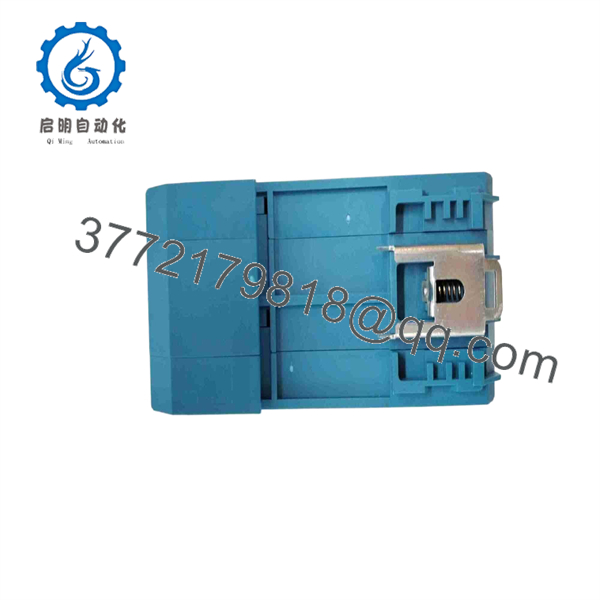
CAN-DCM
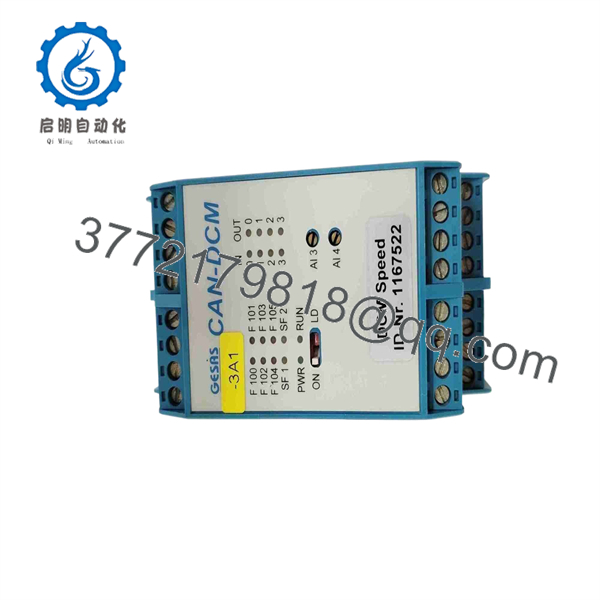
CAN-DCM
- Installation & Configuration Guide
1.Stage 1: Pre-Installation Setup & Safety Protocols:Preparation.
Perform lock-out/tag-out (LOTO) on the primary 24 V DC power bus supplying the control panel. Strap on a grounded ESD wrist band prior to unpacking the card. Document all terminal pinouts, CAN termination jumpers, and hardware DIP switch configurations on the existing unit using detailed photographs.
2.Stage 2: Safe Hardware Removal:Extraction.
Unscrew the mounting hardware on the cabinet rail or enclosure. Disconnect the removable screw terminal blocks and RS-232/CAN interface connectors without tugging on the individual wires. Carefully lift the card clear of adjacent hardware to prevent physical shock.
3.Stage 3: Hardware Cloning & Mechanical Seating:Matching.
Set the DIP switches and jumpers on the new GESAS CAN-DCM to match the original unit’s node address, baud rate, and termination settings. Align the card with the mounting surface or DIN track and secure all fasteners firmly to maintain ground continuity.
4.Stage 4: Power-On Verification & Testing:Commissioning.
Inspect the 24 V DC power leads for reverse polarity or short circuits prior to energizing. Turn on the power supply and observe the diagnostic LEDs: verify a solid green Power indication and rapid pulse activity on the CAN communication channels without red Fault warnings.
- Firmware/Software Versions & Upgrade Notes
- Recommended Firmware Base: Standard production release supporting CAN 2.0B frame handling.
- Protocol Compatibility: Ensure that node ID configurations and bit-rate timing parameters match existing bus master expectations (e.g., 250 kbps or 500 kbps standard CAN networks).
- Upgrade Caution: Do not interrupt power or disconnect communication cables during firmware updates via CAN or serial ports. Always back up existing node parameters before swapping hardware.
- Frequently Asked Questions (FAQ)
Is this GESAS CAN-DCM unit guaranteed to be brand new surplus?
Yes. This module is 100% New Surplus inventory sourced from unallocated OEM spare stock. It has zero operating hours and has never been installed in an active industrial line.
Why should I choose New Surplus over a cheaper refurbished card?
Refurbished industrial cards often contain aged capacitors and thermal micro-cracks that hide behind clean physical exteriors. A failure on a critical control module can cause tens of thousands of dollars in unplanned downtime. Buying New Surplus guarantees OEM performance and long service life.
Do I need specialized software to configure this module during a swap?
If you are performing a direct replacement, basic parameters such as node ID and bus speed are typically matched using physical jumpers or onboard DIP switches. Parameter backups can be loaded via standard CAN interface tools if custom gain or filter profiles are required.
What protective measures are built into the hardware?
The GESAS CAN-DCM features integrated overvoltage, undervoltage, and reverse polarity protection on the DC power inputs to prevent field damage during electrical surges.
What warranty coverage is included with this purchase?
Every GESAS CAN-DCM module comes with a 12-month replacement warranty starting from the date of shipment.



