
 WhatsApp: +86 16626708626
 Email:
  Phone: +86 16626708626
Description
Key Technical Specifications
| Parameter | Value |
|---|---|
| Product Type | Central Processing Module (CPU) |
| Brand | HARLAND SIMON |
| Series | H4893 |
| Supply Voltage | 24 VDC (typical for HARLAND SIMON PLC systems) |
| Communication | Backplane-based I/O scanning |
| Mounting | DIN rail or chassis backplane |
| Condition | New Original / New Surplus |
| Warranty | 1years |
Product Introduction & Supply Chain Strategy
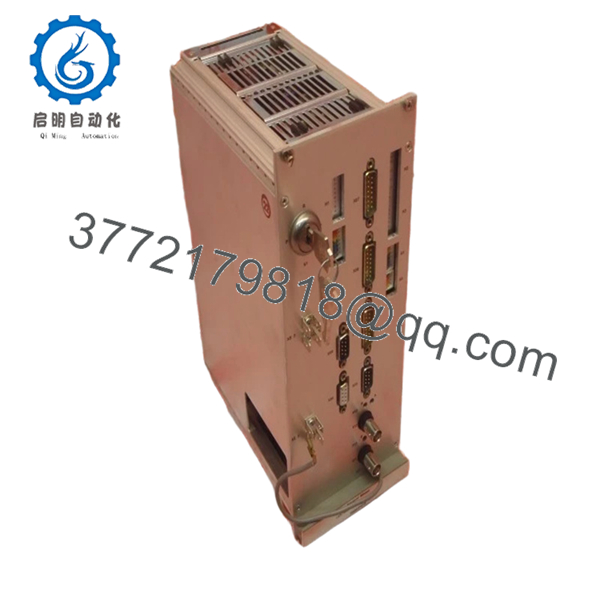
The HARLAND SIMON H4893P4018 is a central processing module that serves as the brain of HARLAND SIMON PLC-based automation systems. This CPU executes logic, scans I/O, manages communications, and coordinates control functions in industrial applications including packaging lines, material handling, conveyor systems, and process control skids.
Buying this CPU as New Surplus delivers strategic supply chain value. OEM lead times have stretched to 8-10 weeks . Refurbished units carry unacceptable risk: degraded processors, corrupted firmware, or hidden logic faults that only surface during production. A single CPU failure on a critical line costs 10,000-100,000 per hour in downtime. Our new surplus stock eliminates that gamble. For plants running legacy H4893 systems, we recommend strategic hoarding of 1-2 spare CPUs before HARLAND SIMON announces end-of-life (EOL). Total cost of ownership (TCO) favors new surplus over refurbished by a factor of 10:1 when unplanned downtime is factored in.
Installation & Configuration Guide
Stage 1: Pre-Installation (Prep & Safety)
- Lock out and tag out (LOTO) the entire control panel. Verify 24 VDC bus is de-energized with a multimeter.
- Tools: ESD wrist strap grounded to rack, small flathead screwdriver (for removal levers), camera.
- Document the existing CPU position in the rack (slot number). HARLAND SIMON backplanes are slot-sensitive.
- Take a photo of all DIP switches (if present) and any configuration jumpers on the old module.
- Photograph wiring to any front-accessible terminals.
Stage 2: Removal
- Release the module retention levers (top and bottom) simultaneously.
- Pull the module straight out of the backplane. Do NOT rock side-to-side – this bends backplane pins.
- Inspect the old module for bent pins on the backplane connector. Do not install a new CPU into a damaged backplane.
Stage 3: Installation (Clone & Seat)
- Set any DIP switches or jumpers to exactly match the removed module. Node address, baud rate, and watchdog settings must be identical.
- Align the H4893P4018 with the backplane guide rails.
- Push firmly and evenly until both retention levers click into the locked position.
- Do not force. If resistance is felt, remove and check pin alignment.
Stage 4: Power-On & Testing
- Re-energize the 24 VDC bus.
- Observe the power-up sequence: typically a self-test LED pattern (all LEDs flash, then settle).
- Check status LEDs:
- RUN LED: Solid or blinking green = CPU executing logic.
- ERR LED: Off = no faults. Solid or blinking red = fault condition.
- COMM LED: Activity indicates backplane I/O communication.
- Connect programming software (if available). Verify the CPU matches the expected firmware version.
- Download the application program if the CPU does not retain logic.

- H4893P4018
Firmware/Software Versions & Upgrade Notes
Critical Warning: Firmware mismatch is the #1 cause of post-replacement failures.
- Document firmware before removal: Record the firmware version from the old module (label or software readout).
- Check compatibility: A replacement H4893P4018 may ship with newer firmware than your existing system.
- Do NOT assume backward compatibility: Newer firmware may introduce protocol timing changes that break legacy I/O or third-party modules.
- Action plan:
- Compare old and new firmware versions.
- If mismatched, consult OEM documentation for compatibility.
- Downgrading firmware is rarely possible. Upgrade the entire system if required, but plan downtime accordingly.
No firmware? Some HARLAND SIMON CPU models store logic in separate memory modules. If the H4893P4018 lacks onboard non-volatile memory, the application program must be reloaded after replacement.
Frequently Asked Questions (FAQ)
Q: Why is this cheaper than OEM new but higher than refurbished units?
A: OEM sells at full list price. We sell new surplus from authorized overstock channels – same factory-sealed product, no dealer markup. Refurbished units are pulled from decommissioned plants, have unknown operating hours, and often hide degraded components. A 500 savings on a refurbished CPU becomes a 50,000 loss when it fails mid-shift.
Q: Are these really new? They look identical to used units online.
A: New original. Factory-sealed anti-static packaging. Zero hours on the processor. OEM packing slips available upon request. We never sell pulls, refurbished, or repaired inventory. Period.
Q: Is the H4893P4018 obsolete or end-of-life?
A: Not officially declared, but HARLAND SIMON has not issued a lifetime buy notice. Lead times from Kempston Controls show “Available for Back Order” with extended delivery -1. We recommend treating this as EOL-sensitive – strategic hoarding of 1-2 units per critical cell is prudent.
Q: Will the new CPU retain my program after replacement?
A: Depends on the memory architecture. Some H4893 CPUs store logic in onboard non-volatile memory. Others require a separate memory module or program reload from software. Assume you will need to re-download the program. Backup your logic before starting the replacement.
Q: Can I hot-swap this CPU while the rack is powered?
A: No. Hot-swapping a CPU can corrupt backplane communications and damage the module. Always de-energize the 24 VDC bus. Total downtime for safe replacement: 20-30 minutes including program reload.
Q: What is your warranty?
A: 2 years from invoice date. Covers manufacturing defects – failed components, non-functional ports, dead processor. Does not cover damage from ESD, incorrect installation, reverse polarity, or overvoltage conditions.
Q: Do you provide test reports?
A: Yes. Every H4893P4018 ships with a QC Test Report including: power-on self-test pass, communication handshake with backplane, LED function verification, and firmware version documentation. Signed and dated by the testing technician.
Q: Can your team help me find alternatives if this is unavailable?
A: Yes. Kempston Controls notes that their technical team can help identify alternatives. Contact our sales desk for cross-reference support or HARLAND SIMON replacement recommendations.



