
 WhatsApp: +86 16626708626
 Email:
  Phone: +86 16626708626
Description
3. Key Technical Specifications
| Parameter | Specification / Value |
| Manufacturer | Helmholz GmbH |
| Part Number | 700-600-CAN01 |
| Module Designation | CAN 300 Communication Module |
| Rack Compatibility | Siemens SIMATIC S7-300 / VIPA System 300V |
| Supported Protocols | CANopen (Master/Slave), CAN Layer 2, SAE J1939 (via firmware) |
| Fieldbus Baud Rate | 10 kbit/s up to 1 Mbit/s (Software Configurable) |
| Bus Interface Port | 9-pin Sub-D male connector (ISO 11898) |
| Current Consumption | Approx. 160 mA from backplane bus |
| Operating Temperature | 0°C to +60°C (+32°F to +140°F) |
| Mounting Style | Direct S7-300 DIN Rail Backplane Mount |
| Packaging | Sealed Anti-Static Shielding Box |
4. Product Introduction & Supply Chain Strategy
This product is a Brand New Surplus unit. It is not used, not pulled from a decommissioned plant, and not refurbished. All modules undergo rigorous quality verification to ensure OEM-level reliability. The Helmholz 700-600-CAN01 (CAN 300) module serves as a bridge between Siemens S7-300 PLC systems and CAN bus/CANopen networks, enabling communication with drives, sensors, and remote I/O nodes.
Securing this module as New Surplus provides vital insurance against unexpected automation network downtime. When a fieldbus interface fails, entire production lines can grind to a halt due to loss of drive or sensor communications. Lead times for specialized communication processors can stretch into weeks. Refurbished communication cards often suffer from degraded transceiver chips, oxidized backplane bus pins, and cracked solder joints from panel vibration. Purchasing genuine New Surplus guarantees factory signal integrity, full bus isolation, and lower Total Cost of Ownership (TCO).
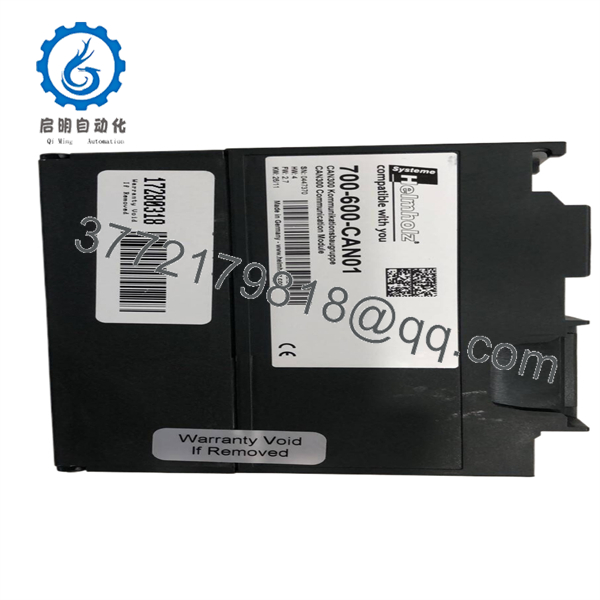
700-600-CAN01
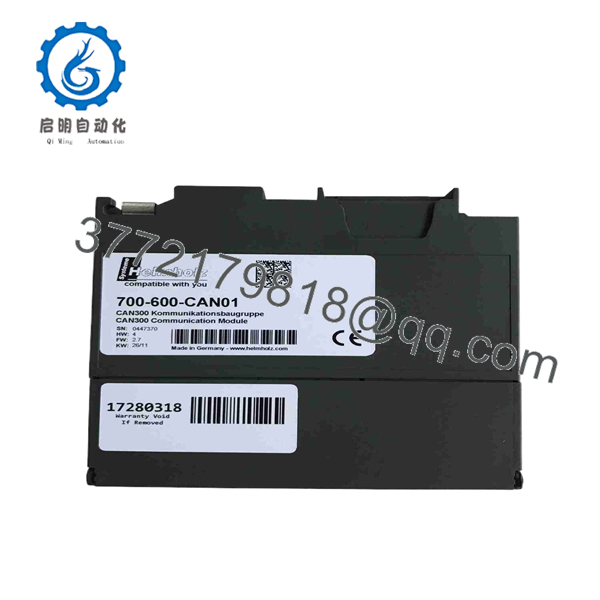
700-600-CAN01
5. Installation & Configuration Guide
Stage 1: Pre-Installation (Prep & Safety)
- Disconnect CPU and rack power supplies; enforce Lock-Out/Tag-Out (LOTO) protocols.
- Put on a grounded ESD wrist strap before handling the card or opening the front door flap.
- Review the module’s node address DIP switches or software setup via the CAN driver tool.
Stage 2: Removal
- Unplug the 9-pin Sub-D CAN bus connector from the front panel.
- Loosen the top panel retaining screw securing the module to the S7 DIN rail.
- Tilt the module slightly forward and lift it off the backplane bus connector.
Stage 3: Installation (Clone & Seat)
- Ensure the bus connector bus-connector jumper is properly seated on the backplane rail.
- Hook the bottom of the replacement 700-600-CAN01 onto the DIN rail, push back until it engages the bus connector, and tighten the top retaining screw.
- Plug the 9-pin Sub-D CAN bus cable firmly into the front connector port and tighten the thumbscrews.
Stage 4: Power-On & Testing
- Re-energize the PLC rack power supply; monitor LED indicators during startup.
- Confirm the SF (System Fault) LED turns off and the RUN/CAN LED illuminates solid Green.
- Open Step 7 or TIA Portal software to verify that the CPU reads data blocks from the CAN 300 module without bus fault alarms.
1.Pre-Installation & Setup:Safety & DIP setup.
Isolate 24 VDC rack power using LOTO protocols. Put on an ESD wrist strap and verify required node address configuration before installation.
2.Module Removal:Sub-D extraction.
Unplug the 9-pin CAN cable. Loosen the top mounting screw and pivot the module off the S7 backplane rail.
3.Hardware Installation:Backplane seating & cable lock.
Seat the replacement 700-600-CAN01 onto the backplane connector, tighten the top screw, and secure the 9-pin CAN bus connector.
4.Validation & Operational Test:LED check & PLC diagnostic.
Power up the rack. Confirm healthy RUN LED status and verify CANopen communication in your PLC programming software.
6. Firmware/Software Versions & Upgrade Notes
- PLC Integration: Integrates into Siemens STEP 7 (V5.x) or TIA Portal using supplied Helmholz GSD files and function blocks (FB/FC).
- Baud Rate Matching: All nodes on the CAN bus network must operate at the exact same baud rate; mismatched baud rates will trigger bus-off error states on the module.
- Termination Warning: Ensure a 120-ohm termination resistor is enabled at both physical ends of the CAN bus network. Missing termination resistors cause signal reflection errors and packet drops.
7. Frequently Asked Questions (FAQ)
Q: Is the Helmholz 700-600-CAN01 module brand new or refurbished?
A: This unit is 100% Genuine New Surplus. It has never been deployed in an active control system, features pristine backplane contacts, and ships in anti-static packaging.
Q: Why choose New Surplus over a refurbished communication card?
A: Refurbished communication modules often have heat-stressed CAN transceiver ICs and intermittent backplane connectors. In high-speed industrial fieldbuses, a degraded transceiver introduces transient bus errors that stop machines. New Surplus guarantees original physical and electrical reliability.
Q: Can this module be installed directly into a Siemens S7-300 rack?
A: Yes. The 700-600-CAN01 is designed to fit directly into standard Siemens S7-300 DIN rails and connect via standard S7 backplane bus connectors.
Q: Does this module support CANopen Master functionality?
A: Yes. Depending on the loaded firmware and block configuration, it functions as a CANopen Master or CANopen Slave on the fieldbus.
Q: What warranty coverage applies to this module?
A: We back this Helmholz 700-600- module with a comprehensive 1-year replacement warranty, delivering total operational confidence compared to standard short-term used surplus terms.



