
 WhatsApp: +86 16626708626
 Email:
  Phone: +86 16626708626
Description
Key Technical Specifications
- Connectivity: VPN + WAN, integrated analog modem for dial-up backup connectivity
- PLC Interface: PROFIBUS/MPI, direct connection to S7-MPI/PROFIBUS devices with driver included
- Serial Interface: RS232/RS485, Serial-over-IP for incorporating serial devices into remote maintenance
- Protocol Support: RFC1006 (ISO on TCP), MPI, PROFIBUS, Modbus TCP/RTU, Allen-Bradley
- Security: Integrated firewall, secure OpenVPN remote access via the myREX24 V2 portal
- Remote Maintenance Features: Visualization, WEB2go, alarm and PLC data logging via myREX24 V2 portal
- Included Accessories: Telephone cable, Ethernet cable, Quick Start Guide
- Weight: 2.20 lbs
- Manufacturer Status: Discontinued — confirmed on Helmholz’s own site, with REX200 and REX250 as the current replacement models
Product Introduction
The Helmholz 700-872-MDM02 is a REX 300 series industrial router built for secure remote maintenance of PLCs and machine networks, combining an Ethernet WAN connection with an integrated analog modem for dial-up backup and PROFIBUS/MPI connectivity for direct PLC access. It routes remote maintenance traffic through Helmholz’s myREX24 V2 portal using OpenVPN, with an integrated firewall limiting access to authenticated users only.
Machine builders and integrators picked the REX 300 because it combined VPN remote access, analog fallback, and native PROFIBUS/MPI support in one DIN-rail unit — useful in sites where a reliable broadband WAN connection couldn’t be guaranteed. Helmholz has since discontinued the line in favor of the REX200 and REX250, so this unit is now a stock-clearance and legacy-support item rather than current production.
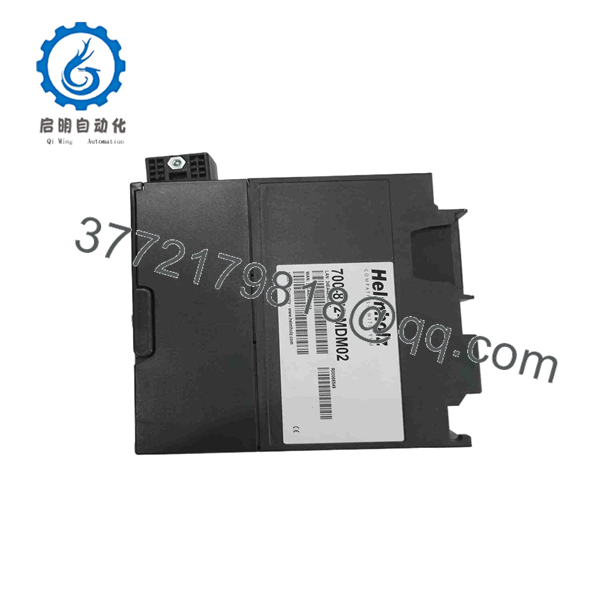
700-872-MDM02
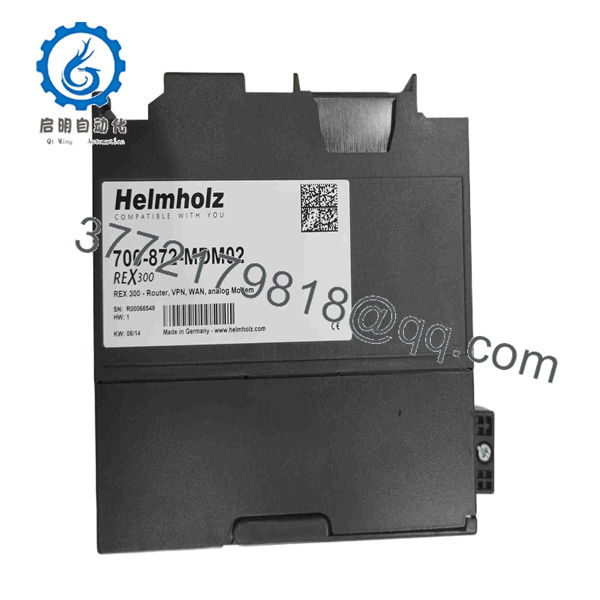
700-872-MDM02
Troubleshooting Quick Reference
| Symptom | Possible Cause | Relevance to this Part | Quick Check Method | Recommendation |
|---|---|---|---|---|
| No power/link LED at all | Power supply fault or bad DC input wiring | ✅ High | Measure input voltage at the terminal block with a multimeter | Confirm power source before assuming router failure |
| VPN connects but PLC data access fails | Wrong protocol driver selected, or PROFIBUS/MPI wiring fault | ✅ High | Check the configured protocol (MPI, PROFIBUS, Modbus TCP/RTU) against your actual PLC connection | Verify protocol configuration before replacing hardware |
| Analog modem won’t establish a backup connection | Bad telephone line wiring or line-quality issue | ❌ Low | Test the phone line with a standard analog phone | Rule out the phone line itself before blaming the modem |
| Ethernet link works, VPN tunnel won’t establish | myREX24 portal account or firewall/NAT configuration issue upstream | ❌ Low | Confirm portal account status and check for blocked outbound VPN ports on the site firewall | Almost always a network/account configuration issue, not the router itself |
| Serial-over-IP device unreachable | RS232/RS485 wiring or serial port configuration mismatch | ❌ Moderate | Verify serial port settings (baud rate, parity) match the connected device | Check serial configuration before assuming router hardware fault |
If the issue persists, contact technical support with your router’s firmware version, the exact protocol/driver configuration in use, and whether the fault is on the LAN, PROFIBUS/MPI, or VPN side of the connection.
Frequently Asked Questions (FAQ)
Is this still supported since it’s discontinued?
Helmholz confirms this model is no longer available, with the REX200 and REX250 as the current successor products. Firmware and technical support for REX 300 units may be limited going forward — factor that into your decision if this is going into a long-term installation.
Can I use this as a drop-in replacement if my REX 300 fails?
Yes, for a like-for-like swap on an existing REX 300 installation this is the correct part. If you’re planning ahead for future support, evaluate the REX200/REX250 successor line instead, since new units in that family will have longer support runways.
What’s the analog modem actually for if I have Ethernet?
It’s a WAN backup path. If your primary Ethernet/broadband WAN connection drops, the integrated analog modem can maintain a dial-up remote maintenance connection — useful for sites where broadband reliability isn’t guaranteed, not a replacement for your primary connection.
Does this work with non-Siemens PLCs?
Yes — beyond native S7-MPI/PROFIBUS support, it includes protocol drivers for Modbus TCP/RTU and Allen-Bradley, so it’s not locked to Siemens-only environments. Confirm your specific PLC protocol is covered before assuming compatibility.
Is remote access through myREX24 required, or can I configure it standalone?
The full feature set — visualization, WEB2go, alarm/data logging — is designed around the myREX24 V2 portal. Confirm what your specific application needs before assuming standalone VPN configuration covers everything the portal-based setup does.
Why is this cheaper through resellers than list price?
Since Helmholz discontinued the line, resellers are clearing remaining stock rather than selling current factory production. Confirm you’re getting a new, unused unit if that’s what’s represented — stock clearance inventory age can matter for firmware currency.
What’s the most common setup mistake with this router?
Assuming the analog modem or Ethernet WAN just works without configuring the myREX24 portal account first. Most of this unit’s remote-access functionality depends on that portal relationship — set that up before troubleshooting what looks like a hardware fault.



