
 WhatsApp: +86 16626708626
 Email:
  Phone: +86 16626708626
Description
Key Technical Specifications
- Manufacturer: HIMA Paul Hildebrandt GmbH
- Model Number: F3 DIO 208 02
- Product Type: Digital Input/Output Safety Module
- System Platform: HIMatrix Safety Controller Family
- Application: Safety automation, emergency shutdown systems, machine protection systems
- Signal Processing: Safety-related digital input and output monitoring
- Communication: HIMatrix internal system communication
- Input Type: Digital safety inputs
- Output Type: Digital safety outputs
- Installation: HIMatrix controller/rack mounting architecture
- Safety Standard Reference: IEC 61508-based safety system applications
- Configuration: HIMA engineering software environment
- Operating Conditions: Industrial control cabinet environment; verify exact temperature and environmental ratings from OEM documentation
Product Introduction
The HIMA F3 DIO 208 02 is a digital input/output safety module designed for HIMatrix safety PLC systems. It processes safety-related field signals from devices such as emergency stops, limit switches, interlocks, and actuator control circuits in industrial automation applications.
The module provides configurable digital I/O handling for safety functions where diagnostic coverage, reliable signal evaluation, and integration with HIMA controllers are required. Before replacement, verify hardware revision, firmware compatibility, and existing safety application configuration.
Installation & Configuration Guide
Stage 1: Pre-Installation Preparation (Approx. 15 minutes)
⚠️ Safety First:
Notify operations before intervention. Place the process in a safe condition, isolate the power supply, apply lockout/tagout procedures, and confirm stored energy has been discharged.
Tools Required:
- ESD wrist strap
- PH1 screwdriver
- Multimeter
- Wire labels
- Smartphone/camera for wiring records
Data Backup:
- Save the current HIMatrix safety application configuration.
- Record controller type, module position, and hardware identification.
- Photograph terminal wiring and LED status indicators.
- Document connected field devices and safety circuits.
Stage 2: Removing the Old Module (Approx. 10 minutes)
Steps:
- Verify the system is safely shut down.
- Confirm power isolation with a multimeter.
- Label every field wire before removal.
- Disconnect terminal wiring carefully.
- Release the module locking mechanism.
- Remove the existing F3 DIO 208 02 module.
- Inspect connectors and mounting points for contamination or damage.
⚠️ Note:
Do not discard the removed module until the replacement has completed functional testing and safety validation.
Stage 3: Installing the New Module (Approx. 15 minutes)
Steps:
- Confirm the replacement part number is exactly HIMA F3 DIO 208 02.
- Inspect the module housing, connectors, and identification label.
- Install the module into the correct HIMatrix position.
- Secure the mounting mechanism.
- Reconnect all field wiring according to the original documentation.
- Verify input/output channel assignments.
Configuration Clone (Critical):
- Compare the replacement configuration with the original project file.
- Verify digital input assignments.
- Confirm output logic mapping.
- Check diagnostic parameters.
- Confirm safety-related function allocation.
Self-Checklist:
- Correct module installed
- Wiring matches original records
- Channel assignments verified
- Module securely mounted
- Configuration restored
Stage 4: Power-On & Testing (Approx. 20 minutes)
Pre-Power Check:
- Verify supply voltage.
- Check field wiring polarity.
- Confirm no short circuits exist.
Power-On Steps:
- Energize the HIMatrix system.
- Check module LEDs and diagnostic indicators.
- Confirm communication with the safety controller.
- Test digital input response.
- Verify output switching behavior.
- Perform safety function validation according to site procedures.
⚠️ Troubleshooting Note:
If the module remains in fault status, check module identification, firmware compatibility, configuration download status, wiring errors, and safety controller diagnostics.
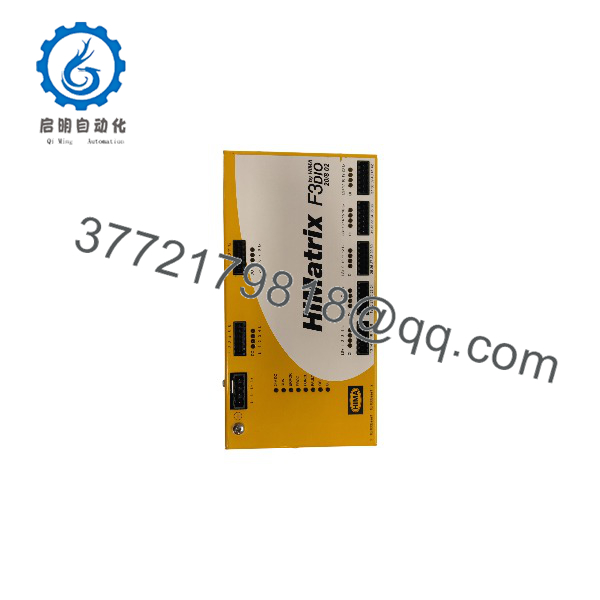
F3 DIO 208 02
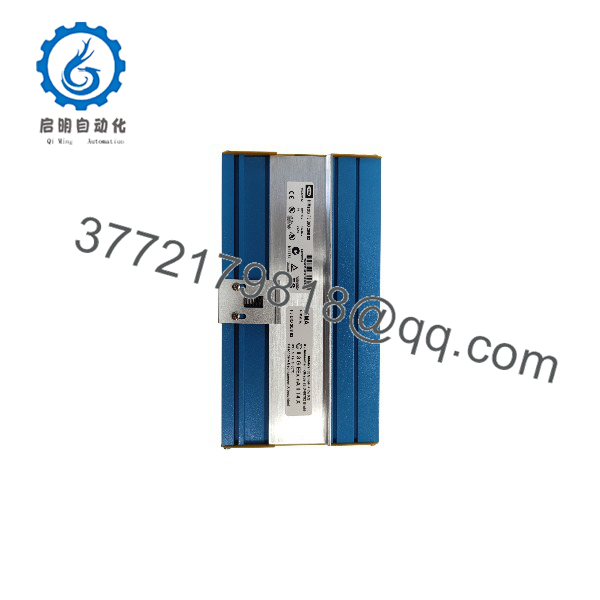
F3 DIO 208 02
Frequently Asked Questions (FAQ)
Q1: Can the HIMA F3 DIO 208 02 be hot-swapped?
No. Safety I/O modules should be replaced only after controlled shutdown and power isolation. Removing a safety module under power may interrupt safety functions and generate controller faults.
Q2: Is the HIMA F3 DIO 208 02 obsolete?
The lifecycle status depends on HIMA product availability and installed system generation. HIMatrix F3 series modules remain installed in many industrial safety systems. Confirm current availability before planning long-term maintenance strategies.
Q3: Will replacing this module erase the safety program?
No, the safety application is stored in the controller configuration rather than the I/O module itself. However, incorrect hardware replacement or configuration mismatch can prevent the system from entering RUN status.
Q4: What should I verify before ordering an F3 DIO 208 02?
Confirm:
- Exact model number: HIMA F3 DIO 208 02
- HIMatrix controller compatibility
- Hardware revision
- Firmware compatibility
- Digital I/O channel requirements
- Existing safety application configuration
Q5: What is the difference between F3 DIO and F3 AIO modules?
The F3 DIO 208 02 handles digital signals such as ON/OFF states from switches, sensors, and actuators. The F3 AIO series processes analog signals requiring measured values such as voltage or current levels.
Q6: Why are industrial buyers still sourcing HIMA F3 modules?
Many safety systems have long operating lifecycles. Plants often maintain existing HIMatrix installations because replacing a certified safety architecture requires engineering review, validation, testing, and controlled downtime.
Q7: What documents should be requested when purchasing a replacement module?
For safety-critical applications, request:
- Module photos
- Serial number information
- Condition declaration
- Functional test report (if available)
- Packaging and storage details
- Firmware information
These records help maintenance teams verify compatibility before installation.



