
 WhatsApp: +86 16626708626
 Email:
  Phone: +86 16626708626
Description
Key Technical Specifications
| Parameter | Value |
| Manufacturer | HIMA Paul Hildebrandt GmbH |
| Part Number | 982200309 (F30 03 SILWORX 209) |
| Safety Certification | SIL 3 (IEC 61508), SILCL 3 (IEC 62061), PL e / Cat 4 (EN ISO 13849-1) |
| Programming Environment | SILWorX (Engineered specifically for SILWorX software suite) |
| Digital Inputs | 20 channels (24 VDC, galvanically isolated in groups) |
| Digital Outputs | 8 channels (24 VDC, 0.5 A per channel, short-circuit proof) |
| Pulsed Test Outputs | 2 channels for line monitoring / cross-circuit detection |
| Operating Voltage | 24 VDC (−15% / +20%), 2 A max requirement |
| Communication Protocols | safeethernet, Ethernet IP, Modbus TCP (master/slave) |
| Response Time | ≤ 10 ms (depending on configured logic cycle time) |
| Mounting Format | Standard 35 mm DIN Rail / Wall Mount |
| Operating Temperature | 0 °C to +60 °C (32 °F to 140 °F) |
Product Introduction & Supply Chain Strategy
The HIMA F30 03 SILWORX 209 is a standalone, compact safety controller within the HIMatrix architecture, engineered to manage critical Safety Instrumented Functions (SIF) such as emergency shutdown (ESD), burner management systems (BMS), and turbomachinery control. Operating within the SILWorX programming platform, it combines 20 fail-safe digital inputs and 8 digital outputs with dual-channel safeethernet networking, enabling fast safety response loops in distributed process environments.
Maintaining a New Surplus unit on-site is a vital risk-mitigation strategy for facilities operating under IEC 61511 compliance standards. Refurbished safety modules present unquantifiable risks; internal component degradation in aging relays or logic buses can trigger false trips or, worse, blind fail-to-danger states during a plant emergency. Purchasing New Surplus guarantees factory-grade hardware health, unblemished isolation barriers, and original manufacturing integrity—eliminating the severe financial liabilities associated with unplanned process shutdowns.
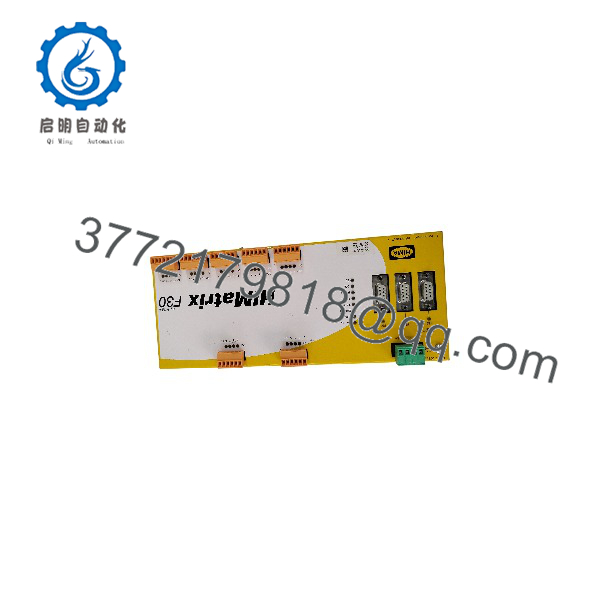
F30 03 SILWORX 209
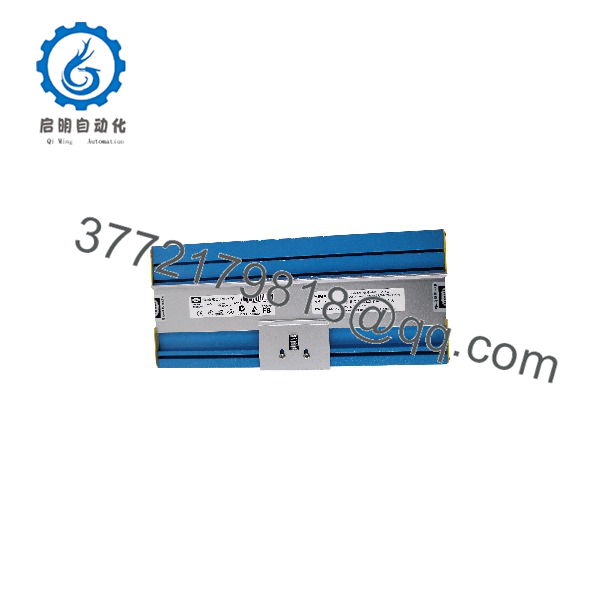
F30 03 SILWORX 209
Installation & Configuration Guide
1.Stage 1: Pre-Installation (Prep & Safety):Prerequisite & Safety.
Execute complete Lock-Out/Tag-Out (LOTO) on cabinet power supplies and field instrument loops. Attach a grounded ESD wrist strap before handling the replacement module. Document and photograph all existing field terminal wiring and network connections to preserve physical pinout topology.
2.Stage 2: Module Extraction:Hardware Unseating.
Disconnect the removable terminal blocks and RJ45 safeethernet connectors from the faulty F30 03 module. Release the DIN-rail locking catch located at the bottom rear of the enclosure using a flathead screwdriver, then lift the controller upward and away from the mounting rail to avoid mechanical stress on adjacent cabling.
3.Stage 3: Physical Installation:Mechanical Mounting.
Snap the New Surplus F30 03 SILWORX 209 unit firmly onto the 35 mm DIN rail until the spring latch fully engages. Reconnect field wiring blocks, verifying that wire insulation is intact and screw terminals are torqued to manufacturer specification (0.5 Nm). Reinsert safeethernet network cables into designated ports.
4.Stage 4: Power-On & Field Commissioning:Logic Verification.
Apply 24 VDC auxiliary power to the unit. Observe the front-panel status LEDs: verify the RUN indicator stabilizes and no fatal ERR or STOP lights persist. Connect your engineering station running SILWorX, load the verified safety application project, and execute a CRC/checksum comparison between the online controller and offline backup before releasing the system for operational bypass clearance.
Firmware/Software Versions & Upgrade Notes
- Software Suite Dependency: This specific variant (“SILWORX 209”) is tailored for integration within the SILWorX engineering tool chain. It is not compatible with legacy ELOP II software projects without a complete software migration and project recompilation.
- OS & Firmware Compatibility: Ensure the system operating system loaded on the controller matches the firmware library definition in your active SILWorX project (e.g., OS release 6.x or higher depending on compiled project parameters).
- Firmware Mismatch Warning: Attempting to download a safety application from SILWorX compiled for a different OS build will fail the pre-download safety handshake. Always check the system version via SILWorX online diagnostics before executing a project load.
- Safety Checksum (CRC): Any hardware replacement requires a formal verification of the application safety CRC code to ensure safety functions maintain certified SIL 3 integrity.
Frequently Asked Questions (FAQ)
What is the exact difference between a SILWorX F30 03 variant and an ELOP II variant?
The hardware base of the F30 03 is designed to support specific system software architectures. The SILWORX 209 variant contains system firmware specifically structured to communicate with HIMA SILWorX engineering software. An ELOP II variant utilizes a different internal OS structure and cannot directly host projects generated in SILWorX without an OS flash/migration process.
Why should we buy New Surplus instead of sending a failed module out for repair?
Safety controllers handle critical life-safety and environmental protections. Refurbished or repaired safety cards carry high latent risk: uncertified component swaps can alter loop response times, void TÜV certification, or lead to unpredicted diagnostic faults during a process surge. A New Surplus unit provides uncompromised factory reliability and maintains your plant’s SIL 3 compliance profile.
Does the HIMA F30 03 SILWORX 209 support hot-swapping under power?
No. Main power and field supply power to the module terminal blocks must be disconnected prior to removing or installing the controller. Swapping the card under power can trigger electrical transients, damage internal input multiplexers, or cause unexpected trip signals on connected field devices.
How is the node address set on the F30 03 safety controller?
Node addressing for the safeethernet interface on the F30 03 is configured electronically via the SILWorX programming interface during initialization or set using DIP switches on the unit, depending on system revision settings. Always verify the physical switch settings or network IP configurations on the existing unit prior to powering up the new hardware.
Will replacing this unit require a re-certification of our Safety Instrumented System (SIS)?
Replacing a failed module with an identical New Surplus part number (F30 03 SILWORX 209) is classified as a “repair in kind.” It does not require a full system re-certification, provided you download the exact certified SILWorX application project, verify the safety CRC checksum, and complete a standard loop functional test per your plant’s Management of Change (MOC) procedures.
What warranty and QC documentation comes with this module?
All New Surplus units are supplied with a comprehensive quality verification report covering physical pin inspection, voltage tolerance checks, and ESD-safe packaging protection. Units are backed by a 1-year replacement warranty.



