
 WhatsApp: +86 16626708626
 Email:
  Phone: +86 16626708626
Description
Key Technical Specifications
| Parameter | Value |
|---|---|
| Manufacturer | HIMA Paul Hildebrandt GmbH |
| Model | F6217 |
| Product Type | Safety-related analog input module |
| System Compatibility | HIMA HIQuad H41q / H51q |
| Number of Channels | 8 analog input channels |
| Input Signal Type | 0/4–20 mA current input, 0–5/10 V voltage input |
| Input Voltage Range | 0–5.5 V measurement range |
| Maximum Input Voltage | 7.5 V |
| Input Current Range | 0–22 mA via 250 Ω shunt resistor |
| Maximum Input Current | 30 mA |
| Resolution | 12-bit (0–4095 counts) |
| Measurement Update Time | 50 ms |
| Safety Time | <450 ms |
| Input Resistance | 100 kΩ |
| Input Filter Time Constant | Approximately 10 ms |
| Basic Error | 0.1% at 25 °C |
| Operating Error | 0.3% at 0–60 °C |
| Safety Error Limit | 1% |
| Electrical Isolation | 200 V against GND |
| Power Consumption | 5 VDC: 80 mA; 24 VDC: 50 mA |
| Module Width | 4 TE |
| Safety Standard | IEC 61508 SIL 3 / AK6 tested |
Product Introduction
The HIMA F6217 is an 8-channel safety-related analog input module designed for HIQuad H41q and H51q safety systems. It receives process signals from transmitters, including 0/4–20 mA current loops and 0–5/10 V voltage signals, then converts them through a 12-bit A/D converter for safety application processing.
The module is used in Safety Instrumented Systems (SIS) for applications such as pressure, temperature, flow, and level monitoring. It includes safety isolation and internal diagnostic functions. Replacement requires verification of channel configuration, signal range, rack compatibility, and safety application parameters before commissioning.
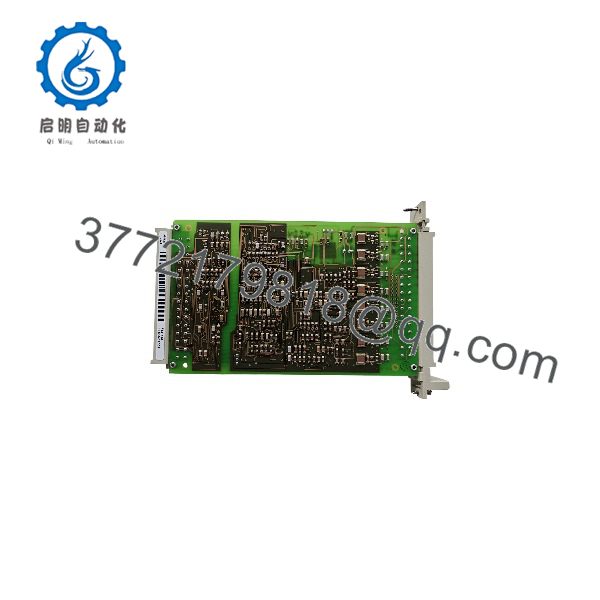
F6217
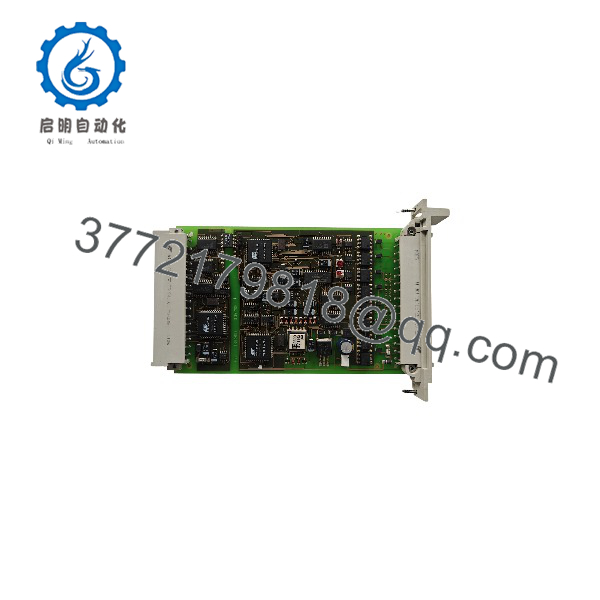
F6217
Installation & Configuration Guide
Stage 1: Pre-Installation Preparation (Approx. 15 minutes)
⚠️ Safety First
- Notify plant operations before replacing the safety analog input module.
- Confirm the process is transferred to a safe operating condition.
- Apply lockout/tagout procedures to the HIMA cabinet power source.
- Wait at least 5 minutes for stored electrical energy discharge.
- Verify zero voltage before touching terminals.
Tools Required
- ESD wrist strap
- PH1 screwdriver
- Digital multimeter
- Wire labels
- Smartphone for wiring photos
- HIMA engineering workstation with ELOP II Factory
Data Backup
Before removal:
- Save the current HIMA safety application configuration.
- Record:
- Rack number
- Slot position
- Module order code
- Hardware revision
- Photograph:
- Analog input wiring
- Terminal connections
- Cable shielding
- LED status
- Document:
- Channel assignments
- Signal ranges
- Engineering scaling values
Stage 2: Removing the Old Module (Approx. 10 minutes)
- Remove cabinet covers if required.
- Label each analog input wire.
- Disconnect field wiring carefully.
- Release module retaining screws.
- Pull the F6217 straight out from the rack.
- Inspect:
- Backplane connector pins
- Rack contacts
- Terminal blocks
- Signs of contamination
⚠️ Note: Keep the original F6217 until the replacement has completed signal verification. The old module provides a reliable reference for wiring and configuration.
Stage 3: Installing the New Module (Approx. 15 minutes)
- Wear an ESD strap before handling the replacement module.
- Verify:
- Model: HIMA F6217
- System: HIQuad H41q/H51q
- Function: 8-channel safety analog input
⚠️ Configuration Clone — Critical Step
- Replicate the original configuration:
- Channel assignment
- 4–20 mA or voltage input selection
- Scaling parameters
- Alarm limits
- Diagnostic settings
- Insert the module into the correct rack slot.
- Ensure the module is fully seated.
- Tighten retaining screws.
- Reconnect field wiring.
Self-Checklist
- Correct F6217 model verified
- Rack slot confirmed
- Signal range matched
- Shield wiring checked
- Terminal connections secured
Stage 4: Power-On & Testing (Approx. 20 minutes)
Pre-Power Check
- Verify 24 VDC system supply.
- Check analog loop continuity.
- Confirm transmitter output range.
- Verify no wiring shorts exist.
Power-On Steps
- Energize the HIMA rack.
- Check module LED status.
- Connect engineering software.
- Verify:
- Module recognition
- Diagnostic status
- Channel health
- Safety controller communication
- Apply calibrated input signals.
- Confirm displayed values match expected engineering units.
⚠️ Troubleshooting Note
- Incorrect analog values: Check transmitter scaling and 250 Ω current shunt configuration.
- Channel fault: Check wire break, short circuit, and input range settings.
- Module communication error: Verify rack position and hardware revision compatibility.
Frequently Asked Questions (FAQ)
Can the HIMA be hot-swapped under power?
Do not assume live replacement is permitted. The replacement procedure depends on the HIMA rack design and approved maintenance practices. For normal maintenance, isolate power before removing the module to avoid affecting the safety system.
What is the main function of the HIMA ?
The is an 8-channel safety analog input module. It measures 0/4–20 mA and 0–5/10 V field signals and transfers safety-related measurement values into the HIMA controller system.
Is the HIMA obsolete?
The belongs to the legacy HIMA HIQuad safety system family. Availability depends on remaining industrial inventory. Many process plants continue maintaining H41q and H51q systems because a complete SIS migration requires engineering validation and planned shutdown time.
Can the replace other HIMA analog input modules?
Not automatically. HIMA analog modules differ by channel count, input type, safety certification, and system compatibility. Confirm the approved spare list and engineering configuration before replacement.
Will replacing the erase the safety program?
No. The safety application is stored in the HIMA controller configuration, not inside the analog input module. However, the replacement module must match the configured hardware structure before operation.
Why is the available at different prices?
Legacy safety modules are commonly sourced from New Original stock, New Surplus inventory, or tested refurbished channels. Price differences usually relate to condition, availability, inspection records, and warranty terms.
What should I verify before ordering an HIMA ?
Check:
- HIMA platform: H41q / H51q
- Exact model:
- Analog input type
- Channel quantity
- Hardware revision
- Existing configuration database
A module with a similar appearance may not provide the same safety function.
How should a surplus be tested before installation?
A professional inspection process should include:
- OEM label and serial number verification.
- Visual inspection for corrosion and connector damage.
- Installation on a compatible HIMA rack.
- Power-up and diagnostic verification.
- Analog signal simulation across channels.
- Generation of a functional test report.
Test records and inspection photos should be retained for safety lifecycle documentation.



