
 WhatsApp: +86 16626708626
 Email:
  Phone: +86 16626708626
Description
Key Technical Specifications
| Parameter | Value |
|---|---|
| Manufacturer | HIMA Paul Hildebrandt GmbH |
| Model | F8621A |
| Product Type | Coprocessor module |
| System Compatibility | HIMA PES H41q / H51q |
| Main Processor | HD 64180 microprocessor |
| Processor Clock Frequency | 10 MHz |
| Memory | 384 kbyte static memory (CMOS-RAM and EPROM) |
| RAM Backup | Battery buffered via F7131 monitoring module on H51q |
| Communication Interfaces | 2 × RS485 half-duplex |
| Interface Isolation | Galvanically isolated RS485 channels |
| Communication Processor | Dedicated communication processor |
| Supported Baud Rates | 300, 600, 1,200, 2,400, 4,800, 9,600, 19,200, 57,600 bps |
| Memory Interface | Dual Port RAM for central module communication |
| Operating Voltage | 5 VDC |
| Current Consumption | 360 mA |
| Installation Position | H51q central rack slots CM1 to CM3 |
| Module Width | 4 TE |
| Mounting Type | Plug-in rack module |
| Safety Application | HIMA PES safety automation systems |
| Communication Protocol Support | RS485-based protocols including Modbus applications (application dependent) |
Product Introduction
The HIMA F8621A is a coprocessor module designed for HIMA PES H41q and H51q safety systems. It uses an independent HD 64180 processor to handle communication tasks separately from the main safety controller. The module provides two galvanically isolated RS485 half-duplex interfaces for connection to external devices and supervisory systems.
The F8621A is commonly maintained in legacy HIMA installations where communication functions must remain available without replacing the complete safety platform. Before replacement, engineers should verify firmware compatibility, RS485 configuration, baud rate settings, and interaction with modules such as F8627X or F8628X.
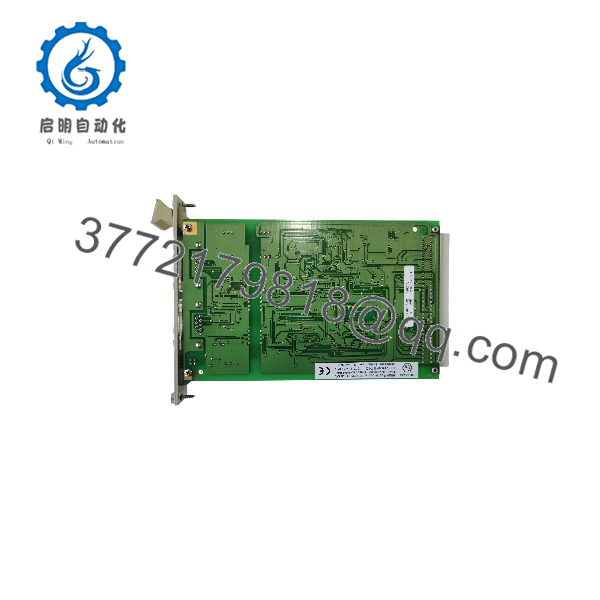
F8621A
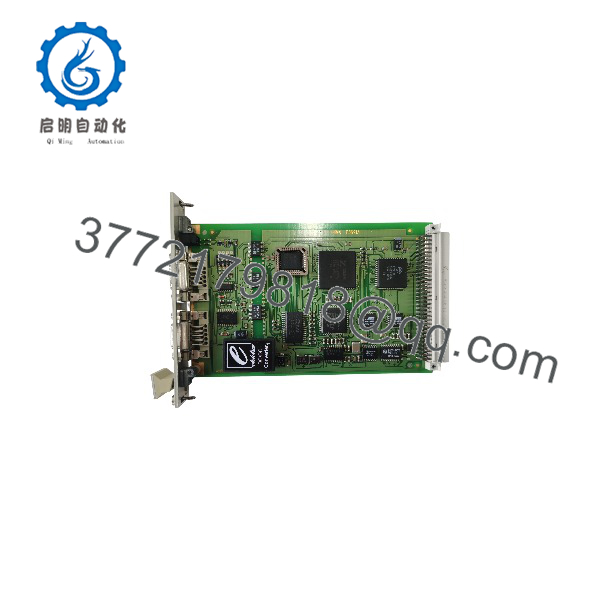
F8621A
Installation & Configuration Guide
Stage 1: Pre-Installation Preparation (Approx. 15 minutes)
⚠️ Safety First
- Notify plant operations before removing the HIMA communication module.
- Confirm the safety system is placed into an approved maintenance condition.
- Apply lockout/tagout procedures to cabinet power.
- Wait at least 5 minutes for stored energy discharge.
- Verify power isolation with a multimeter.
Tools Required
- ESD wrist strap
- PH1 screwdriver
- Digital multimeter
- Wire labels
- Smartphone for photos
- HIMA engineering documentation
Data Backup
Before removal:
- Record the current F8621A position.
- Document:
- Rack number
- Slot location
- Firmware/OS version
- RS485 parameters
- Photograph:
- DIP switch settings
- Communication wiring
- LED status
- Record:
- Baud rate
- Device address
- Connected Modbus or devices
Stage 2: Removing the Old Module (Approx. 10 minutes)
- Remove cabinet covers if required.
- Label communication cables.
- Disconnect communication connectors carefully.
- Release module retaining hardware.
- Pull the F8621A straight from the rack.
Inspect:
- Backplane connector pins
- Rack contacts
- connector condition
- Signs of overheating or contamination
⚠️ Note: Keep the original F8621A until communication testing is complete. Legacy HIMA systems often depend on exact module settings.
Stage 3: Installing the New Module (Approx. 15 minutes)
- Wear an ESD strap before handling the replacement module.
- Verify:
- Model: HIMA
- System: PES H41q/H51q
- Function: Coprocessor communication module
⚠️ Configuration Clone — Critical Step
- Copy the original communication configuration:
- channel assignment
- Baud rate
- Device addressing
- Termination settings
- Protocol parameters
- Insert the module into the correct rack slot.
- Ensure the module seats completely.
- Secure retaining screws.
- Reconnect communication cables.
Self-Checklist
- Correct verified
- Rack slot confirmed
- wiring matched
- Baud rate documented
- Communication parameters restored
Stage 4: Power-On & Testing (Approx. 20 minutes)
Pre-Power Check
- Verify 5 VDC rack supply.
- Check wiring polarity.
- Confirm communication cable shielding.
Power-On Steps
- Energize the HIMA rack.
- Observe module status indicators.
- Connect engineering software.
- Verify:
- Module recognition
- Firmware/OS compatibility
- communication status
- Test communication with connected devices.
- Confirm data exchange with the host system.
⚠️ Troubleshooting Note
- Communication timeout: Check baud rate mismatch first.
- Unstable Modbus communication: Avoid 19.2 kbit/s where applicable; HIMA documentation notes possible interference issues on serial Modbus connections at this rate.
- Communication conflicts: Verify compatibility when using together with Ethernet modules such as F8627X.
Frequently Asked Questions (FAQ)
Can the HIMA be hot-swapped under power?
No. The is a rack-mounted safety system communication module. Removing it under power can interrupt communication services and affect system operation. Follow the approved HIMA maintenance procedure and isolate power before replacement.
What is the main function of the HIMA ?
The works as a coprocessor module. It has its own HD 64180 processor and handles communication processing through two isolated interfaces, reducing communication workload on the main controller.
Is the HIMA obsolete?
The is part of the legacy HIMA H41q/H51q platform. It is no longer a current-generation product, but many operating plants continue maintaining these systems because safety system migration requires engineering review, validation, and planned downtime.
Can the directly replace another HIMA communication module?
Not always. Modules such as F8627X Ethernet communication modules and F8628X Profibus modules provide different interfaces and functions. Confirm the original hardware configuration before replacement.
Will replacing the erase the safety program?
No. The does not store the complete safety application logic. However, communication parameters, firmware compatibility, and system configuration must match the existing installation.
Why is the priced differently from newer communication modules?
Legacy automation modules are typically sourced from remaining OEM inventory, New Surplus stock, or tested refurbished inventory. Price differences depend on condition, testing records, documentation, and availability.
What should I verify before ordering an HIMA ?
Check:
- HIMA platform: PES H41q / H51q
- Exact model:
- Firmware or operating system version
- communication requirements
- Existing communication protocol
- Rack slot compatibility
How should a surplus module be tested before installation?
A proper inspection process should include:
- Verify OEM label and serial number.
- Inspect housing and connectors.
- Test on a genuine HIMA H41q/H51q rack.
- Verify 5 VDC power consumption.
- Confirm communication ports.
- Test communication exchange with a simulation device.
- Generate a functional test report.
Test photos and records should be retained for maintenance traceability.



