
 WhatsApp: +86 16626708626
 Email:
  Phone: +86 16626708626
Description
3. Key Technical Specifications
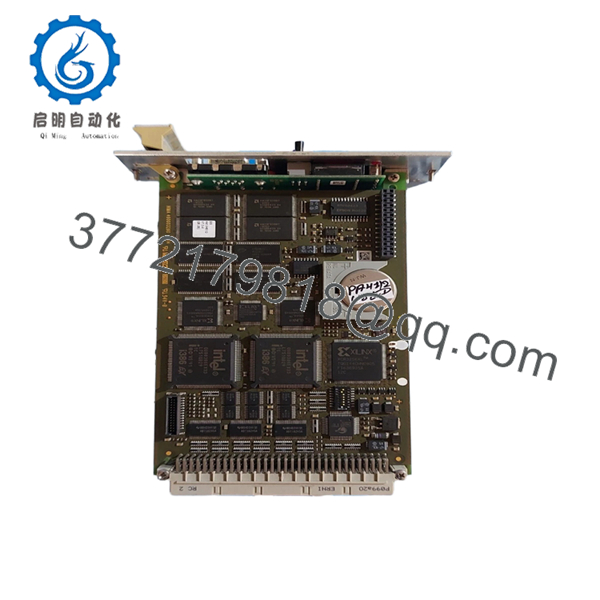
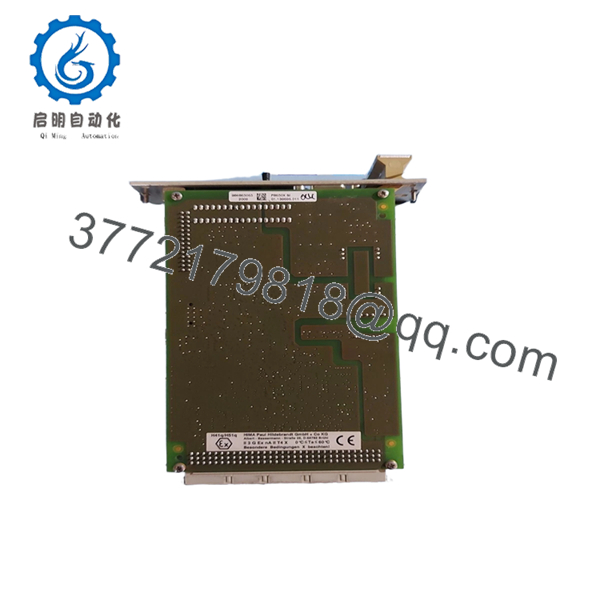
- Model Number: F8650X (984865065)
- Type: Central Module for H51q-MS/HS/HRS
- Processors: 2 x clock-synchronized INTEL 386EX, 32-bit, 25 MHz
- Memory: Operating system Flash-EPROM 1 MB, user program and data memory
- Safety Integrity: SIL 3 / Cat. 4
- Power Supply: 24 VDC
- Interfaces: RS-485, diagnostic display, backup battery
- Operating Temperature: 0 °C to +60 °C
- Mounting: Plug-in central module for H51q subrack
- Features: Self-diagnostics, high availability, buffer battery for data retention
- Battery Life: Up to 1000 days at 25 °C (without power)
4. Product Introduction
The HIMA F8650X is the central processing module for H51q safety systems. It uses dual clock-synchronized microprocessors to execute safety logic with high diagnostic coverage in critical applications.
This CPU provides the core intelligence for safety instrumented systems in power generation, oil & gas, and process industries. It supports redundant configurations and maintains SIL 3 integrity across the safety loop.

- F8650X
- F8650X
5. Installation & Configuration Guide
Stage 1: Pre-Installation Preparation (15–20 minutes) ⚠️ Safety First: Plan downtime with operations, force outputs to safe state, lock out/tag out power, and discharge. Tools Required: ESD strap, screwdriver, multimeter, ELOP II software, battery, labels, camera. Data Backup: Export full safety application, photograph settings, record battery status, and document IP/bus parameters.
Stage 2: Removing the Old Module (10 minutes)
- Remove front cover.
- Disconnect communication cables.
- Release the central module from the subrack.
- Note battery condition and remove if required. ⚠️ Note: Keep the old CPU until the new one runs and the application is fully verified.
Stage 3: Installing the New Module (10–15 minutes)
- Use ESD protection. Verify the module is F8650X.
- Install backup battery if not pre-installed.
- Insert into the central slot and secure.
- Reconnect all cables. Self-Checklist: [ ] Module seated correctly, [ ] Battery installed and connected, [ ] All cables secured.
Stage 4: Power-On & Testing (20–40 minutes) Pre-Power Check: Verify power supply and battery voltage. Power-On Steps:
- Apply power and monitor boot sequence via diagnostic display.
- Connect ELOP II and verify CPU recognition.
- Download the safety application.
- Perform full system diagnostics and I/O tests.
- Validate safety functions in a controlled manner.
⚠️ Troubleshooting Note: Watch for synchronization errors between processors. Battery or firmware issues can cause startup faults. Use HIMA tools for detailed diagnostics.
6. Frequently Asked Questions (FAQ)
Can this CPU module be hot-swapped under power? In redundant H51q configurations, yes, with proper procedures. Single CPU systems require a full shutdown to maintain safety.
Is this model obsolete, and is it genuinely new? The F8650X is a core component for H51q systems and remains actively supported. Units are New Original or New Surplus with full testing and battery checks where applicable.
What is the direct replacement if this is out of stock? Newer HIMA CPU modules may provide upward compatibility. Verify exact match for your H51q rack and application requirements.
Will I lose my safety logic when replacing the CPU? No, provided you download the backed-up application. Always reload and fully validate the safety program after installation.
Why is your price lower than the OEM factory list price? We source tested original and surplus inventory. Modules undergo rigorous inspection, battery verification, and functional testing to ensure performance matches new OEM standards.



