WhatsApp: +86 16626708626
 Email:
 Phone: +86 16626708626
Description
Key Technical Specifications
| Parameter | Value |
| Module Family | MM20 (MICE Modular Switch System) |
| Compatible Mainframes | Hirschmann MS20 / MS30 Managed Switches |
| Transmission Rate | 10/100 Mbps (Fast Ethernet) |
| Port Type & Count | 4 x RJ45 10/100BASE-TX (Z6 designation variant configurations) |
| Installation Type | Hot-swappable plug-in module |
| Operating Temperature | -40 to +70^\circC |
| Relative Humidity | 5\% to 95\% (non-condensing) |
| Housing Protection | IP40 metal enclosure |
| Power Supply | Provided via switch backplane (system bus) |
| Regulatory Compliance | CE, FCC, RoHS, EN 61131-2 (Industrial) |
Product Introduction & Supply Chain Strategy
The Hirschmann MM20-Z6Z6Z6Z6SBH is a specialized industrial Ethernet media module engineered to expand port capabilities within Hirschmann’s modular MS20 and MS30 MICE switch series. It delivers robust copper connectivity for data collection and control networks operating in harsh industrial environments.
Deploying this module as a Brand New Surplus asset prevents plant network vulnerabilities tied to aging communication hardware. Sourcing factory-fresh modules eliminates internal dry joints, capacitor degradation, and intermittent packet loss common in used or repaired network gear, securing predictable Total Cost of Ownership (TCO) and uninterrupted operational uptime.
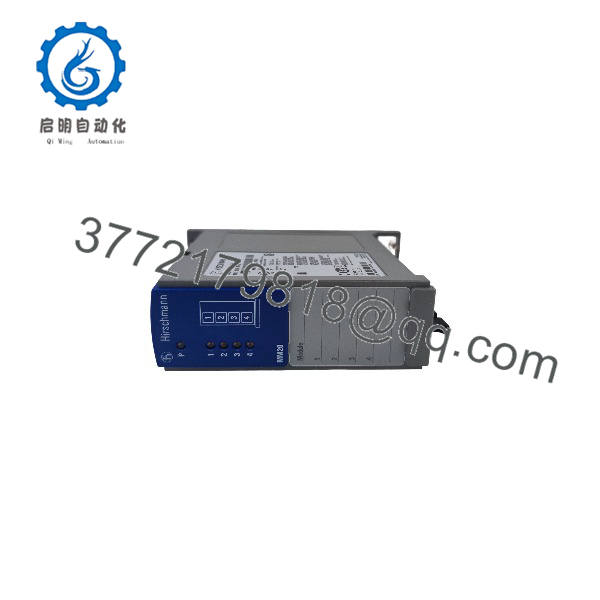
MM20-Z6Z6Z6Z6SBH
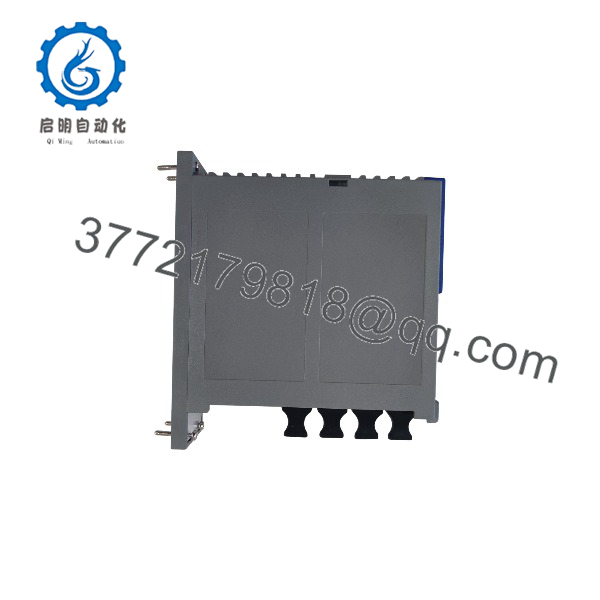
MM20-Z6Z6Z6Z6SBH
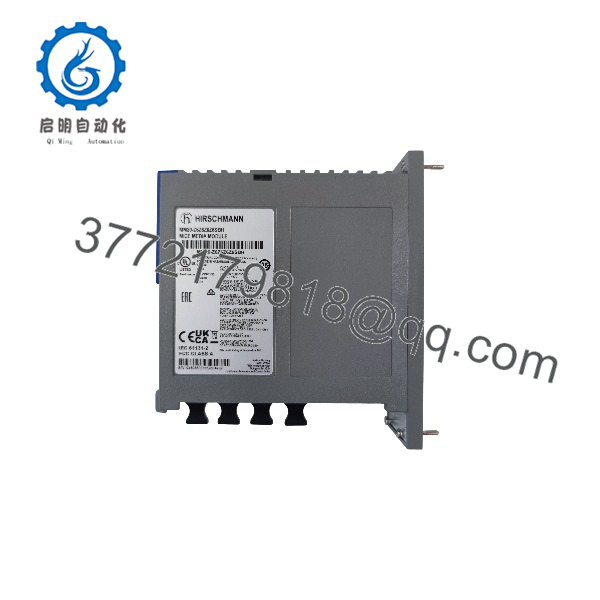
MM20-Z6Z6Z6Z6SBH
Installation & Configuration Guide
- Stage 1: Pre-Installation (Prep & Safety): Enforce proper ESD grounding protocols before unboxing the module. Verify that the host MS20/MS30 switch firmware supports the media module variant. Inspect backplane pins for absolute cleanliness.
- Stage 2: Removal: If replacing an active module, back up the switch configuration file via management software (HiOS/Industrial HiVision) or USB token. Loosen captive retaining screws and extract the legacy module smoothly along its guide rails without bending backplane pins.
- Stage 3: Installation (Clone & Seat): Align the MM20-Z6Z6Z6Z6SBH carefully with the designated slot cavity on the switch mainframe. Push straight inward until fully seated against the backplane connector, then torque the retention screws securely.
- Stage 4: Power-On & Testing: Energize the switch enclosure. Monitor module diagnostic LEDs (Power, Link/Act) to confirm successful hardware handshake. Validate network traffic restoration, port status registers, and ring redundancy protocols (such as MRP or RSTP) via the switch web interface or CLI.
Firmware/Software Versions & Upgrade Notes
- Recommended Baseline: Match the host switch system software version to the release baseline qualified for the MM20 module family.
- Compatibility Notes: Ensure backplane management firmware handles multi-port interface configurations cleanly, preventing VLAN mapping errors during hot-insertion sequences.
- Upgrade Warning: Avoid updating switch firmware concurrently with hardware module replacements during active production cycles. Complete physical swaps first, verify link stability, and execute planned software updates during scheduled maintenance windows.
Frequently Asked Questions (FAQ)
- Are these modules truly new or refurbished? This unit is a Brand New Surplus part, preserved in factory-original packaging, unused, and never subjected to prior network deployment or repair.
- Why choose New Surplus over a cheaper refurbished unit? Refurbished network modules carry hidden risks of oxidized edge connectors, static-damaged transceiver chips, and thermal wear. Saving minor capital on a used module invites catastrophic network packet drops or switch backplane faults that halt entire production lines.
- What is the inventory strategy for this obsolete module line? Because mature MICE modular hardware encounters extended procurement lead times, keeping 1 spare unit in stock on-site acts as a crucial insurance policy against unexpected network card failure.
- Can this module be hot-swapped while the switch is powered?Yes, the MICE architecture supports hot-swapping of media modules, allowing replacement without powering down the entire switch mainframe. However, verify local plant safety policies prior to opening panel enclosures.
- What warranty terms are included? Every New Surplus MM20-Z6Z6Z6Z6SBH unit is backed by an extensive 1-to-2 year operational warranty, ensuring absolute reliability for mission-critical automation backbones.