
 WhatsApp: +86 16626708626
 Email:
  Phone: +86 16626708626
Description
Key Technical Specifications
| Parameter | Value |
| Part Number | 9289399 |
| Model Code | MC2-EHU |
| Application Platform | Hitachi EX8000-6 Ultra-Large Hydraulic Excavator |
| Input Voltage | 24 V DC (Nominal system power) |
| Operating Current | 1.5 A to 3.0 A (Depending on I/O load) |
| Communication Protocols | CAN-Bus (J1939), Proprietary Hitachi Serial Network |
| Enclosure Material | Heavy-duty die-cast aluminum shield |
| Ingress Protection | IP67 Rated (Dust-tight and water-resistant when mated) |
| Operating Temperature | −40 to +70°C (−40 to +158°F) |
| Mounting Orientation | Multi-axis secure bolt-down bracket |
| Connector Interface | High-density gold-plated multi-pin automotive header |
Product Introduction & Supply Chain Strategy
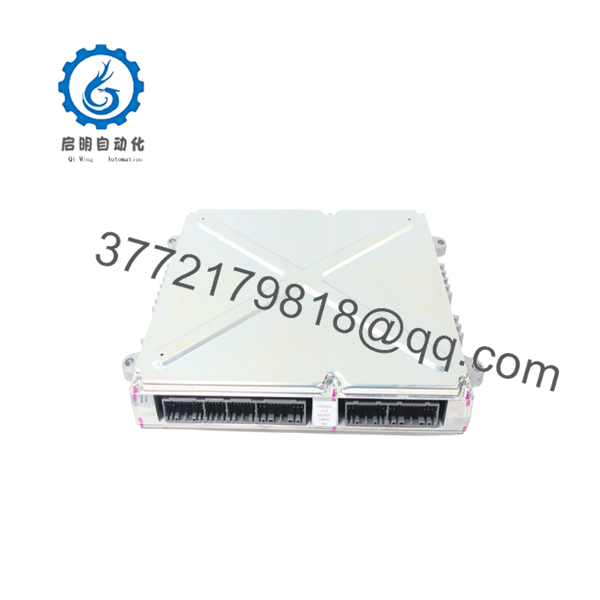
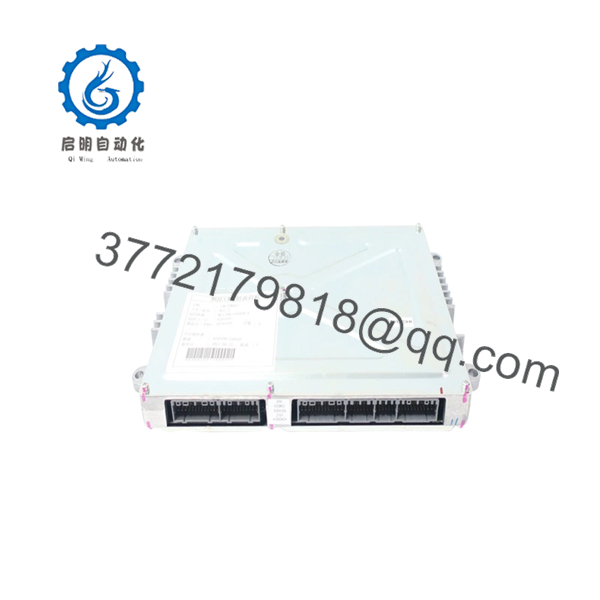
The Hitachi 9289399 MC2-EHU serves as the primary processing brain for the EX8000-6 ultra-large hydraulic mining shovel. This module handles real-time deterministic computing for cabin control inputs, hydraulic valve modulation, pump torque regulation, and engine management communication. Engineered to endure extreme mechanical shock, high vibration, and broad thermal swings, it prevents equipment damage by continuously cross-checking system safety parameters.
Procuring this module as a New Surplus unit represents a highly efficient approach to Total Cost of Ownership (TCO). Rather than absorbing the steep list price and extended lead times associated with factory-order OEM components, capital procurement teams secure identical structural reliability immediately. This strategy bypasses the severe operational liabilities of used or repaired modules, which regularly introduce hidden component degradation. For high-output mining assets where hourly downtime losses can exceed $10,000, maintaining a verified, uninstalled control module on-site serves as an essential insurance policy against unexpected component failures.

- 9289399 MC2-EHU EX8000-6
- 9289399 MC2-EHU EX8000-6
Installation & Configuration Guide
Stage 1: Pre-Installation (Prep & Safety)
- Ensure the excavator is parked on level ground, the bucket is completely lowered, the engine is shut down, and the battery disconnect switch is locked out and tagged out (LOTO).
- Attach a grounded anti-static wrist strap to your wrist and connect the clip to an unpainted metal surface on the control cabinet chassis.
- Use a high-resolution digital camera to take clear photos of the existing hardware orientation, including wire routing, grounding strap connections, and any visible external DIP switch or dial settings if present.
Stage 2: Removal
- Unbolt the protective electrical cabinet access cover using metric hand tools.
- Carefully unlock the retaining clips on the heavy-duty multi-pin wire harness connectors. Pull the connectors straight out from the housing to prevent bending or twisting the internal gold-plated pins.
- Remove the grounding wire bonding screw from the controller chassis.
- Back out the four primary mounting bolts securing the MC2-EHU enclosure to the main mounting plate, holding the module firmly so it does not drop. Gently extract it from the enclosure slot.
Stage 3: Installation (Clone & Seat)
- Unpack the New Surplus Hitachi 9289399 module inside the ESD-protected area. Inspect the pin header visually for any transport damage.
- Replicate any external configuration adjustments from the legacy module to the new hardware.
- Position the controller onto the mounting plate alignment pins. Thread the four mounting bolts by hand to avoid cross-threading, then torque them to the manufacturer’s specified tightening value.
- Reattach the dedicated grounding wire bonding screw to maintain proper chassis grounding.
- Inspect the wiring harness connectors for debris, then press them firmly into the module sockets until the mechanical locking tabs click into place.
Stage 4: Power-On & Testing
- Disconnect the ESD wrist strap and clear all tools from the enclosure space.
- Remove the lock-out tags and close the main battery disconnect switch.
- Measure the DC voltage across the main 24 V DC power feed terminal to confirm it sits within the stable 22–28 V DC operational tolerance.
- Turn the excavator ignition key to the “ON” position without cranking the engine. Observe the integrated LED indicators on the controller: the RUN/POWER LED must light up solid green, and the ERR/FAULT LED must remain completely dark.
- Initiate the onboard machine diagnostic system via the cab display monitor to verify successful communication handshakes across all CAN-bus lines before starting the engine.
Firmware/Software Versions & Upgrade Notes
The Hitachi 9289399 MC2-EHU module ships flashed with a baseline factory-validated firmware image optimized for the EX8000-6 platform infrastructure. Machine integration requires checking that the controller firmware sub-version matches the existing software revision deployed across the peripheral machine controllers, pump regulators, and cabin monitors.
Operating mismatched firmware versions across different machine nodes can cause intermittent communication timeouts or unexpected protocol errors. Do not run a forced firmware update on a newly installed controller unless service documentation directly dictates it to address a known system bug. Interrupting a firmware flash procedure due to an unstable 24 V power supply will corrupt the flash memory, rendering the controller unresponsive and requiring factory-level recovery.
Frequently Asked Questions (FAQ)
Q: What exactly is the origin of this unit, and how is it different from a refurbished card?
A: This unit is verified Brand New Surplus inventory. It has never been installed on a machine, never pulled from a scrapped asset, and has undergone zero component repairs or board-level soldering. Refurbished parts are older, failed modules that were patched up with cheap aftermarket capacitors or relays. This module is an unblemished OEM product stored in a climate-controlled warehouse, providing the exact operational lifespan of a factory-fresh component.
Q: Why is the price point higher than refurbished alternatives but lower than the factory list price?
A: Our pricing reflects the market value of sourcing genuine, unused industrial control components on a global scale. Refurbished components are priced low because they carry massive hidden reliability risks, worn-out components, and a high probability of early failure. This New Surplus module provides 100% operational confidence and an original structural lifespan without forcing you to pay the full markup or endure the long fulfillment delays of a standard factory order.
Q: Can this main controller module be hot-swapped while the machine engine is running or idling?
A: Absolutely not. Swapping or disconnecting the MC2-EHU module while the main power supply is active will induce severe inductive voltage spikes across the data pins. This action can instantly fry the internal logic gates of the new controller or damage adjacent ECUs on the shared CAN-bus network. Always isolate the machine electrical system entirely using the battery disconnect switch prior to servicing.
Q: Does the controller require custom field programming or logic configuration before it can function?
A: The controller handles primary execution logic, which means it must recognize the exact operating configuration of your specific asset. While the hardware contains standard factory operating parameters, you may need to load your specific machine application profile, calibration coefficients, and current system parameters via the official Hitachi maintenance software toolkit during the initial startup sequence.
Q: What type of warranty protection covers this New Surplus module?
A: We back this module with a comprehensive 1-year commercial replacement warranty that matches standard OEM coverage periods. Because the module undergoes a strict inbound verification process and is stored in verified ESD-safe packaging, we confidently guarantee it will perform exactly like a factory-direct part from the moment it is installed in your machine.



