
 WhatsApp: +86 16626708626
 Email:
  Phone: +86 16626708626
Description
3. Key Technical Specifications
- Manufacturer: Hitachi
- Part Number: E12636723
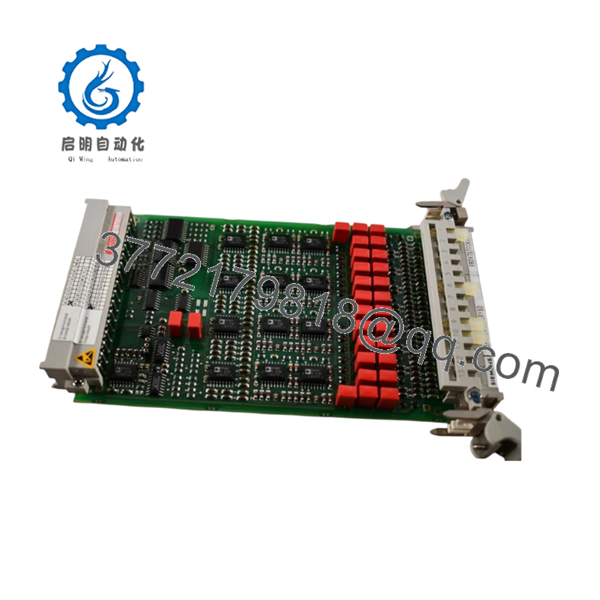
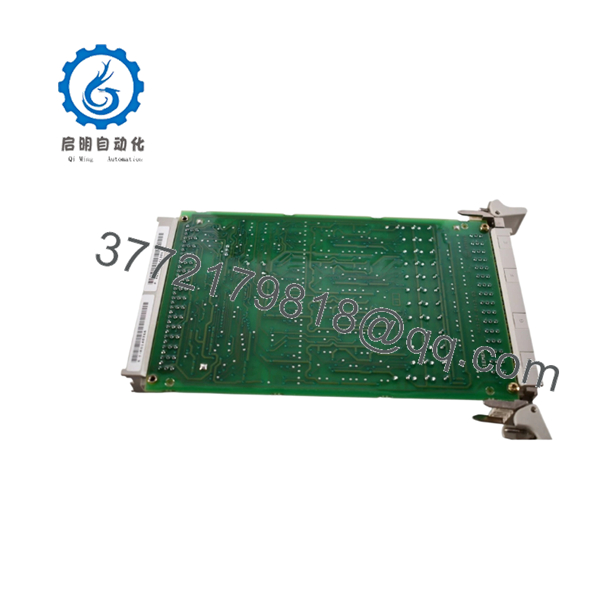
- Product Description: Temperature Circuit Card C Module
- Application: Hitachi Euclid equipment control electronics
- Module Type: Printed Circuit Board (PCB) assembly
- Function: Temperature monitoring/control signal processing
- System Category: Industrial equipment electronic control module
- Installation Location: Control panel / electronic control enclosure
- Condition Reference: New surplus / NOS inventory available from industrial parts suppliers
- Replacement Verification: Confirm connector layout, board marking, and machine model before installation
4. Product Introduction
The Hitachi E12636723 is a temperature circuit card C module used in Hitachi Euclid heavy equipment electronic control systems. It processes temperature-related signals within the machine control architecture and serves as a replacement spare for existing field installations.
This module is typically sourced for maintaining older equipment where original electronic assemblies are no longer commonly available. Verify the exact board revision, wiring connections, and application before replacement.
5. Installation & Configuration Guide
Stage 1: Pre-Installation Preparation (Approx. 10 minutes)
⚠️ Safety First
- Notify operations before maintenance.
- Move equipment to a safe shutdown condition.
- Apply lockout/tagout procedures.
- Disconnect control power and wait for capacitor discharge.
Tools Required
- ESD wrist strap
- PH1 screwdriver
- Digital multimeter
- Wire labels
- Smartphone/camera
Data Backup
- Photograph the existing E12636723 installation.
- Record connector positions.
- Document cable routing.
- Record any fault codes before removal.
Stage 2: Removing the Old Module (Approx. 10 minutes)
- Open the control cabinet or electronics compartment.
- Label all connectors before removal.
- Disconnect plugs carefully.
- Remove mounting screws or retaining hardware.
- Pull the circuit card straight out.
⚠️ Inspect:
- Connector pins
- Board contacts
- Signs of moisture or corrosion
- Burn marks or damaged components
Keep the old card until the replacement has completed functional testing.
Stage 3: Installing the New Module (Approx. 10 minutes)
- Wear ESD protection.
- Verify the replacement label matches:
- Hitachi
- E12636723
- Temperature Circuit Card C Module
Configuration Clone (Critical)
- Compare the replacement PCB with the removed unit.
- Transfer any jumpers, switches, or configuration settings if installed.
- Confirm connector orientation.
- Install the card into the mounting position.
- Secure all retaining hardware.
- Reconnect wiring carefully.
Self-Checklist
[ ] Correct part number verified
[ ] Connectors fully seated
[ ] Mounting hardware secured
[ ] Wiring matches original layout
Stage 4: Power-On & Testing (Approx. 10 minutes)
Pre-Power Check
- Check supply voltage.
- Verify no short circuit exists.
- Confirm all connectors are locked.
Power-On Steps
- Energize the control system.
- Observe system indicators.
- Check temperature input response.
- Verify machine diagnostics.
- Run operational testing.
⚠️ Troubleshooting Note
- Incorrect readings: check sensor wiring and connector seating.
- No response: verify power supply and card compatibility.
- Fault after replacement: compare PCB revision and machine configuration.

- E12636723
- E12636723
6. Frequently Asked Questions (FAQ)
Q1: What is the Hitachi E12636723 used for?
The E12636723 is identified as a Hitachi Euclid temperature circuit card/module used in equipment electronic control systems. It handles temperature-related control signals.
Q2: Is the E12636723 still available from Hitachi?
This type of industrial electronic spare is commonly found through surplus and aftermarket industrial parts channels rather than regular new production inventory. Availability changes with stock levels.
Q3: Is this unit new or refurbished?
Inventory descriptions may list E12636723 units as new surplus/NOS. Always confirm condition, photos, and inspection records before purchase.
Q4: Can I replace the card without checking anything?
No. Verify the part number, PCB markings, connectors, and machine application first. Similar electronic boards may look identical but have different functions.
Q5: Do I need to save configuration before replacement?
Yes. Photograph the installation, record wiring, and document machine settings before removing the old card. This prevents unnecessary troubleshooting after installation.
Q6: What inspection should be performed before installation?
Recommended checks:
- Visual PCB inspection
- Connector condition check
- Part number verification
- Electrical continuity checks
- Functional testing in the equipment
Q7: Why is surplus pricing different from OEM pricing?
Industrial spare cards from older equipment platforms often have limited remaining inventory. Price differences usually relate to stock availability, packaging condition, and market demand rather than current OEM catalog pricing.



