
 WhatsApp: +86 16626708626
 Email:
  Phone: +86 16626708626
Description
Key Technical Specifications
| Parameter | Value |
|---|---|
| Model | AB7000-C |
| Manufacturer | HMS Networks |
| Product Family | Anybus Communicator |
| Function | Serial Master to PROFIBUS gateway |
| PROFIBUS Interface | PROFIBUS DP |
| Serial Interface | RS-232 / RS-422 / RS-485 |
| Serial Port Count | 1 |
| Supply Voltage | 24 V DC |
| Operating Current | 100 mA |
| Operating Temperature | 0 to +55 °C |
| Protection Rating | IP20 |
| Dimensions | 120 × 75 × 27 mm |
| Mounting | DIN rail, EN 50022 |
| PROFIBUS Connector | 9-pin D-sub |
| Configuration | Serial protocol and PROFIBUS parameters configurable |
| Status/Address | LED indication and rotary node-address switches |
| Product Status | Obsolete |
| Recommended Successor | ABC3000-A |
HMS identifies AB7000-C as the Anybus Communicator – Serial Master to PROFIBUS, designed to connect RS-232/422/485 serial equipment to PROFIBUS control systems. The current HMS datasheet lists AB7000-C’s successor as ABC3000-A.
Mouser lists the electrical and environmental data as 24 V supply, 100 mA operating current, 0 to +55 °C operating temperature, IP20 protection, and 120 × 75 × 27 mm dimensions.
Product Introduction
The HMS Networks AB7000-C Anybus Communicator is a serial-to-PROFIBUS DP protocol gateway. It acts as a PROFIBUS-side interface for equipment using RS-232, RS-422, or RS-485 serial communications, allowing legacy instruments, drives, controllers, and other serial devices to exchange data with a PROFIBUS control system.
This is particularly useful when the existing serial device cannot be replaced simply to accommodate a PROFIBUS architecture. However, AB7000-C is now a legacy/obsolete product. HMS identifies ABC3000-A as its successor, so replacement planning should account for configuration migration rather than assuming a one-for-one software swap.
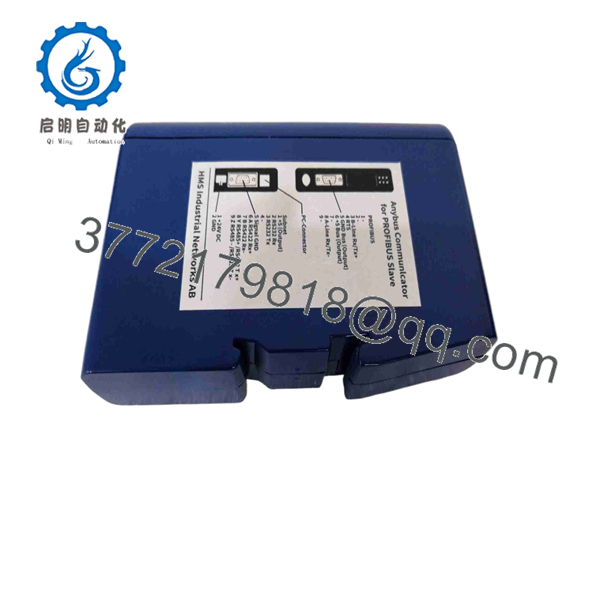
AB7000-C
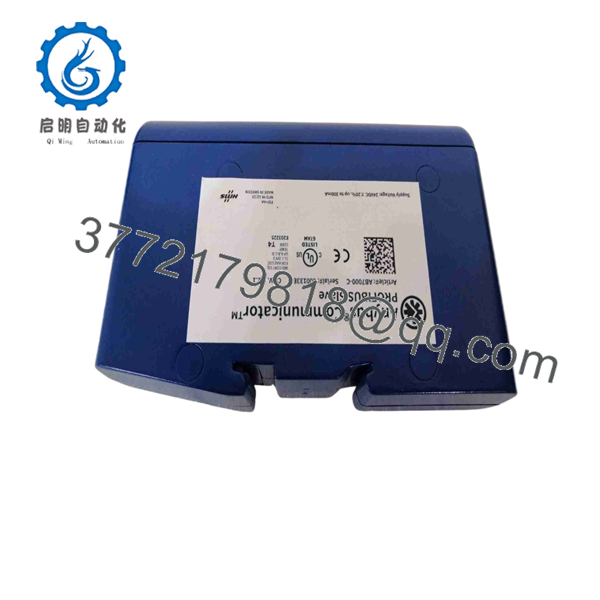
AB7000-C
Installation & Configuration Guide
Stage 1: Pre-Installation Preparation — About 10 Minutes
⚠️ Safety First: Put the affected machine or process into its approved safe state. Follow site lockout/tagout procedures before disconnecting the gateway or associated serial equipment.
Tools Required:
- ESD wrist strap
- Digital multimeter
- Small screwdriver
- Wire labels
- Smartphone or camera
- PROFIBUS diagnostic/programming equipment where required
Data Backup:
- Record the complete AB7000-C part number.
- Photograph the serial-side wiring and PROFIBUS connector.
- Record the PROFIBUS station address.
- Record the serial interface type: RS-232, RS-422, or RS-485.
- Document baud rate, parity, data bits, and stop bits.
- Back up the gateway configuration before replacement where the existing unit remains accessible.
- Record the PROFIBUS master configuration and device address.
Stage 2: Removing the Old Module — About 5 Minutes
- Confirm the control system is in a safe state.
- Isolate the 24 V DC supply according to the site’s procedure.
- Photograph all connections before disconnecting them.
- Label the serial cable and PROFIBUS connection.
- Disconnect the serial interface.
- Disconnect the PROFIBUS connector.
- Disconnect the 24 V DC supply.
- Release the DIN-rail mounting mechanism.
- Remove the without stressing the connected cables.
⚠️ Do not rely on memory for the serial configuration. A gateway can power up normally while still failing to exchange data because of an incorrect baud rate, parity, addressing scheme, or serial protocol.
Stage 3: Installing the New Module — About 5 Minutes
- Verify the replacement model and hardware configuration.
- Confirm whether the replacement is another or the HMS successor ABC3000-A.
- Mount the gateway securely on the DIN rail.
- Reconnect the 24 V DC supply with correct polarity.
- Connect the serial interface.
- Connect the PROFIBUS cable and verify proper connector seating.
- Reproduce the documented PROFIBUS address.
- Reproduce the serial communication parameters.
- Verify termination requirements at the PROFIBUS segment.
Self-Checklist:
- 24 V DC polarity verified
- RS-232/422/485 interface verified
- Serial parameters documented
- PROFIBUS address verified
- PROFIBUS connector secured
- Termination checked
- DIN-rail latch secured
Stage 4: Power-On & Testing — About 10-15 Minutes
- Apply 24 V DC power.
- Observe the gateway status LEDs.
- Verify the PROFIBUS master recognizes the station.
- Check the configured PROFIBUS address.
- Verify the serial device responds to the gateway.
- Confirm the configured serial protocol and baud rate.
- Monitor cyclic PROFIBUS data.
- Check diagnostic information in the PROFIBUS master.
- Verify actual process values against the source serial device.
- Return the equipment to normal operation only after communications remain stable.
⚠️ The most common replacement mistake is treating the as a simple electrical adapter. It is a protocol gateway. The serial telegram structure, polling behavior, data mapping, and PROFIBUS configuration all affect whether the connected equipment actually communicates.
Troubleshooting Note: If the PROFIBUS master cannot see the gateway, check station address, connector seating, cable polarity, segment termination, and PROFIBUS configuration first. If PROFIBUS communication is healthy but serial data is missing, concentrate on RS-232/422/485 selection, baud rate, parity, addressing, and the serial telegram format.
Frequently Asked Questions (FAQ)
What does the HMS do?
It converts serial communications into PROFIBUS DP communications. HMS describes it as a Serial Master to PROFIBUS gateway for connecting RS-232/422/485 equipment to PROFIBUS control systems.
Which serial interfaces does support?
The documented serial interface family includes RS-232, RS-422, and RS-485. DigiKey also identifies the unit as a serial-to-PROFIBUS converter with these three interface types.
Is still manufactured?
No. HMS currently identifies as a legacy product, and DigiKey lists it as obsolete and no longer manufactured. HMS identifies ABC3000-A as the successor.
Can ABC3000-A directly replace ?
It is the manufacturer’s successor, but I would not treat it as a blind drop-in replacement. The application must be checked for serial protocol, PROFIBUS configuration, data mapping, connectors, physical installation, and configuration-tool differences. The safest approach is to export and document the configuration before migration.
What power supply does require?
The published specifications identify a 24 V DC supply, with Mouser listing a nominal 24 V supply and approximately 100 mA operating current.
What is the operating temperature?
Mouser lists an operating range of 0 to +55 °C. Do not substitute broader environmental ratings from unrelated Anybus products; confirm the exact datasheet when engineering an installation outside this range.
Is suitable for a legacy PROFIBUS system?
Yes, that is one of its intended use cases: connecting existing serial equipment to a PROFIBUS control system without replacing the serial device. The important constraint today is lifecycle status—the itself is obsolete, so for a new project I would evaluate the rather than building new inventory around .



