
 WhatsApp: +86 16626708626
 Email:
  Phone: +86 16626708626
Description
Key Technical Specifications
| Parameter | Value |
|---|---|
| Manufacturer | Honeywell |
| Model Number | CC-PAON01 |
| Product Type | Analog Output Module |
| System Platform | Honeywell Experion PKS |
| Controller Family | C300 Process Controller |
| Signal Type | Analog Output |
| Output Range | 4–20 mA typical process control signal |
| Channel Count | 16 analog output channels |
| Installation Location | Series C I/O subsystem |
| Communication Interface | Experion PKS I/O network |
| Application | Continuous process control and final control element operation |
| Replacement Category | Legacy Honeywell process control spare |
Product Introduction & Supply Chain Strategy
The Honeywell CC-PAON01 is a Series C analog output module used in Experion PKS process control systems. It provides output signals from the control strategy to field devices such as control valves, actuators, and other analog-controlled equipment.
For plants operating Honeywell C300-based systems, maintaining New Original / New Surplus CC-PAON01 modules reduces outage exposure caused by aging installed hardware and uncertain replacement availability. Strategic inventory planning supports lifecycle management, minimizes emergency procurement costs, and improves Total Cost of Ownership (TCO).
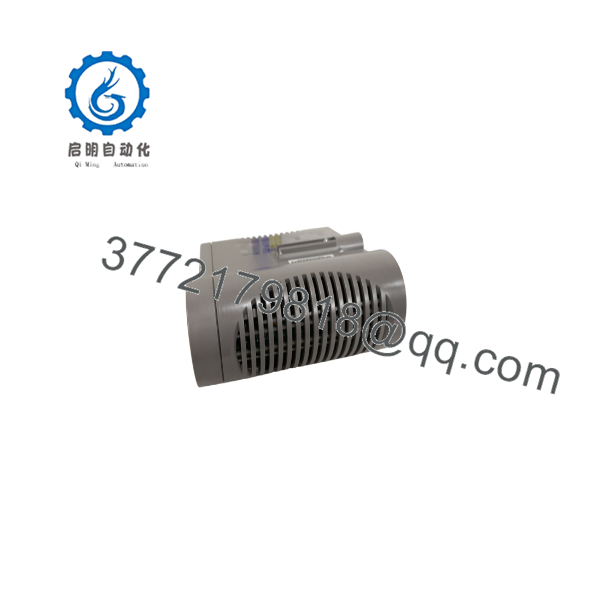
CC-PAON01
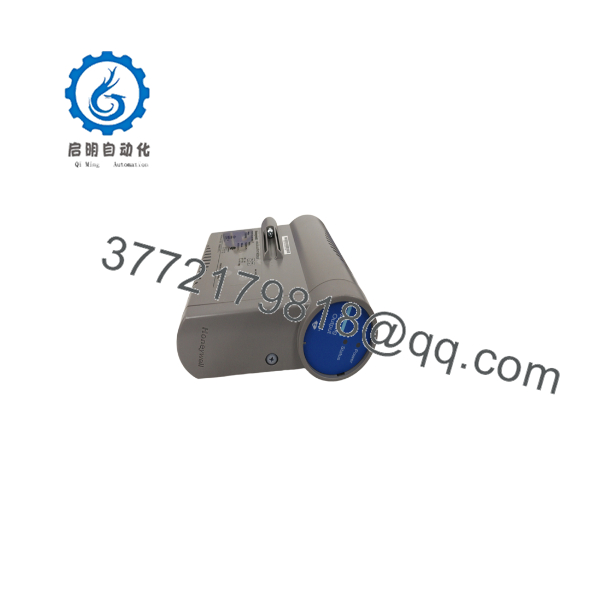
CC-PAON01
Installation & Configuration Guide
Stage 1: Pre-Installation (Prep & Safety)
- Execute plant-approved lock-out/tag-out procedures where required.
- Confirm the replacement module model matches the installed CC-PAON01 hardware.
- Wear an ESD wrist strap before handling the I/O module.
- Record existing configuration details:
- Module slot location
- Channel assignments
- Wiring termination points
- Controller configuration database information
Required tools:
- ESD protection equipment
- Insulated hand tools
- Multimeter
- Honeywell configuration workstation access
Stage 2: Removal
- Place the affected control loop into an approved maintenance state.
- Verify the module status and isolate the affected I/O channels.
- Disconnect field wiring carefully using proper terminal procedures.
- Release the module retention mechanism.
- Remove the existing I/O module without stressing the backplane connector.
Protect the connector pins from contamination or mechanical damage.
Stage 3: Installation (Clone & Seat)
- Verify the replacement CC-PAON01 identification label.
- Confirm firmware and hardware revision compatibility with the existing system.
- Install the module into the assigned Series C I/O position.
- Secure the module firmly.
- Reconnect field wiring according to plant drawings.
- Verify channel assignments match the original configuration.
Stage 4: Power-On & Testing
- Restore system power according to site procedures.
- Check module status indicators.
- Confirm communication with the C300 controller.
- Verify I/O channel health through Experion PKS tools.
- Perform loop checks:
- Output scaling
- Signal transmission
- Field device response
Document final test results in the maintenance database.
Firmware/Software Versions & Upgrade Notes
- Firmware: Depends on installed Honeywell Series C hardware revision.
- Configuration Requirement: The module must match the Experion PKS database configuration.
- Compatibility Check: Confirm compatibility with:
- C300 controller firmware
- Series C I/O firmware
- Experion PKS release version
Upgrade Warning:
Do not upgrade firmware during emergency replacement activities unless compatibility has been verified. Firmware mismatches can cause I/O communication faults, configuration rejection, or unexpected control behavior.
Before replacement:
- Record the existing module revision.
- Save current Experion configuration data.
- Verify approved firmware versions.
Frequently Asked Questions (FAQ)
Q1: Is the Honeywell CC-PAON01 supplied as a new module?
Yes. New Original / New Surplus CC- inventory refers to unused OEM hardware stored for industrial replacement requirements. It is not refurbished or repaired equipment.
Q2: Why purchase New Surplus instead of a lower-cost alternative?
For process control systems, unexpected I/O failures can create significant downtime exposure. New Surplus inventory provides genuine hardware availability while avoiding risks associated with unknown-condition components.
Q3: Is the CC- still considered a current Honeywell product?
The module belongs to the Honeywell Experion PKS Series C lifecycle. Plants using installed C300 systems should track lifecycle status and maintain strategic spare inventory.
Q4: Can the CC- be installed without configuration changes?
The physical replacement may be straightforward, but Experion PKS configuration verification is required to confirm correct channel mapping and controller communication.
Q5: Does the CC- require PLC programming?
No traditional PLC programming is required. Configuration is managed through Honeywell Experion PKS engineering tools.
Q6: How many CC- modules should be kept as spare inventory?
For critical process loops, maintaining 1–2 spare modules on-site is recommended. Less critical applications may use centralized inventory with supplier support.
Q7: What information should be checked before ordering?
Confirm:
- Exact model number
- Hardware revision
- Experion PKS software version
- Current module configuration
- Required channel type and application
This prevents incorrect replacement purchases and reduces commissioning delays.



