
 WhatsApp: +86 16626708626
 Email:
  Phone: +86 16626708626
Description
Key Technical Specifications
| Parameter | Value |
|---|---|
| Manufacturer | Honeywell |
| Model | DCP71150C012010H0 |
| Product Type | Digital Process Controller |
| Application | Industrial process control |
| Control Functions | PID and process control |
| Typical Process Variables | Temperature, pressure, flow |
| I/O | Analog and discrete I/O, configuration-dependent |
| Controller Platform | Honeywell process-control architecture |
| System Compatibility | Verify against installed Honeywell system and firmware |
| Power Supply | Verify from OEM documentation before installation |
| Communication | Verify exact interface from installed hardware revision |
| Operating Temperature | Verify exact hardware revision |
| Mounting | Controller/rack installation, application-dependent |
| Condition | New Original / New Surplus / Tested Used, depending on inventory |
Technical verification note: Public sources identify DCP71150C012010H0 as a Honeywell controller, but the available third-party specifications are inconsistent. One listing describes it as an Experion PKS digital control processor with FTE networking, while another simply identifies it as a digital process controller. A separate marketplace listing incorrectly categorizes it as a safety analog-output module.
For that reason, values such as 512 MB RAM, 1 GB Flash, 50 ms scan time, 1:1 redundancy, 100 Mbps FTE, +5 VDC, or 24 VDC should not be published as confirmed specifications for this exact ordering code without the OEM datasheet or a clear photograph of the actual nameplate. The part number does appear in multiple industrial automation inventory records as a Honeywell controller module.
Product Introduction
The Honeywell DCP71150C012010H0 is identified in industrial automation inventory records as a Honeywell controller module used in process-control applications. Available descriptions associate the device with digital process control, including PID regulation and monitoring of variables such as temperature, pressure, and flow.
This is a part number where the complete ordering code matters. Before replacement, compare the installed module’s nameplate, hardware revision, chassis position, connector arrangement, system generation, and configuration requirements. Do not substitute specifications from another Honeywell controller family simply because the physical module appears similar.
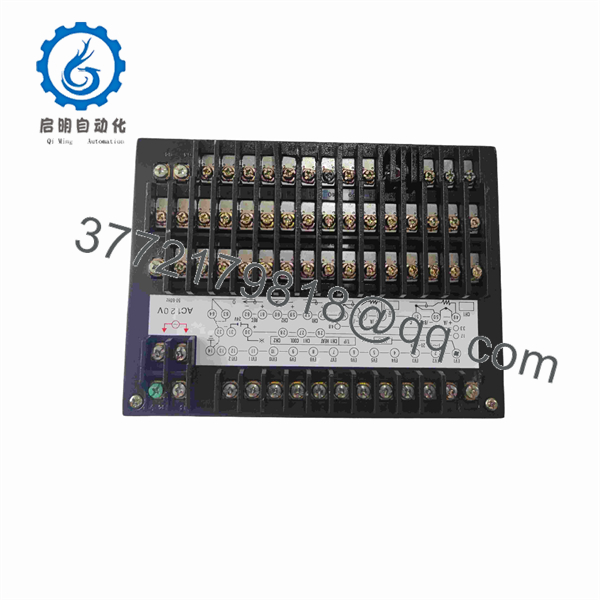
DCP71150C012010H0
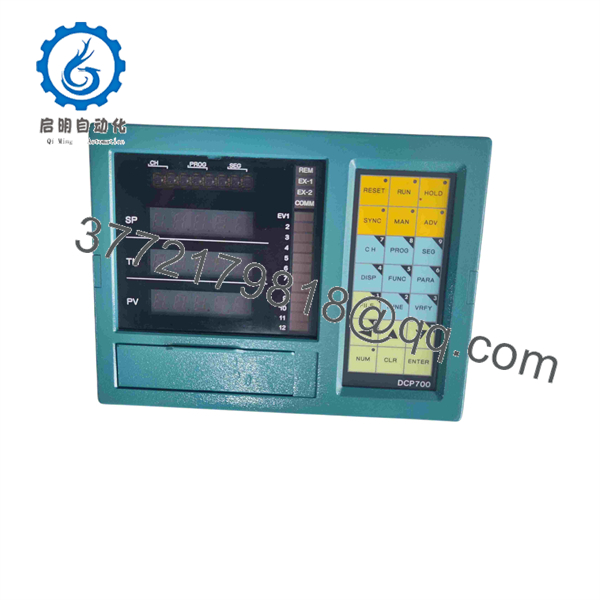
DCP71150C012010H0
Installation & Configuration Guide
Stage 1: Pre-Installation Preparation — 10–15 minutes
⚠️ Safety First: Put the process in an approved safe state before removing the controller. Follow the site’s Honeywell maintenance procedure and electrical lockout/tagout requirements.
- Notify operations and obtain the required maintenance authorization.
- Place the controlled process in its approved maintenance state.
- Apply lockout/tagout where required.
- Isolate controller and field power according to the system documentation.
- Verify the relevant power rails with an appropriately rated multimeter.
- Wear an ESD wrist strap before handling the module.
- Photograph the installed controller from the front and rear where accessible.
- Record:
- DCP71150C012010H0
- Serial number
- Hardware revision
- Chassis/rack position
- Connector positions
- LED status
- Network connections
- Back up the applicable controller configuration before removal.
Tools Required: ESD strap, appropriately rated multimeter, screwdriver set, wire labels, camera/smartphone, and the applicable Honeywell system documentation.
Stage 2: Removing the Old Module — 5–10 minutes
- Confirm the controller is electrically isolated.
- Verify that the process remains in a safe state.
- Photograph all wiring and network connections.
- Label any removable wiring that is not already permanently identified.
- Release the module’s retaining mechanism.
- Disconnect cables using the connector locking mechanism.
- Pull the module straight out of its rack or mounting position.
- Inspect the mating connector and backplane.
- Look for bent contacts, contamination, corrosion, or signs of overheating.
⚠️ Do not force the module out. If it does not release normally, stop and identify the mechanical locking arrangement. Damaging a rack backplane creates a much larger outage than replacing the controller.
Stage 3: Installing the New Module — 10 minutes
- Confirm the complete part number: DCP71150C012010H0.
- Compare the new unit’s hardware revision with the removed unit.
- Check connector keying and physical condition.
- Confirm the rack position before insertion.
- Install the module straight into the chassis.
- Engage the retaining mechanism completely.
- Reconnect all wiring and communication connections.
- Verify connector locks.
- Confirm that no wiring is under mechanical stress.
Self-Checklist:
- Exact part number verified
- Hardware revision checked
- Rack position correct
- Connector keying verified
- Wiring restored
- Retaining mechanism locked
- Configuration backup available
Stage 4: Power-On & Testing — 10–20 minutes
- Perform a complete visual inspection before energizing.
- Confirm correct power connections.
- Energize the controller rack according to the Honeywell procedure.
- Observe the controller’s status LEDs.
- Check controller diagnostics.
- Verify communication with the host/control system.
- Confirm controller configuration and firmware information.
- Verify I/O database or configured points.
- Check representative process values.
- Test outputs under the site’s approved commissioning procedure.
- Confirm alarms and interlocks.
- Return the process to normal operation only after the control loop checks pass.
⚠️ Do not download an old configuration blindly. First verify that the replacement controller’s hardware and firmware are compatible with the saved configuration.
Technical Pitfalls — What Usually Causes Rework
1. ❗ Wrong Hardware Revision
A matching DCP71150C012010H0 label does not automatically establish complete compatibility. Record the revision information from the existing module before ordering.
2. ❗ Conflicting Online Specifications
This part is particularly prone to bad catalog data. One supplier claims it is an Experion PKS processor with dual-core PowerPC, 512 MB RAM, 1 GB Flash, FTE, and 1:1 redundancy. Another source gives only generic digital-controller functions. Those claims should be independently verified before being used in an engineering specification.
3. Configuration Compatibility
A replacement controller may require the correct application configuration, firmware, or system revision. Back up the running configuration before removing the original module.
4. Backplane and Rack Position
Do not assume that every Honeywell controller can occupy the same rack position. Verify the chassis type, slot assignment, keying, and backplane requirements.
5. ESD Damage
Use a grounded wrist strap and an ESD-safe work surface. A controller can be damaged before it ever receives power.
Frequently Asked Questions (FAQ)
Can I hot-swap the ?
Do not assume it is hot-swappable. The exact chassis and controller architecture must be confirmed first. Unless the Honeywell system documentation explicitly permits live replacement for this hardware configuration, isolate the module before removal.
Is obsolete?
The part appears primarily through specialist industrial automation inventory sources rather than current mainstream Honeywell product catalogs. Treat it as a legacy/older spare until Honeywell documentation confirms current lifecycle status. Multiple industrial inventory records list it as a Honeywell controller module.
Is this a Honeywell Experion controller?
Some third-party sources specifically describe as an Experion PKS Series C digital control processor, including FTE networking and controller redundancy. However, that information is not sufficiently corroborated by primary Honeywell documentation in the sources reviewed here.
For a live plant replacement, verify the exact system platform from the installed controller and project documentation.
Will I lose the control program when I remove the controller?
The safe assumption is that you need a verified backup before removal. Do not rely on the replacement retaining or automatically recovering the application configuration. Export the applicable configuration and record the controller’s current state before starting the swap.
Why do different suppliers give different specifications?
Because third-party databases frequently reuse generic Honeywell controller descriptions and sometimes assign incorrect product categories. For this exact part, online records conflict on its function and electrical specifications.
For procurement, the complete part number and nameplate photograph should take precedence over a reseller’s generic specification table.
What condition should I request?
Specify the condition explicitly:
- New Original / New Surplus: unused inventory, with physical condition verified.
- Factory Sealed: original factory packaging should be documented.
- Refurbished / Tested: prior-use unit that has undergone documented testing.
For a critical DCS controller, request photographs of the actual unit, nameplate, serial number, packaging, and available test documentation before purchase.
What should I provide when requesting a replacement?
Provide the supplier with the part number, a clear nameplate photograph, hardware revision, serial number, controller chassis/rack information, and photographs of the connectors. If available, include the Honeywell system generation and current firmware/configuration information. That reduces the risk of receiving a physically similar but incompatible controller.



