
 WhatsApp: +86 16626708626
 Email:
  Phone: +86 16626708626
Description
Key Technical Specifications
| Parameter | Specification |
| Model Part Number | FC-SCNT01 |
| System Architecture | Honeywell Safety Manager / Fail Safe Controller (FSC) |
| Safety Integrity Level | SIL3 certified per IEC 61508 / IEC 61511 standards |
| Input Power Requirements | 24 V DC system backplane power (−15% / +30%) |
| Diagnostic Coverage | High-level continuous self-diagnostics (>99%) |
| Network Interfaces | Redundant Ethernet / Safety Network communication ports |
| Mounting Type | Chassis / Rack-mounted in dedicated Safety Manager slot |
| Status Indicators | Front panel status LEDs (Power, Status, Fault, Tx/Rx) |
| Operating Temperature | −5°C to +70°C (Cabinet internal ambient) |
| Storage Temperature | −40°C to +85°C |
| Relative Humidity | 5% to 95% non-condensing |
| Weight | 1.15 kg (2.53 lbs) |
Product Introduction & Supply Chain Strategy
The Honeywell FC-SCNT01 serves as a core control and communication management unit within the Honeywell Safety Manager system. It handles real-time execution of critical safety loops, facilitates deterministic communication between distributed safety nodes, and coordinates fail-safe operation for Emergency Shutdown (ESD) and Fire & Gas (F&G) applications across process plants.
Acquiring the FC-SCNT01 as New Surplus is a vital strategic measure for plant managers looking to maintain continuous operational availability. Using refurbished or pulled safety components introduces hidden risks of degraded timing circuits or compromised optocouplers, which can result in false trips or catastrophic safety hazards. Genuine New Surplus stock provides guaranteed OEM component integrity, extends system life by 10 to 15 years, and optimizes Total Cost of Ownership (TCO) by avoiding expensive emergency plant outages.
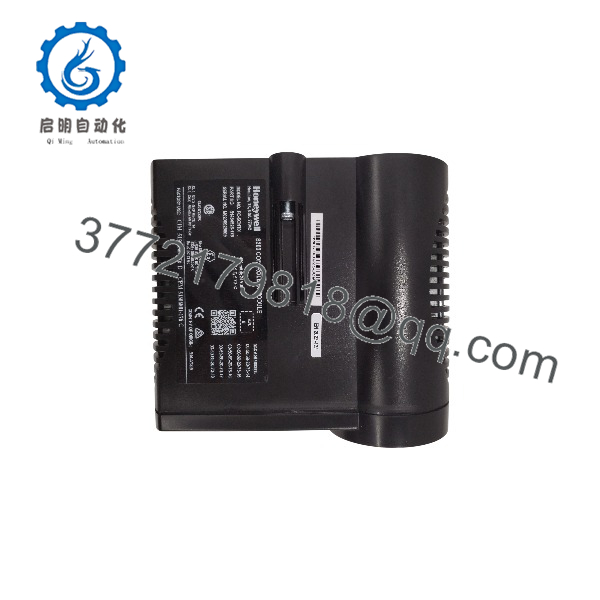
FC-SCNT01
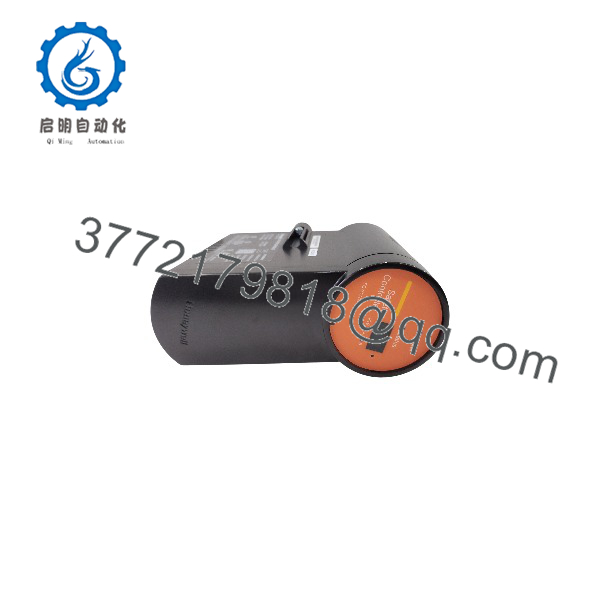
FC-SCNT01
Installation & Configuration Guide
Stage 1: Pre-Installation (Prep & Safety)
- Initiate full Lock-Out/Tag-Out (LOTO) protocols on the targeted rack’s main power distribution feed.
- Put on a grounded ESD wrist strap before handling the module to protect sensitive semiconductor devices.
- Document network configurations, node IP addresses, and physical jumper settings from the module being replaced.
- Inspect the backplane slot for dust, pin misalignment, or physical obstruction.
Stage 2: Removal
- Place the controller mode or node into a safe standby state in accordance with site safety procedures.
- Loosen the retention screws on the front panel of the existing module.
- Pull the module straight out using the designated extraction handles to avoid placing lateral stress on backplane pins.
Stage 3: Installation (Clone & Seat)
- Verify that hardware address switches or jumpers on the new FC-SCNT01 match the legacy unit exactly.
- Slide the module into the card guide slots of the chassis.
- Push firmly until the rear connector seats fully into the backplane, then tighten the front panel retention screws.
Stage 4: Power-On & Testing
- Restore 24 V DC power to the controller chassis.
- Monitor the LED startup sequence to confirm power rails and self-test completion (Power LED solid Green, Fault LED Off).
- Verify network communication handshakes with the Safety Builder software and redundant partner controllers.
Firmware/Software Versions & Upgrade Notes
- System Compatibility: Ensure the module’s installed firmware revision matches the system build release running on the Safety Manager domain (e.g., Safety Builder R120/R130 builds).
- Firmware Mismatch Issues: Incompatible firmware builds can cause communication arbitration failures or system topology mismatches on the Safety Network.
- Redundant Pair Synchronization: When replacing a single module in a redundant pair, verify that both units run identical firmware revisions to allow complete, automatic memory synchronization upon initialization.
- Cold Start vs. Hot Swap: Verify site-specific hot-swap safety procedures prior to inserting the unit into a live backplane, as safety system policies vary depending on process risk levels.
Frequently Asked Questions (FAQ)
Q: How do you verify that this FC-SCNT01 module is New Surplus?
All units are sourced from verified factory overstock and canceled projects. They arrive in factory anti-static packaging, feature unblemished backplane contacts, show zero signs of terminal wear, and are backed by complete serial-tracked QC test reports.
Q: Is the FC-SCNT01 suitable for SIL3 safety applications?
Yes. The FC- is certified for use in safety instrumented systems up to SIL3 per IEC 61508 standards when installed according to Honeywell Safety Manager guidelines.
Q: Why should we purchase New Surplus rather than a lower-cost refurbished unit?
Refurbished units often suffer from silent thermal degradation in electrolytic capacitors and logic gate arrays. On a critical SIL3 safety loop, a component failure can trigger an unplanned plant trip costing tens of thousands of dollars per hour. Buying New Surplus delivers OEM-grade reliability and peace of mind at a fraction of factory list price.
Q: Do I need special software to configure the FC-?
Yes. System configuration, logic loading, and network parameters are programmed using Honeywell Safety Builder software environment.
Q: What warranty is provided with this New Surplus module?
This FC- comes with a comprehensive 12 month replacement warranty, covering full functional operation without the lead times associated with OEM manufacturing cycles.



