
 WhatsApp: +86 16626708626
 Email:
  Phone: +86 16626708626
Description
Key Technical Specifications
- Manufacturer: Honeywell
- Model Number: FW-23-13
- Product Type: Legacy Honeywell electronic module; public industrial listings provide conflicting product descriptions
- Confirmed Identification: The exact model string
FW-23-13appears in industrial-surplus listings - Platform Identification: Not reliably established from authoritative Honeywell documentation available in public search results
- System Compatibility: Must be verified from the installed cabinet, rack, motherboard/backplane, wiring drawings, and original module label
- Electrical Supply: Do not connect until the original wiring diagram or nameplate confirms supply voltage, polarity, grounding, and terminal/connector assignment
- I/O Function: Do not assume analog input, digital I/O, fire-zone control, pressure measurement, or other function based on third-party listings
- Firmware / Configuration: Verify whether the unit carries jumpers, DIP switches, PROMs, calibration settings, or configuration memory before removal
- Mechanical Compatibility: Confirm board dimensions, edge connector style, keying, front-panel layout, mounting holes, and rack slot position
- Replacement Requirement: Match
FW-23-13exactly, then verify any unlisted revision, serial, date code, board artwork number, and attached subassembly markings - Lifecycle Status: Treat as legacy/obsolete stock pending OEM confirmation
- Inventory Practice: Request actual photos of both sides of the PCB, edge connector, front panel, labels, components, and any installed PROM/EEPROM devices before purchase
Public listings conflict materially: one describes FW-23-13 as a 23-zone fire-detection controller, while another describes it as a TDC 2000/TDC 3000 analog-input module. Neither claim is supported by an authoritative Honeywell datasheet in the available results. Because the claimed functions are incompatible, it would be unsafe to publish a specific electrical specification or installation claim without photographs, full label data, or original Honeywell documentation.
Product Introduction
The Honeywell FW-23-13 is a legacy industrial electronic module identified by its exact Honeywell part number. It should be sold and purchased as an exact-match maintenance spare only after the installed equipment, rack, wiring, and module label have been verified.
Public product descriptions for this part number are inconsistent, so do not rely on generic marketplace text to select a replacement. Before removing the installed unit, photograph both sides, record every label and board number, identify its cabinet and rack location, and obtain the related Honeywell drawings. That evidence determines whether the offered FW-23-13 is actually compatible.
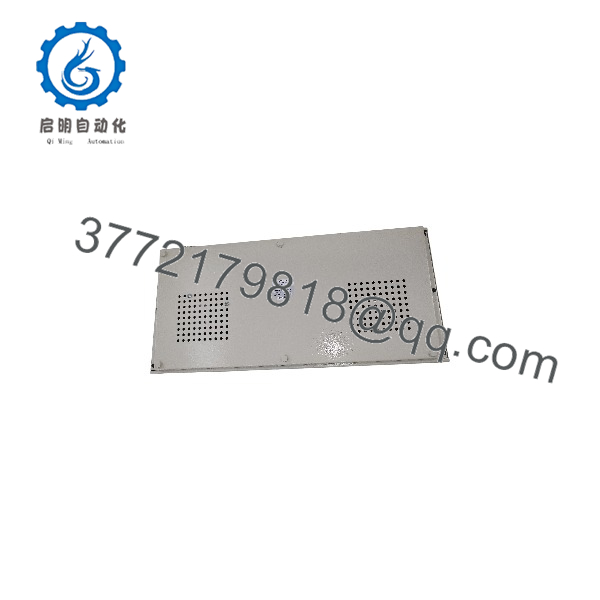
FW-23-13
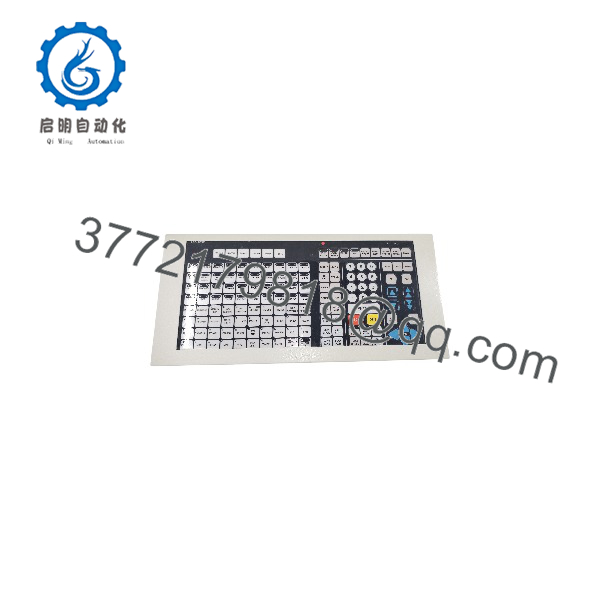
FW-23-13
Troubleshooting Quick Reference
| Symptom | Possible Cause | Relevance to This Part | Quick Check Method | Recommendation |
|---|---|---|---|---|
| Module has no LEDs, display, or activity | Missing rack supply, blown fuse, failed power distribution, loose backplane connection, failed module | ✅ Medium | Use the original cabinet drawing to verify supply voltage at the rack/backplane; inspect upstream fuses, power supplies, and connector seating | Confirm the rack supply and backplane condition before replacing FW-23-13 |
| System reports a module or communication fault | Loose connector, backplane failure, address/configuration issue, failed module, controller communication fault | ✅ Medium | Record diagnostic messages; inspect module seating and connector contacts with power isolated; compare slot location and installed settings | Verify the slot, configuration, and system communication path before replacement |
| One field signal is incorrect or absent | Sensor/transmitter failure, wiring fault, field power loss, I/O channel fault, configuration/scaling error | ❌ Usually low | Check the field device, loop supply, fuse, terminal wiring, and signal at the field terminal before checking the module | Prove the field loop first; do not replace the module based on a single bad process signal |
| Multiple signals fail at once | Shared power/common failure, field marshalling problem, rack issue, failed module | ✅ Medium | Identify common terminals and shared supplies; measure supply and common-reference voltage; inspect marshalling panel and backplane | Trace common power and wiring before concluding that FW-23-13 has failed |
| Process indication is unstable | Ground loop, poor cable shield, noisy field supply, loose terminal, sensor instability, module issue | ❌ Usually low | Check signal at source and cabinet terminal; inspect shield grounding according to drawing; compare with a calibrated reference | Correct field signal quality and grounding before replacing electronics |
| Replacement module does not work | Wrong function, revision mismatch, incompatible rack, incorrect jumper/PROM, missing configuration, damaged backplane | ✅ High | Compare both sides of the old and replacement modules: labels, PCB revision, connectors, components, switches, jumpers, and memory devices | Do not install by part number alone. Confirm physical and configuration equivalence |
| Replacement module causes alarms or process trips | Incorrect channel mapping, wrong settings, missing calibration, incompatible board revision, wiring disturbance | ✅ High | Restore original configuration; compare terminal mapping; review alarm/event history; perform controlled loop checks under approved procedure | Stop and follow site change-control procedures before returning the system to operation |
| Intermittent fault after cabinet heats up | Power-supply ripple, poor ventilation, oxidized contacts, aging components, loose connector | ✅ Medium | Monitor rack voltage and cabinet temperature; inspect module contacts and seating with power removed; review time-correlated event logs | Correct environmental and power issues before replacing the module |
| Burn marks, odor, corrosion, or damaged edge contacts | Overvoltage, contamination, condensation, incorrect insertion, internal component failure | ✅ High | Isolate power; inspect the board, rack slot, adjacent modules, and supply system; document all damage with photos | Replace damaged components and find the root cause before energizing a replacement |
Field warning: With this part number, the biggest risk is misidentification. Third-party listings assign incompatible functions to FW-23-13. Do not let a generic description drive a purchase order or maintenance decision.
❗ Take complete photos before removal. Photograph the front, rear, both PCB sides, every label, edge connector, rack slot, wiring, installed memory chips, DIP switches, and jumpers. The board artwork number or PROM label may be more important than the FW-23-13 marking.
If diagnosis is unresolved, contact technical support with the module photos, full cabinet/rack photo, controller model, wiring drawing, power measurements, diagnostic logs, and a complete inventory of adjacent Honeywell modules.
Frequently Asked Questions (FAQ)
What is Honeywell FW-23-13?
FW-23-13 is a legacy Honeywell module identifier, but its exact function cannot be confirmed safely from publicly available listings alone. Some third-party sources call it a fire-zone controller, while another calls it a TDC 2000/TDC 3000 analog-input module. Those descriptions conflict, so the installed-unit label, PCB details, cabinet drawings, and original Honeywell documentation must determine its actual function.
Is FW-23-13 compatible with Honeywell TDC 2000 or TDC 3000?
Do not assume it is. One marketplace listing makes that claim, but no authoritative Honeywell documentation was found in the available sources to validate it. Confirm the rack type, backplane connector, adjacent module family, controller part numbers, drawings, and board revision before treating it as a TDC replacement.
Can I replace FW-23-13 with another Honeywell module that looks similar?
No. Similar dimensions, connectors, or cabinet position do not establish compatibility. Match the exact part number, board revision, hardware options, edge connector, jumper configuration, memory device labels, rack position, and documented function. A physically fitting board can damage a backplane, misread signals, or generate uncontrolled output behavior.
Is FW-23-13 obsolete?
It should be treated as legacy/obsolete equipment unless Honeywell confirms active production for the exact version. Public availability appears to be through surplus and secondary-market inventory, so verify stock condition, actual photos, test status, warranty, and lead time before planning a shutdown.
Will I lose configuration when replacing the module?
Possibly. Legacy modules may contain calibration data, PROMs, EEPROMs, jumpers, or DIP-switch settings. Even if the hardware itself does not store a full application program, the surrounding system may depend on slot-specific configuration or field calibration. Photograph and document every installed setting before removal. If there are removable memory devices, do not move them until their function is confirmed against the system documentation.
Can I hot-swap FW-23-13?
Do not hot-swap it unless the original Honeywell system documentation explicitly permits replacement under power and the site has approved the process impact. With the function unverified, removal could interrupt monitoring, create false alarms, stop control logic, or affect safety-related operation. Isolate power and follow lockout/tagout and management-of-change procedures.
Why is an exact used or surplus module preferable to a “modern equivalent”?
A legacy system normally expects a specific electrical interface, backplane protocol, timing behavior, pinout, and configuration arrangement. A modern unit may offer better specifications but still require rewiring, software changes, signal conditioning, cabinet redesign, revalidation, and commissioning. For an urgent repair, an exact verified spare usually presents less immediate integration risk. For the long term, build an obsolescence plan once the equipment is stable.
What should I request from a supplier before buying?
Request high-resolution photos of both PCB sides, every label, part/revision number, edge connector, front panel, jumpers, DIP switches, and installed memory devices. Ask for the test method, actual test result, warranty, condition classification, and confirmation that the received item will match the photographed unit. Then compare these details to your installed FW-23-13 before issuing the purchase order.



