
 WhatsApp: +86 16626708626
 Email:
  Phone: +86 16626708626
Description
Key Technical Specifications
- Model: FX808331
- Manufacturer: Honeywell ESSER
- System Compatibility: FlexES Control Fire Alarm Panel
- Module Type: esserbus / esserbus-PLus Loop Module
- Operating Voltage: 24 V DC
- Quiescent Current: Approx. 17 mA
- Maximum Connected Devices: Up to 127 devices per loop
- Supported Devices: IQ8Quad intelligent detectors, MCPs, Series 9200 detectors, esserbus transponders, loop-powered signaling devices
- Maximum Loop Length: Up to 3.5 km
- Loop Communication: esserbus / esserbus-PLus protocol
- Galvanic Isolation: No (non-GI version)
- Loop Protection: Integrated short-circuit isolators
- Installation Method: Plug-in module slot installation
- Module Recognition: Automatic module recognition by FlexES Control panel
- Dimensions: 27 mm W × 93 mm H × 112 mm D
- Weight: Approx. 110 g
- Approvals: VdS, FM
Product Introduction
The Honeywell FX808331 is an esserbus / esserbus-PLus loop module designed for Honeywell ESSER FlexES Control fire alarm panels. It provides one addressable detection loop interface for connecting intelligent detectors, manual call points, transponders, and loop-powered signaling devices.
This module supports up to 127 field devices and loop distances up to 3.5 km. The unit uses a compact plug-in design with LED status indication and automatic recognition within the FlexES Control platform.
Installation & Configuration Guide
Stage 1: Pre-Installation Preparation (Approx. 10 minutes)
⚠️ Safety First:
Before replacing the FX808331 module:
- Notify the fire system operator about planned maintenance.
- Place the fire alarm system into approved maintenance mode.
- Disconnect panel power according to site procedures.
- Verify that emergency response procedures remain active during downtime.
Tools Required:
- ESD wrist strap
- Small screwdriver
- Multimeter
- Module identification label
- Smartphone for wiring and configuration photos
Data Backup:
Before removal:
- Record the FlexES Control panel configuration.
- Save the current loop configuration.
- Document connected detector addresses.
- Photograph the existing module position and LED status.
- Record any fault messages displayed on the control panel.
Stage 2: Removing the Old Module (Approx. 10 minutes)
Steps:
- Confirm the fire alarm panel is in maintenance mode.
- Open the FlexES Control cabinet according to manufacturer procedures.
- Identify the existing FX808331 loop module.
- Disconnect loop wiring carefully and label each conductor.
- Release the module locking mechanism.
- Pull the module straight out from the slot.
⚠️ Note:
Keep the removed module until the replacement has completed loop communication testing. This helps confirm address settings and wiring references.
Stage 3: Installing the New Module (Approx. 15 minutes)
Steps:
- Wear an ESD wrist strap before handling the replacement module.
- Verify the replacement part number matches Honeywell FX808331.
- Insert the module into the correct FlexES Control slot.
- Confirm the mechanical locking mechanism engages.
- Reconnect loop wiring using the original terminal arrangement.
Configuration Clone (Critical):
- Verify loop assignment in FlexES Control software.
- Confirm detector addresses remain unchanged.
- Check loop topology and isolator configuration.
- Confirm esserbus / esserbus-PLus communication settings.
Self-Checklist:
- Correct module installed
- Loop wiring verified
- Module seated correctly
- Panel recognizes module
- Loop communication restored
Stage 4: Power-On & Testing (Approx. 15 minutes)
Pre-Power Check:
- Verify loop wiring polarity.
- Check for short circuits.
- Confirm module seating.
Power-On Steps:
- Restore panel power.
- Check the FX808331 LED status.
- Confirm automatic module recognition.
- Review the FlexES Control event log.
- Verify all loop devices communicate correctly.
- Test detector communication and alarm reporting.
⚠️ Troubleshooting Note:
- If the panel does not recognize the module, check slot position and module seating.
- If loop faults appear, inspect wiring continuity, short circuits, and isolator operation.
- If devices disappear from the loop, verify addressing and configuration data.
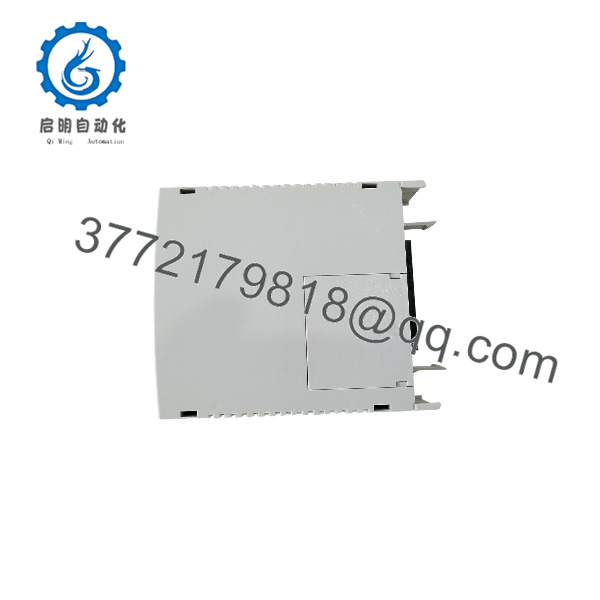
FX808331
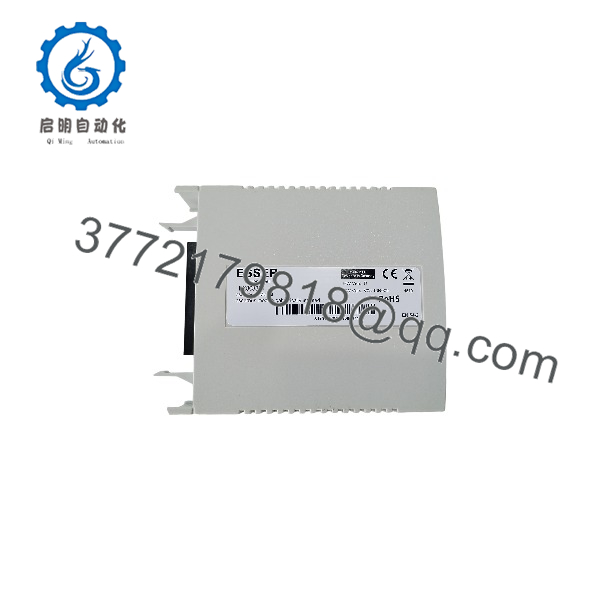
FX808331
Frequently Asked Questions (FAQ)
Q1: Can the Honeywell be hot-swapped while the panel is powered?
The supports quick module installation features within the FlexES Control platform, including automatic recognition. However, site fire-system procedures should determine whether live replacement is permitted. Always follow the approved maintenance procedure for the installed fire alarm system.
Q2: What system does the Honeywell work with?
The is designed for Honeywell ESSER FlexES Control fire alarm panels and connects esserbus / esserbus-PLus loops.
Q3: How many devices can one loop module support?
One module can support up to 127 connected loop devices, including compatible intelligent detectors, manual call points, transponders, and loop-powered signaling devices.
Q4: What is the difference between and FX808332?
The is the standard esserbus / esserbus-PLus module without galvanic isolation. The FX808332 adds galvanic isolation and is required when more than four non-isolated loop modules are installed in one panel configuration.
Q5: Is Honeywell obsolete?
The remains associated with the FlexES Control platform. Availability depends on current inventory and regional supply channels. For existing installations, matching the exact module is often preferred to avoid fire system reconfiguration work.
Q6: Why is this module priced lower than a new OEM purchase channel?
Industrial and safety-system spare parts can enter the market through surplus inventory, project cancellations, panel upgrades, or maintenance stock liquidation. Always verify the supplier’s condition statement, test records, and packaging status before installation.
Q7: What should I verify before ordering ?
Check:
- FlexES Control panel compatibility
- Required loop module type
- Existing module part number
- Number of installed loop modules
- Whether galvanic isolation is required
- Current system configuration backup availability
For safety-related fire alarm systems, verify final compatibility against Honeywell ESSER documentation before commissioning.



