WhatsApp: +86 16626708626
 Email:
 Phone: +86 16626708626
Description
Key Technical Specifications
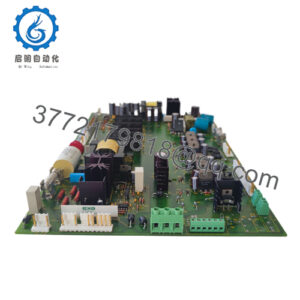
The Honeywell MC-PDOY22 is identified in technical and supplier documentation as a conformally coated, 32-output digital output processor for Honeywell TPS Process Manager and HPM I/O systems. The associated part number 80363975-150 is listed for this assembly.
| Parameter | Specification |
|---|---|
| Manufacturer | Honeywell |
| Model | MC-PDOY22 |
| Part number | 80363975-150 |
| Product type | Digital Output (DO) Processor |
| Output capacity | 32 digital outputs |
| Board construction | Conformally coated |
| System family | TPS Process Manager / Honeywell HPM I/O |
| I/O interface | Compatible Honeywell Field Termination Assemblies (FTAs) |
| Reported DC load range | 15–30 VDC with applicable FTA configuration |
| Alternative output configurations | DC or AC/DC, depending on the compatible FTA and circuit design |
| Redundancy | Supported in documented system configurations |
| Mounting | Compatible controller-system I/O processor slot |
| Firmware revision | Exact revision and compatibility requirements require system-specific verification |
Sources: Honeywell-related technical data and product documentation.
Engineering note: Output voltage, isolation, load-current limits, and supported FTA combinations depend on the actual assembly and field termination configuration. Confirm the applicable Honeywell documentation before connecting field loads. Supplier listings do not consistently report identical specifications.
Product Introduction & Supply Chain Strategy
The Honeywell MC-PDOY22 is a 32-channel digital output processor used in Honeywell TPS Process Manager and HPM I/O architectures. It transfers controller output commands to compatible field termination assemblies for discrete control applications. The conformally coated MC version is intended for the corresponding system configuration.
For installed legacy systems, sourcing verified new-surplus inventory can reduce replacement lead-time exposure and help control Total Cost of Ownership (TCO). Confirm the complete part number, board revision, FTA compatibility, and documented condition before purchase. Use Min/Max stocking levels based on failure criticality, actual consumption, lead time variability, and the cost of an unplanned shutdown.
Installation & Configuration Guide
The MC-PDOY22 is part of a process-control I/O architecture. Replacement requires verification of the installed system, output configuration, and associated field termination assemblies.
Stage 1: Pre-Installation — Preparation and Safety
- Confirm the replacement: Match the existing module’s model, full part number, hardware revision, and applicable system documentation.
- Apply lockout/tagout (LOTO): Follow the plant’s approved isolation procedure. Confirm the safe state of affected equipment before disconnecting any control hardware.
- Document the installation: Photograph module labels, slot position, field termination connections, and any configurable switches or jumpers.
- Check compatibility: Verify the existing FTA model, output voltage, load type, and redundancy arrangement.
- Prepare ESD protection: Use a grounded ESD wrist strap and suitable antistatic handling materials.
Stage 2: Removal
- Verify that the control system and affected field circuits are in their approved maintenance state.
- Isolate power according to the system manufacturer’s procedure. Do not assume the module supports hot swapping.
- Label and disconnect connections only where the approved replacement procedure requires it.
- Release the module’s retaining mechanism and withdraw the card using its designated extraction points.
- Inspect the card edge and backplane connector for contamination, corrosion, or physical damage. Avoid touching connector contacts.
Stage 3: Installation — Verify and Seat
- Compare the replacement module’s identification label with the recorded original.
- Confirm that the hardware revision and configuration are approved for the target system.
- Restore documented switch or jumper settings only if the specific hardware uses them.
- Align the module with the correct slot and insert it evenly. Never force a misaligned card into the backplane.
- Reconnect the applicable interfaces according to the approved wiring documentation.
Stage 4: Power-On and Functional Testing
- Check the relevant power rails and field supply circuits against the manufacturer’s specifications before energizing.
- Restore power using the approved startup sequence.
- Review module status indicators and system diagnostic messages. Interpret RUN, fault, and communication indications using the applicable manual.
- Verify controller communication and confirm that the I/O system recognizes the replacement.
- Test output channels individually under an approved commissioning procedure. Confirm actual field-device response and interlock operation.
- Record test results, hardware identification, firmware information, and any diagnostic alarms before returning the equipment to service.
Important: Do not download controller logic or alter firmware simply because a hardware module has been replaced. Confirm whether the replacement requires any configuration restoration or software intervention first.
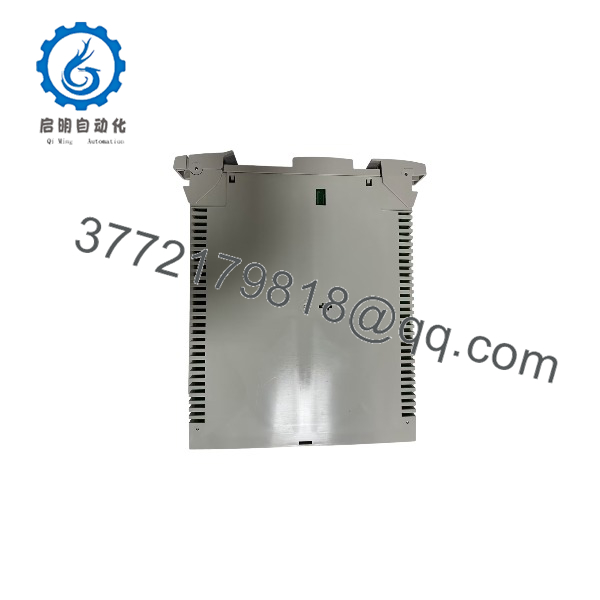
MC-PDOY22
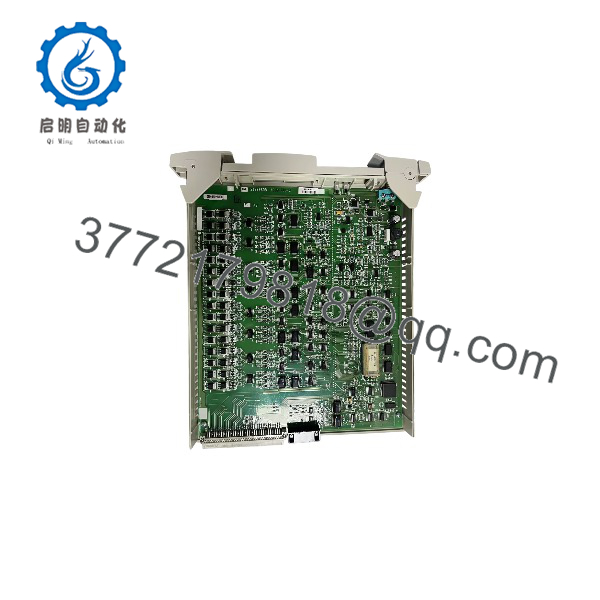
MC-PDOY22
Firmware/Software Versions & Upgrade Notes
The exact firmware revision and software compatibility matrix for the MC-PDOY22 must be established from the installed Honeywell control-system documentation. The available product references identify the hardware and system family but do not establish one universally recommended firmware version.
- Recommended firmware: Match the revision approved for the target TPS Process Manager/HPM installation. Confirm the supported I/O processor revision in the system-specific compatibility documentation.
- System compatibility: Verify the controller generation, I/O processor configuration, communication architecture, and redundancy requirements before installing the replacement.
- Configuration retention: Determine whether the control system retains the relevant configuration centrally or requires a documented restoration procedure.
- Upgrade risks: An unplanned firmware upgrade can introduce compatibility problems, additional commissioning work, or unexpected process interruptions.
- Downgrade risks: Do not assume that an older revision is interchangeable with a newer one. Confirm supported downgrade procedures and hardware dependencies.
- Change control: Record the original revision, replacement revision, system alarms, and commissioning results.
For procurement, request the full part number and available hardware-revision details before approving a replacement for a running plant.
Frequently Asked Questions (FAQ)
Q1. What does the Honeywell MC-PDOY22 do?
The MC- is a 32-output digital output processor for Honeywell TPS Process Manager and HPM I/O systems. It handles discrete output commands through compatible field termination assemblies.
Q2. Is the MC- available as new-original or new-surplus inventory?
Availability and condition depend on the individual supplier and stock lot. Request confirmation that the offered unit is new original or new surplus, together with clear photographs, label details, serial-number information, and applicable inspection records.
Do not treat a supplier’s product description alone as proof of authenticity or condition.
Q3. Why can new-surplus pricing be lower than the OEM’s current new-product pricing?
New-surplus stock may come from previously acquired inventory rather than a current OEM production order. Pricing depends on sourcing costs, stock availability, remaining lifecycle support, and the supplier’s warranty terms.
Evaluate the total cost of ownership, including verification, delivery time, and the financial impact of an unsuitable replacement.
Q4. Is the MC- obsolete or discontinued?
Its current official lifecycle status has not been independently confirmed here. Before setting a long-term stocking policy, request confirmation of OEM support status, spare-part availability, and any applicable end-of-life notice.
If the module is no longer actively supported, consider a controlled last-time-buy strategy based on installed-base exposure and expected replacement demand.
Q5. Can the MC- be replaced while the system is running?
Do not assume hot swapping is permitted. The answer depends on the system architecture, redundancy configuration, and approved replacement procedure. Obtain the relevant Honeywell instructions and confirm the process impact before removing the installed module.
Q6. Will the replacement retain the existing program and configuration?
Do not assume that all configuration data resides in the module or that every replacement requires a program download. Verify the installed system’s configuration-management procedure, module compatibility, and any required initialization steps before commissioning.
Q7. What warranty should I expect when purchasing the MC-?
Warranty coverage depends on the supplier’s written terms. Confirm the warranty duration, start date, coverage exclusions, return authorization process, and remedies for a verified defect before placing the order. Request written confirmation of the supplied unit’s condition and the inspection or test records included with the shipment.