
 WhatsApp: +86 16626708626
 Email:
  Phone: +86 16626708626
Description
Key Technical Specifications
| Parameter | Value |
| Manufacturer | Honeywell |
| Model / Part Number | MU-NKT050 / 51195199-050 |
| Cable Type | RG-11 Coaxial UCN Trunk Cable |
| Length | 50 meters (164 feet) |
| Application | Honeywell TDC 3000 / TPS Universal Control Network |
| Shielding | High-density braided shield with foil barrier |
| Impedance | Designed for industrial coaxial network specs |
| Termination | Factory-installed high-reliability BNC/N-type interfaces (application specific) |
| Operating Temperature | -20 to +70 °C |
| Storage Condition | Climate-controlled, anti-static original factory packaging |
Product Introduction & Supply Chain Strategy
The Honeywell MU-NKT050 (Part Number: 51195199-050) is a 50-meter Universal Control Network (UCN) coaxial trunk cable engineered to link core control modules, process managers, and nodes within Honeywell distributed control systems (DCS). It ensures reliable, high-bandwidth token-passing communications across plant automation networks, preventing packet loss and data corruption in high-EMI industrial environments.
Sourcing communication trunk lines as New Surplus assets safeguards network integrity and prevents intermittent communication faults. Substandard or aged cables with degraded shielding introduce signal attenuation and reflection issues that can destabilize entire control nodes. Procuring factory-sealed, genuine Honeywell surplus guarantees optimal signal propagation velocity, proper characteristic impedance, and long-term network stability.
Installation & Configuration Guide
Stage 1: Pre-Installation (Prep & Safety)
- Verify network topology rules and maximum segment length constraints for the specific UCN segment before pulling cable.
- Put on an ESD-safe wrist strap and ensure proper grounding practices are followed to prevent transient discharges into connected communication ports.
- Inspect the cable run path to avoid sharp bends, high-voltage power conduits, and thermal sources that exceed cable insulation limits.
Stage 2: Removal
- Isolate and disconnect the legacy cable ends from the network interface taps or drop adapters.
- Carefully unthread or unclip the coaxial connectors without applying lateral twisting force to the internal center pins.
- Extract the old cable cleanly from cable trays or conduit runs, taking note of routing paths.
Stage 3: Installation (Clone & Seat)
- Lay out the 50-meter MU-NKT050 cable along the designated industrial tray route, maintaining proper bend radius boundaries.
- Inspect connector pins and threads for debris or contamination prior to mating.
- Thread and hand-tighten the coaxial connectors securely to the designated network ports, applying final torque specification using calibrated tools if required.
Stage 4: Power-On & Testing
- Check network health displays, module status indicators, and node communication error logs on the operator console.
- Verify that network traffic error counters remain at zero and token-ring communication is stable across all connected drops.
- Run communication diagnostic routines to confirm packet transmission integrity before signing off on the loop.
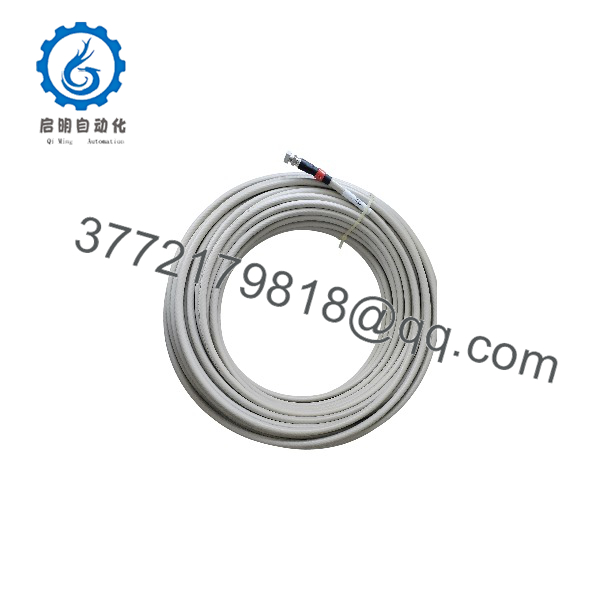
MU-NKT050 51195199-050
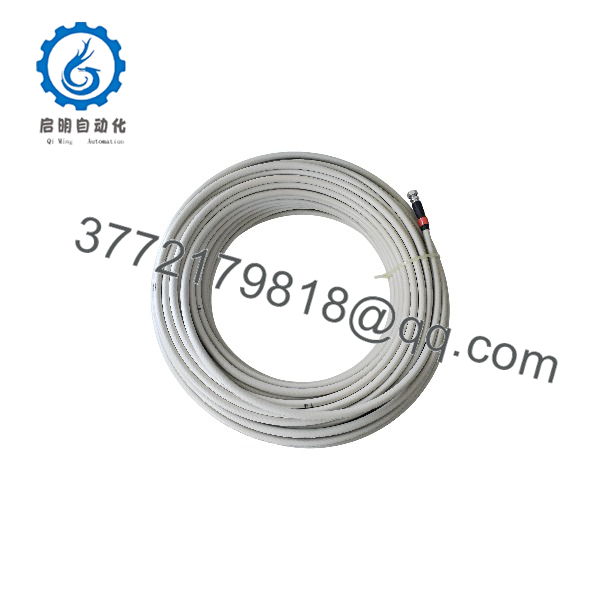
MU-NKT050 51195199-050
Firmware/Software Versions & Upgrade Notes
- Configuration Baseline: Coaxial physical network media cables do not contain programmable firmware, but require strict adherence to physical layer specifications.
- Compatibility Notes: Ensure proper termination resistors (typically 75-ohm where applicable for UCN architectures) are installed at segment ends to prevent signal reflections.
- Replacement Strategy: Never splice legacy communication coax to extend lengths during an emergency fix; always deploy a continuous factory-tested run like the 50-meter MU-NKT050 to maintain characteristic impedance.
Frequently Asked Questions (FAQ)
Are these cables genuinely new, or are they pulled surplus?
This unit is a Brand New Surplus cable assembly. It has never been installed in a live plant tray, pulled from a decommissioned system, or subjected to field wear.
Why is using genuine Honeywell UCN cable critical?
UCN networks rely on exact impedance matching and robust shielding to transmit data reliably across long plant distances. Generic coaxial cables often lack the required shielding parameters, leading to dropped communication packets and system alarms.
Can the MU-NKT050 be cut to a shorter length on-site?
Field-cutting UCN coaxial trunk cables and re-terminating connectors manually introduces impedance mismatches and reflection errors. It is strongly recommended to use factory-terminated assemblies of the correct length.
What is the primary application for this cable?
It is used primarily within Honeywell TDC 3000 and related DCS platforms to interconnect nodes on the Universal Control Network (UCN).
What warranty is provided with this unit?
This New Surplus cable assembly is backed by a comprehensive 1-year operational warranty, ensuring absolute reliability and seamless network integration.



