
 WhatsApp: +86 16626708626
 Email:
  Phone: +86 16626708626
Description
Key Technical Specifications
| Parameter | Value |
| Manufacturer | KEBA Industrial Automation |
| Model / Type Designation | CU313A (CU 313/A) |
| Product System | KeControl C2 Automation Platform |
| Operating Power Input | 24 VDC (18 VDC to 30 VDC range, SELV) |
| Communication Interfaces | Ethernet (RJ-45), CANbus, Serial (RS-232/RS-485) |
| Diagnostic Indicators | Multi-LED Front Panel System Status (Power, Run, Fault, Comms) |
| Real-Time Execution | Real-Time Embedded OS for PLC and Motion Control Loops |
| Operating Temperature | 5 to 55 °C (41 to 131 °F) |
| Mounting / Form Factor | 35 mm DIN Rail Enclosure / Direct Panel Rack Mount |
| Enclosure Rating | IP20 |
Product Introduction & Supply Chain Strategy
The KEBA CU313A is an industrial-grade main control unit engineered for high-precision injection molding, robotics, packaging, and custom machine automation systems. Operating within the KeControl C2 framework, it processes real-time PLC logic, motion positioning, and fieldbus communications across distributed I/O nodes.
Sourcing this unit as New Surplus directly shields your plant from high Total Cost of Ownership (TCO) and extended delivery wait times during critical system failures. This product is a Brand New Surplus unit. It is not used, not pulled from a decommissioned plant, and not refurbished. All modules undergo rigorous quality verification to ensure OEM-level reliability. Holding 1–2 backup controller units on-site safeguards your production line against sudden controller outages and legacy equipment obsolescence.
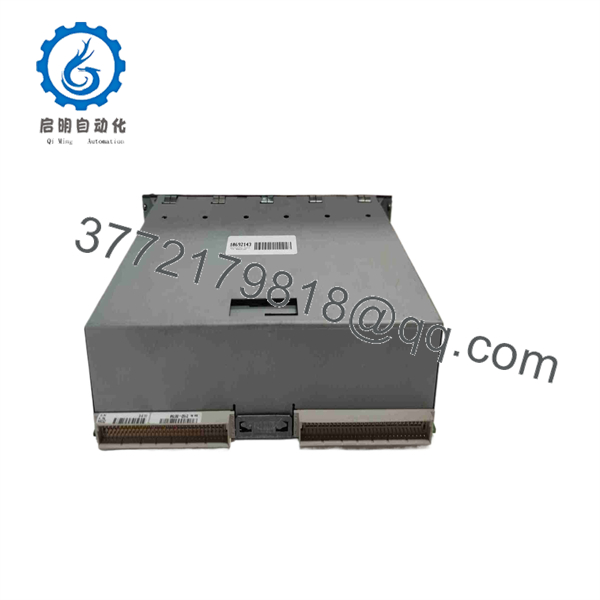
CU313A
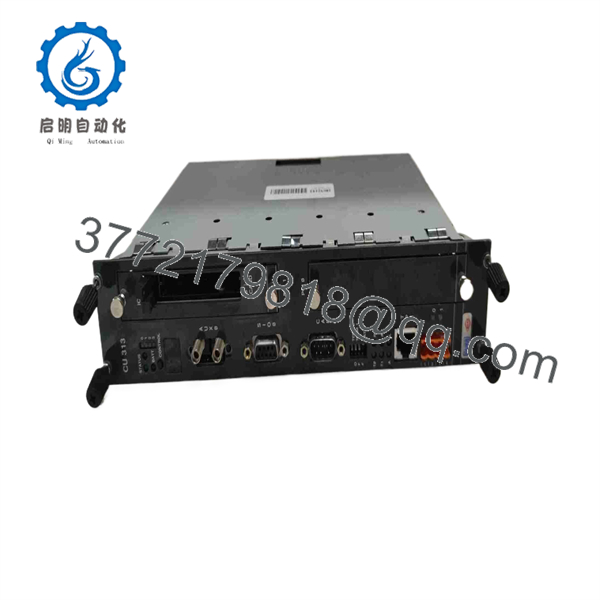
CU313A
Installation & Configuration Guide
1.Stage 1: Pre-Installation (Prep & Safety):Prerequisite & LOTO.
Isolate 24 VDC control power to the cabinet by executing Lock-Out/Tag-Out (LOTO) procedures on the panel feeder breaker. Put on a grounded ESD wrist strap prior to unpacking the replacement unit. Take high-resolution photographs of connected Ethernet, CANbus, and terminal blocks on the original module.
Verification: Confirm zero DC voltage across the power supply input leads using a calibrated digital multimeter.
2.Stage 2: Removal:3 min.
Unplug fieldbus connectors, network cables, and power terminal headers. Pull the DIN-rail locking tab downward using a flathead screwdriver and lift the CU313A module off the mounting rail.
Verification: Inspect wiring connectors and guide channels for physical strain, heat discoloration, or dust accumulation.
3.Stage 3: Installation (Clone & Seat):5 min.
Set any hardware address DIP switches or rotary selectors on the new CU313A to match the original unit’s settings. Hook the upper mounting recess onto the DIN rail, push the housing inward until the locking clip snaps, and re-attach all terminal headers and network cables.
Verification: Confirm all locking screw terminals and RJ-45 cable latches are firmly engaged.
4.Stage 4: Power-On & Testing:Commissioning.
Re-apply 24 VDC control power and observe the boot-up sequence on the front panel diagnostic LEDs as the system loads runtime project logic.
Verification: Confirm the RUN LED shines steady green and that active fieldbus communication indicators illuminate without triggering network error alarms.
Firmware/Software Versions & Upgrade Notes
- Recommended Programming Suite: KEBA KeStudio Automation Suite (Target runtime version matched to application code).
- Compatibility Constraints: Ensure the runtime firmware installed on the CU313A matches the compiled project target version created in KeStudio before downloading control programs.
- Upgrade/Downgrade Warning: Modifying system firmware during emergency hardware replacements can alter system bus timing and invalidate existing parameter files. Always archive non-volatile system backups (*.par / project files) using KeStudio prior to swapping hardware.
Frequently Asked Questions (FAQ)
Is this KEBA CU313A module brand new or refurbished?
This product is a Brand New Surplus unit. It is not used, not pulled from a decommissioned plant, and not refurbished. All modules undergo rigorous quality verification to ensure OEM-level reliability. It ships in original protective ESD-safe packaging.
Why should we purchase New Surplus rather than a refurbished controller?
Refurbished industrial controllers often contain aged capacitors, degraded flash memory cells, and thermal stress on internal microprocessors caused by years of continuous panel heat. A failure on a refurbished CPU can lock up automated machinery without warning, causing expensive downtime. Buying New Surplus guarantees full factory component lifespan and complete operational stability.
How is the unit verified before shipment?
Every KEBA module passes our standard SOP quality check. This includes physical terminal and housing audits, anti-counterfeit serial verification, 24 VDC power-up validation, and ESD-safe handling procedures.
Do I need to program this controller before returning the machine to service?
Yes, system controllers must have your specific machine project file and parameter profile transferred via KeStudio or non-volatile memory cards before restoring full system operation.
What warranty coverage is included with this unit?
We support this New Surplus KEBA module with a full 1-year replacement warranty, eliminating procurement delays and securing your hardware supply chain.



