
 WhatsApp: +86 16626708626
 Email:
  Phone: +86 16626708626
Description
Key Technical Specifications
- Manufacturer: KEBA AG
- Model: FB201
- Product category: PLC CPU card / automation controller module
- System role: Central control processor or platform-specific fieldbus interface, depending on installed KEBA system architecture
- Nominal supply voltage: 24 V DC
- Reported supply tolerance: 24 V DC ±20%; verify against the module label and original KEBA documentation before installation
- Mounting format: Card or rack-mounted module with system-specific backplane connection
- I/O architecture: Communicates with local or distributed I/O through the host platform backplane and configured fieldbus system
- Control capability: Real-time machine-control application; exact programming functions depend on the installed KEBA controller and runtime version
- Typical application areas: Machine automation, robotics, packaging equipment, print machinery, material handling, and motion-control systems
- Status indication: Verify front-panel indicators and their meaning against the installed system manual
- Replacement criteria: Match FB201 model marking, hardware revision, firmware/runtime compatibility, connector arrangement, system rack, and application backup
Online reseller listings identify the FB201 as a KEBA PLC/CPU card or controller-related module, but their descriptions conflict on whether it is a central CPU, I/O expansion card, motion-control module, or fieldbus interface. Do not use generic marketplace specifications as an installation authority. Confirm the faceplate, rear connector, host rack, and original KEBA electrical drawing before purchasing.
Product Introduction
The KEBA FB201 is a legacy automation controller card used in KEBA machine-control systems. Depending on the exact installed platform and firmware, it can serve as a CPU-level processing card or a system-specific interface supporting machine I/O and control communications.
The right replacement is the one that matches the existing rack, software environment, connector assignment, and hardware revision. Do not substitute an FB201 based only on its physical appearance. Several reseller sources classify the same part differently, which is a warning that verification against the original panel documentation matters before an outage-driven replacement.
Troubleshooting Quick Reference
| Symptom | Possible Cause | Relevance to This Part | Quick Check Method | Recommendation |
|---|---|---|---|---|
| No status LED on power-up | Missing 24 V DC supply, blown upstream fuse, loose backplane connection, failed CPU card | ✅ High | With the rack isolated as required, measure 24 V DC and 0 V at the module supply or rack distribution terminals. Check the DC fuse, supply LED, and adjacent module power condition. | Correct power-distribution faults before replacing the FB201. A dead rack supply can look exactly like a dead CPU card. |
| LEDs turn on but machine does not start | Application not running, safety circuit open, external enable missing, watchdog fault, controller boot issue | ⚠️ Medium | Check the HMI or engineering interface for runtime state, watchdog alarm, boot message, and safety/permissive status. Verify the machine-enable chain independently. | Do not replace the card until the safety relay, emergency-stop chain, drive ready signals, and machine permissives are confirmed. |
| I/O points are unresponsive | Field power lost, remote I/O bus fault, failed I/O slice, broken field wiring, controller communication issue | ❌ Low to Medium | Check 24 V field power at the affected I/O group. Inspect local I/O and bus-coupler LEDs. Compare communication status of adjacent modules. | Trace the I/O network and field supply first. One dead I/O group usually points away from the CPU card. |
| Controller repeatedly restarts | Weak 24 V DC supply, voltage drop during contactor or solenoid operation, failing backplane, damaged controller card | ✅ High | Monitor the 24 V DC supply at the rack during machine start using a meter with Min/Max capture or an oscilloscope. Look for brownouts when loads pull in. | Correct supply sag and grounding problems first. Replace the only if clean supply power still produces repeatable reboot behavior. |
| Communication fault after replacement | Firmware/runtime mismatch, incorrect hardware revision, incompatible programming project, wrong node address or bus configuration | ✅ High | Record old module label, revision, firmware, and configuration before removal. Compare the replacement card exactly. Check the engineering software for target-hardware compatibility. | Request a matching revision whenever possible. If revisions differ, validate on a bench or during a planned maintenance window. |
| Motion axes or drives do not enable | Drive safety active, fieldbus fault, missing encoder feedback, controller output configuration mismatch | ❌ Low to Medium | Check drive fault codes, safe-torque-off status, bus diagnostics, and drive enable feedback. Confirm the controller commands are actually reaching the drive interface. | Diagnose drives and safety circuits before condemning the . The CPU may simply be reacting correctly to a drive-side fault. |
| Random faults after touching or replacing the card | Poor connector seating, oxidized backplane contacts, ESD damage, bent pins, incorrect module orientation | ✅ High | Isolate power, remove the card using ESD controls, inspect connectors under good light, and reseat evenly. Compare keying and locking hardware with the removed unit. | Replace damaged connectors or backplane hardware. Use a grounded wrist strap whenever handling the . |
| Program missing or machine configuration changed | Battery-backed memory issue, failed storage device, unrecorded parameter settings, incorrect project download | ⚠️ Medium | Verify whether the original controller retains its application after a controlled power cycle. Archive the project, parameter sets, and machine recipes before swapping hardware. | Maintain a verified backup before replacement. Never assume the new card ships with your machine application loaded. |
Field note: The replacement trap with legacy KEBA hardware is not usually the card itself. It is the missing project archive, a different firmware level, or a rack/backplane problem that only becomes visible during the swap. Take photos of every label and connector, save the engineering project, and record fault history before pulling the old .
If the fault remains unclear, provide technical support with front and rear photos of the module, the controller-rack part number, LED states, supply-voltage readings, the complete error text, and a copy of the application or configuration backup.
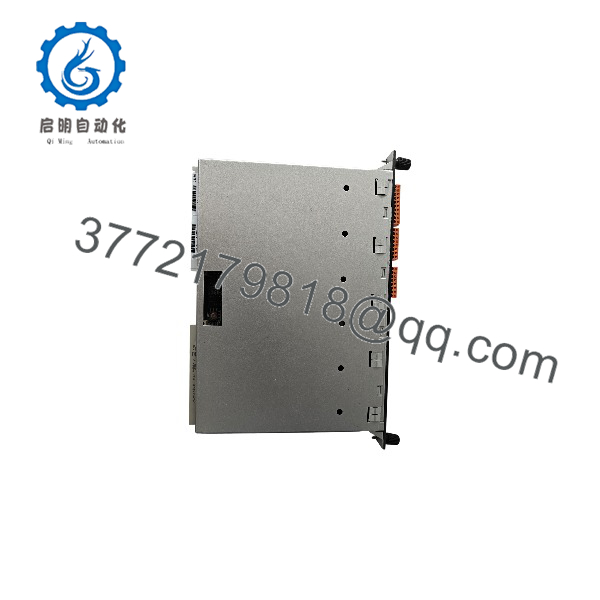
FB201
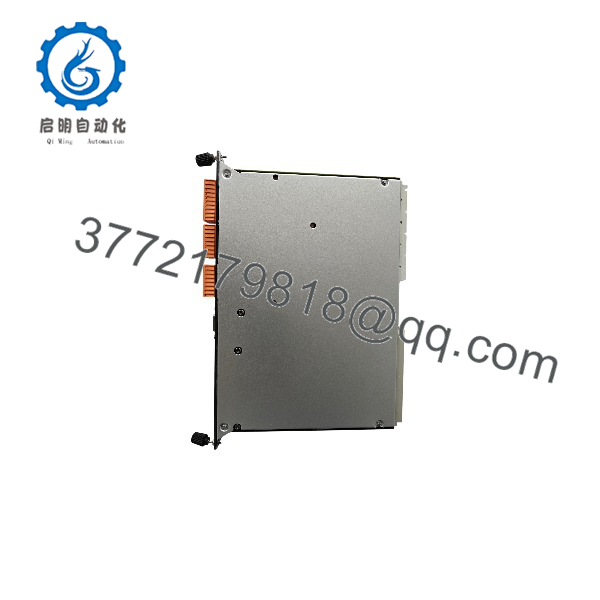
FB201
Frequently Asked Questions
Is KEBA a CPU module or an I/O module?
Treat the as a KEBA controller-related card until the exact host system is verified. Public reseller listings classify it inconsistently as a PLC CPU card, a compact PLC/controller card, a fieldbus interface module, an I/O expansion module, and a motion-control module. That conflict is exactly why an purchase should be based on the installed unit’s faceplate, connector layout, rack model, and machine documentation—not on a generic description.
Can I use any KEBA as a direct replacement?
No. The visible model number alone may not be enough. Confirm the hardware revision, firmware/runtime version, rack or backplane compatibility, connector keying, communication configuration, and installed application project. A card that powers up can still fail to run the machine if the software target, fieldbus setup, or revision level differs.
Can I hot-swap the ?
Do not hot-swap it unless the specific KEBA system manual explicitly permits it. A CPU or controller-level card generally should be replaced with rack power removed. Pulling it live can corrupt communications, trigger uncontrolled machine stops, damage connectors, or cause ESD-related failure. Shut down the machine safely, isolate control power, and follow the plant’s lockout/tagout procedure.
Will the machine program transfer automatically to a replacement ?
Usually, no. Whether an application resides in nonvolatile memory, removable media, a host controller, or battery-backed memory depends on the actual KEBA platform. Before removing the old card, make a verified backup of the controller project, parameters, fieldbus configuration, motion settings, recipes, and any licensed runtime components. To be honest, this step is a hassle during a breakdown—but skipping it can turn a 30-minute card replacement into a multi-day recommissioning job.
What should I send before ordering an ?
Send clear, readable photos of the following:
- Entire front label, including all revision, serial, and option markings
- Rear connector, edge connector, and any side labels
- Complete controller rack or backplane part number
- Adjacent module labels and order within the rack
- Existing firmware/runtime version, if accessible
- Machine fault messages and LED condition
- Supply-voltage measurement at the rack
- Engineering project or backup file information
This gives the supplier enough evidence to check whether the offered card is actually compatible.
Is the item New Surplus or Refurbished?
The condition must be written clearly on the quotation. New Original / New Surplus means unused legacy inventory that should be inspected for original labels, connector condition, storage damage, and packaging integrity. Refurbished (tested) means a previously used card that has been cleaned, inspected, powered, and functionally checked. Do not accept “used, tested” without asking what was tested.
For a refurbished , request photos of the actual unit, serial-label evidence, a 24 V DC power-on test, LED/boot verification, communication or rack-recognition results where available, and the test report.
Why is an cheaper than a current OEM replacement?
Legacy-stock pricing reflects surplus inventory, age, limited availability, storage history, and the fact that this model may no longer be in current production. It does not mean the part is automatically equivalent to a current KEBA controller. The lower unit price can disappear quickly if the replacement lacks the correct revision or requires unexpected machine recommissioning. Match the technical details first, then compare price.
What warranty should I expect for a legacy KEBA ?
Get the warranty period and return procedure in writing before payment. A useful warranty statement identifies the exact part number, condition, coverage period, test status, and return requirements. It should also state whether the seller needs fault evidence, photos, or an installation report before authorizing a return. Warranty coverage does not include errors caused by wrong supply voltage, ESD, incompatible firmware, field wiring faults, or an incorrect application download.



