
 WhatsApp: +86 16626708626
 Email:
  Phone: +86 16626708626
Description
Key Technical Specifications
| Parameter | Value |
|---|---|
| Manufacturer | KEI System Co., Ltd. |
| Model / Part Number | CPU-AGU 3240A51A (KEI 3240 Series) |
| Application Environment | Marine Machinery Automation, Alarm & Monitoring Systems (AMS) |
| Operating Power Input | 24 VDC (Nominal industrial/marine supply rail) |
| Processor Architecture | Embedded High-Reliability Industrial Microprocessor |
| Serial Communication Interfaces | RS-232 / RS-485 / RS-422 Configuration & Data Ports |
| Diagnostic Indicators | Front Panel LEDs (Power, Run, Alarm, Serial TX/RX) |
| Mounting / Form Factor | Panel Mount / Sub-Rack Enclosure Chassis |
| Operating Temperature | 0 to 55 °C (32 to 131 °F) |
| Enclosure Construction | Heavy-Duty Galvanized Steel Shell for High Vibration Resistance |
Product Introduction & Supply Chain Strategy
The KEI System CPU-AGU 3240A51A is a specialized marine-grade central processing unit designed for critical vessel monitoring, engine-room control, and alarm automation systems. Built by KEI System Co., Ltd., this unit coordinates multi-channel data acquisition and real-time fault logging across demanding maritime backplanes.
Sourcing this module as New Surplus provides a strategic avenue to eliminate the massive Total Cost of Ownership (TCO) tied to unverified used equipment or complete system retrofits. This product is a Brand New Surplus unit. It is not used, not pulled from a decommissioned plant, and not refurbished. All modules undergo rigorous quality verification to ensure OEM-level reliability. Maintaining 1–2 units in safety buffer stock prevents costly vessel port-state detention and unexpected downtime during scheduled voyages.
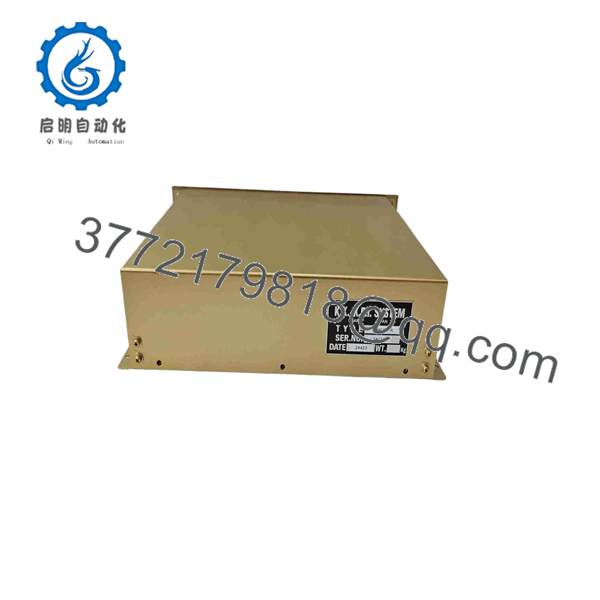
CPU-AGU 3240A51A
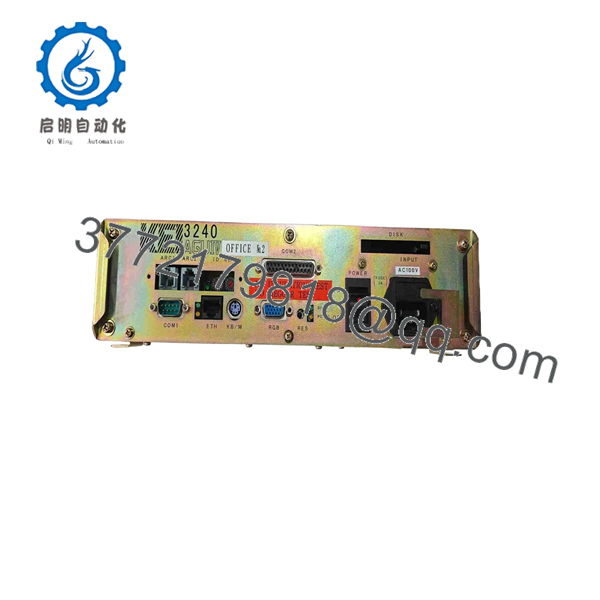
CPU-AGU 3240A51A
Installation & Configuration Guide
1
Stage 1: Pre-Installation (Prep & Safety)
Prerequisite & LOTO
1.Stage 1: Pre-Installation (Prep & Safety):Prerequisite & LOTO.
Isolate 24 VDC auxiliary power to the control panel by executing Lock-Out/Tag-Out (LOTO) procedures. Put on a grounded ESD wrist strap before handling the replacement module. Document all cable routing, serial interface pinouts, and hardware address DIP switches from the faulty CPU.
Verification: Confirm zero DC voltage at the terminal power leads using a digital multimeter.
2
Stage 2: Removal
5 min
2.Stage 2: Removal:5 min.
Unscrew the front-panel mounting fasteners and carefully disconnect serial, power, and I/O bus connectors. Pull the CPU assembly straight out from the cabinet chassis without placing tension on the cabling harness.
Verification: Inspect connector housing sockets and backplane pins for corrosion, salt buildup, or physical damage.
3
Stage 3: Installation (Clone & Seat)
10 min
3.Stage 3: Installation (Clone & Seat):10 min.
Set all internal DIP switches and jumpers on the replacement CPU-AGU 3240A51A to match the original unit’s settings exactly. Slide the unit into the mounting space, tighten the retention screws, and reconnect all serial and system bus harnesses.
Verification: Verify that serial connector thumbscrews and power plugs are fully seated and locked.
4
Stage 4: Power-On & Testing
Commissioning
4.Stage 4: Power-On & Testing:Commissioning.
Re-apply 24 VDC power and monitor the boot sequence via the front panel status LEDs. Check that communications handshake properly with remote I/O nodes and operator interface panels.
Verification: Confirm the RUN LED shines solid green and that active alarm monitoring channels register live telemetry without bus timeout faults.
Firmware/Software Versions & Upgrade Notes
- Firmware Verification: Ensure the target unit’s internal firmware revision matches the system configuration parameters stored in your vessel’s alarm and control workstation.
- Compatibility Constraints: Mixing different firmware generations on a shared KEI 3240 data bus can cause communication frame drops or invalid sensor telemetry mapping.
- Upgrade/Downgrade Warning: Avoid attempting firmware updates while the ship or facility is underway or in active operation. Always make an archival backup of non-volatile parameter files prior to replacing hardware.
Frequently Asked Questions (FAQ)
Is this KEI System CPU-AGU 3240A51A unit brand new or refurbished?
This product is a Brand New Surplus unit. It is not used, not pulled from a decommissioned plant, and not refurbished. All modules undergo rigorous quality verification to ensure OEM-level reliability. It ships in original ESD-safe packaging.
Why should we purchase New Surplus instead of a refurbished marine CPU?
Refurbished marine electronics often suffer from hidden corrosion, degraded electrolytic capacitors, and solder thermal stress caused by years of continuous engine-room heat and vibration. A failure on a refurbished CPU can cause a critical alarm system blackout at sea. Purchasing New Surplus guarantees factory-fresh component life and operational security.
How is the module verified before shipment?
Every CPU-AGU 3240A51A module undergoes a rigorous inbound inspection. This includes visual pin-alignment and chassis audits, anti-counterfeit serial verification, 24 VDC bench power-up testing, and ESD-safe handling procedures.
Do I need to flash or configure this module before installation?
Yes, you must set the onboard node address jumpers/DIP switches to match your existing network layout, and load your specific system parameter profile onto the CPU prior to returning the system to operational duty.
What warranty protection comes with this unit?
We cover this New Surplus KEI System module with a full 1-year replacement warranty, eliminating long lead times and securing your supply chain.



