
 WhatsApp: +86 16626708626
 Email:
  Phone: +86 16626708626
Description
Key Technical Specifications
| Parameter | Value |
|---|---|
| Manufacturer | KLA Corporation |
| Model | KLA5105 |
| Product Type | Semiconductor metrology module |
| Application | Wafer inspection and process measurement equipment |
| System Category | Semiconductor manufacturing equipment |
| Measurement Function | Precision measurement / inspection interface |
| Sensor Interface | Equipment-specific |
| Communication Interface | System-dependent |
| Power Supply | Verify OEM equipment documentation |
| Operating Environment | Cleanroom equipment environment |
| Installation Method | OEM equipment rack/module mounting |
| Firmware | Equipment configuration dependent |
| Calibration Data | Equipment-specific |
| Replacement Method | Exact module identification required |
⚠️ Identification note: Public technical documentation for KLA5105 hardware is limited. Available supplier listings identify KLA5105 as a KLA precision measurement/metrology module, but exact electrical specifications, connector pinouts, firmware, and compatibility depend on the host KLA inspection/metrology platform.
Product Introduction
The KLA5105 is a KLA semiconductor equipment module used in precision metrology and inspection applications. It operates as part of a larger KLA manufacturing system where measurement hardware, sensors, control electronics, and software work together for wafer process monitoring.
For replacement projects, the main engineering concern is system compatibility. A KLA5105 spare must match the installed equipment platform, firmware revision, calibration requirements, connector configuration, and machine configuration files.
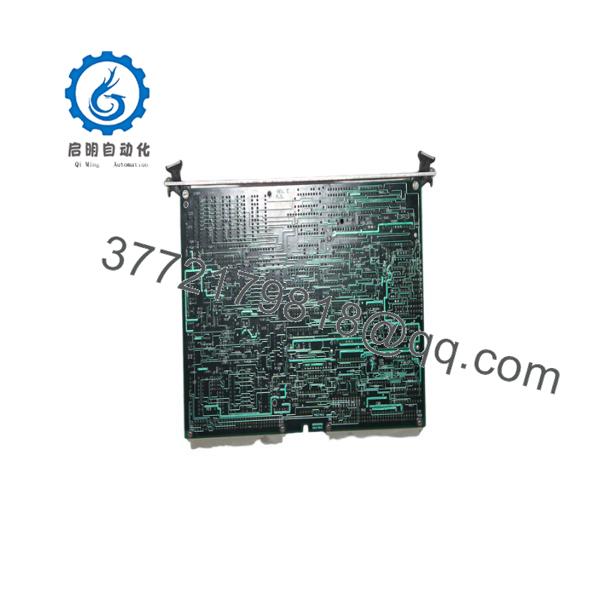
KLA5105
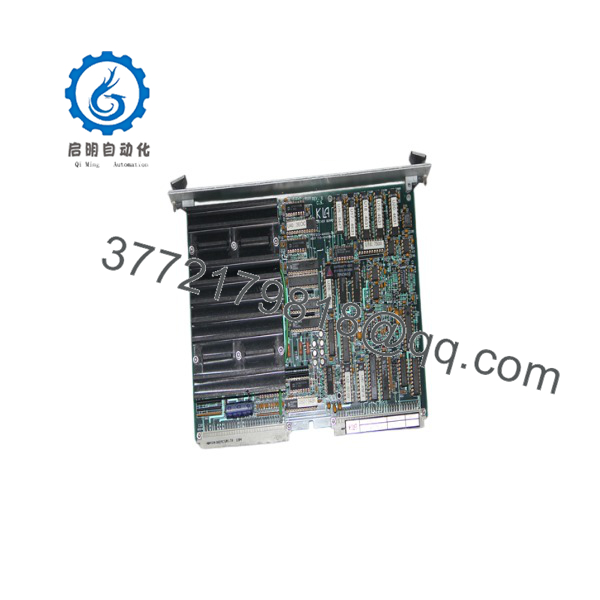
KLA5105
Installation & Configuration Guide
Stage 1: Pre-Installation Preparation — 15 minutes
⚠️ Safety First
- Notify semiconductor equipment operations before beginning maintenance.
- Confirm the equipment is in maintenance mode.
- Follow facility EHS procedures for semiconductor tools.
- Remove applicable power sources according to the equipment manual.
- Allow internal power supplies to discharge.
- Verify safe conditions before touching internal electronics.
Tools Required
- ESD wrist strap
- ESD mat
- PH1 screwdriver
- Digital multimeter
- Label printer or wire labels
- Smartphone/camera for documentation
- Maintenance laptop if required
Data Backup
- Record the complete KLA5105 identification label.
- Photograph module position and cable routing.
- Record equipment model and software version.
- Save system configuration files if available.
- Document calibration and maintenance records.
- Record all connector locations.
⚠️ Do not replace semiconductor equipment modules based only on the model number. KLA systems often depend on equipment-specific calibration and software configuration.
Stage 2: Removing the Old Module — 10 minutes
- Open the equipment electronics enclosure according to OEM procedure.
- Confirm ESD protection is active.
- Verify power isolation.
- Photograph all cable connections.
- Label each connector.
- Disconnect cables carefully.
- Release mounting hardware.
- Remove the module using proper handling procedures.
- Inspect connectors for contamination or bent pins.
⚠️ Keep the original module available until system verification is complete. Calibration information and configuration references may be required.
Stage 3: Installing the New Module — 15 minutes
- Wear ESD protection before handling the replacement.
- Verify the replacement identification matches the removed .
- Compare connector layout and mechanical dimensions.
- Confirm the host equipment model compatibility.
Configuration Clone (Critical)
- Verify firmware revision.
- Confirm equipment software compatibility.
- Restore required configuration files.
- Verify calibration data availability.
- Confirm sensor interface configuration.
- Install the module into the correct equipment position.
- Secure mounting hardware.
- Reconnect all cables.
- Verify connector locking mechanisms.
Self-Checklist
- Correct identification verified
- ESD procedures followed
- Connectors matched
- Firmware checked
- Configuration restored
- Mounting secured
Stage 4: Power-On & Testing — 30 minutes+
- Perform final visual inspection.
- Restore equipment power.
- Monitor system boot diagnostics.
- Verify module recognition.
- Check equipment alarms.
- Run built-in diagnostics.
- Confirm sensor communication.
- Perform calibration verification if required.
- Run qualification checks before production release.
⚠️ Troubleshooting Note
- Module not recognized: Check connector seating, firmware compatibility, and equipment configuration.
- Measurement errors: Verify calibration data and sensor connections.
- Startup faults: Compare software revision and hardware configuration.
- Communication failures: Confirm internal network or equipment bus settings.
Frequently Asked Questions (FAQ)
Can I hot-swap the module?
No. Unless the specific KLA equipment manual defines hot-swap capability, treat the module as a powered electronic assembly. Shut down according to the OEM maintenance procedure before removal.
Is the obsolete?
The is associated with legacy semiconductor equipment applications. Availability is typically through remaining inventory, surplus channels, or tested refurbishment suppliers. Confirm the physical condition before purchase.
Is a complete ordering number?
Not necessarily. Semiconductor equipment modules often require the host tool model, assembly number, revision code, and software compatibility information. The label photo is usually required for accurate identification.
Will replacing require recalibration?
Possibly. Semiconductor metrology equipment depends heavily on calibration data. After replacement, follow the equipment qualification procedure and verify measurement accuracy before production use.
Can I replace with another KLA module?
No direct substitution should be assumed. KLA modules are designed for specific equipment platforms. Verify mechanical fit, firmware, software support, and calibration requirements before replacement.
Why is surplus hardware cheaper than new OEM supply?
Legacy semiconductor equipment parts are often sourced from decommissioned tools, maintenance inventory, or specialized spare-part suppliers. Pricing depends on condition, testing level, and availability.
What information should I provide when ordering ?
Provide:
- Complete module label photo
- KLA equipment model
- Tool serial number if available
- Software version
- Connector photos
- Current fault symptoms
These details reduce the risk of receiving a module that fits physically but cannot operate correctly in the installed system.



